A team commits to a launch. Then it finds two engineers on PTO, one specialist shared elsewhere, and support tickets eating half the week. Deadlines slip, managers argue over priorities, and hiring turns into guesswork. Hybrid and distributed work make this harder because real capacity spans time zones, contractors, part-time FTEs, and local holidays. A capacity planning template helps teams compare people, hours, and skills with demand before commitments become promises.
This guide gives HR, operations, project, IT, and agile teams capacity planning examples to adapt. It avoids fixed benchmarks because utilization depends on role and work type. For a broader people-planning view, a workforce planning template can show headcount direction, while the templates below indicate whether current capacity can cover current work.
For a people strategy lens, SHRM describes staffing plans as a way to compare business needs with employee skills and identify gaps. Capacity planning uses the same supply-and-demand logic, but applies it to shorter planning windows, project phases, sprints, IT load, and executive reviews.
What Is Capacity Planning
Capacity planning is the practice of matching available capacity with expected demand. Capacity can include people, hours, skills, locations, contractor time, equipment, or technical infrastructure. Demand can include projects, sprint work, support tickets, launches, maintenance, and routine operations.
A good plan makes trade-offs visible before commitments are made. It shows whether a team can take on work or whether the work needs to move. It also shows when leaders should add people, reduce scope, change timing, or use outside support.
Capacity planning is used in HR, workforce planning, project management, IT, and agile sprint planning. The format changes by context, but the core question stays the same: can supply cover demand with enough room for real work conditions?
Why Companies Need a Capacity Planning Template
A template prevents over-staffing and under-staffing by forcing the same supply-and-demand questions to be asked every cycle. It helps managers defend hiring, contracting, and reprioritization decisions with data rather than preference. It also creates consistency across teams, departments, and quarters.
Skills matter as much as hours. A skills gap analysis template can show which capabilities are missing, while capacity planning shows when those gaps will affect work. A team can have enough total hours and still miss a deadline if the only qualified reviewer is overbooked.
Workforce and project teams need the same level of planning discipline. Workforce planning looks at the gap between available talent and business needs, while capacity planning applies that same logic to shorter project, IT, and sprint cycles. It helps teams understand whether they have enough people, time, and resources to complete planned work. For distributed teams, this is especially important because availability can depend on time zone overlap, location, contractor scope, and local holidays.
9 Capacity Planning Template Examples
The capacity planning templates below cover standard planning, team capacity, shared resources, workforce cycles, project phases, IT work, agile sprints, spreadsheet planning, and executive reporting. Use the body-text versions for article pages or working documents. Use the image-ready versions for graphics, carousels, or downloadable cards.
Standard Capacity Planning Template
Purpose: Use this for a quarterly or monthly review. It gives leaders one shared view of work demand, people, skills, available hours, and likely gaps before commitments are approved.
Template sections:
- Time horizon: month, quarter, or planning cycle.
- Available capacity: employee hours, contractor hours, PTO deductions, and known absences.
- Demand inputs: projects, tickets, support load, launches, and required work.
- Skills mapping: required skills matched to available roles and their proficiency levels.
- Utilization rate and buffer: planned work level plus protected room for unplanned demand.
- Gap and action items: over-capacity, under-capacity, owners, dates, and decisions.
Example of a template (text version):
- What is the planning period? Month / Quarter / Other: ___________
- What capacity is available? List roles, hours, locations, PTO, and known absences: ___________________________
- What are the demand inputs? Projects / Tickets / Support load / Launches / Required work (in priority order): ___________________________
- Which skills may limit delivery? Identify constraints by role or proficiency: ___________________________
- What is the target utilization rate? ___% | How much buffer is reserved for unplanned demand? ___ %
- What is the capacity gap? Surplus / Shortage / Skill-specific constraint: ___________________________
- What decision was made? Hire / Delay / Reassign / Reduce scope / Add contractor / Other: ___
- Who owns this plan? ___________________________ | Review date: ___________
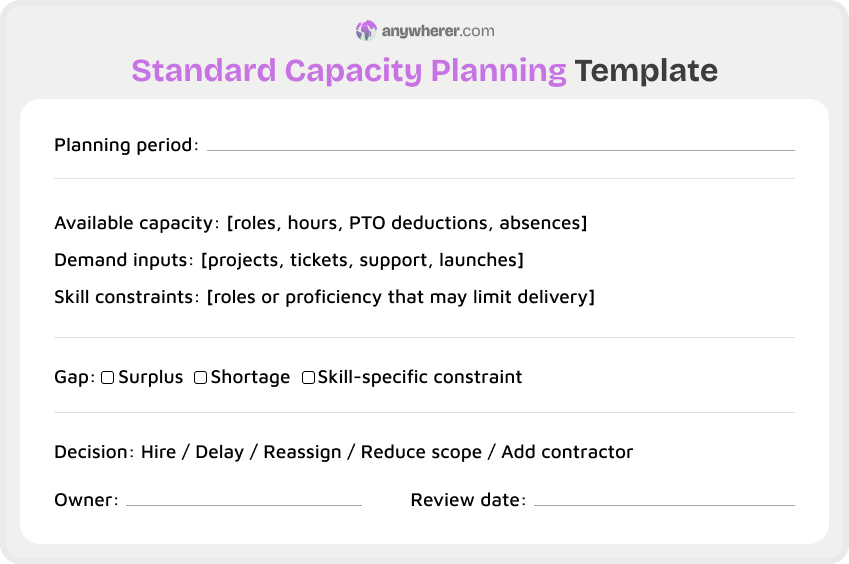
Best for: Operations leaders who need one clear capacity planning example across departments.
Team Capacity Planning Template
Purpose: A team capacity planning template fits small to mid-size teams. It turns calendars, PTO, meetings, support work, and focused delivery time into a usable plan.
Template sections:
- Time horizon: week, sprint, month, or quarter.
- Available capacity: team members, working days, PTO, holidays, meeting load, and part-time schedules.
- Demand inputs: team commitments, recurring tasks, tickets, and manager requests.
- Skills mapping: work assigned by role, coverage risk, and backup owner.
- Utilization rate and buffer: target workload with space for escalations or urgent work.
- Gap and action items: work to defer, assign, split, or escalate.
Example of a template (text version):
- What team is this plan for? ___________________________ | Planning window: Week / Sprint / Month / Quarter: ___________
- How many hours or workdays are available after PTO, holidays, and recurring meetings? ___________________________
- What is the committed demand for this period? List all confirmed work items: ___________________________
- What flexible or lower-priority work is also in scope? ___________________________
- What risks could affect delivery? Single-owner tasks / Skill gaps / Handoff issues / Other: ___
- What decision was made for work that does not fit? Defer / Transfer / Request help / Other: ___
- Who is the manager owner? ___________________________ | Date: ___________
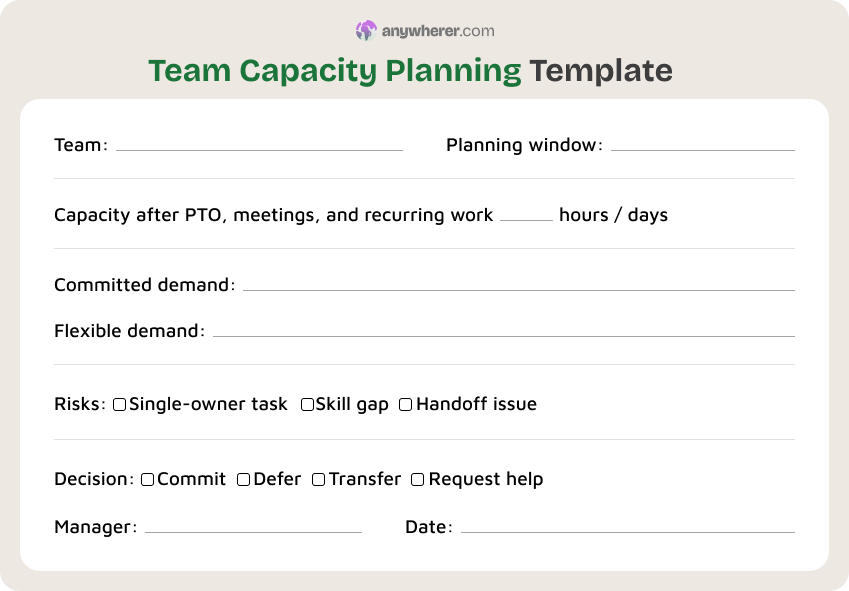
Best for: People managers who need a practical view of team availability before accepting more work.
Resource Capacity Planning Template
Purpose: Use a resource capacity planning template when the same pool of designers, engineers, analysts, or contractors serves several teams or projects at once.
Template sections:
- Time horizon: project phase, month, or quarter.
- Available capacity: named resources, FTE allocation, contractor hours, and location limits.
- Demand inputs: project requests, support queues, roadmap items, and maintenance work.
- Skills mapping: specialist skills, backup coverage, and work that cannot be reassigned.
- Utilization rate and buffer: planned allocation with time left for change requests.
- Gap and action items: conflicts, trade-offs, assignments, and escalation path.
Example of a template (text version):
- What resource pool is being planned? Function / Group: ___________________________
- What is the planning window? Project phase / Month / Quarter: ___________
- List each shared resource with available hours, allocation %, and location: ___________________________
- List each project demand with required hours, skill needed, and priority: ___________________________
- What constraints apply? Availability / Skill / Budget / Timing: ___________________________
- What capacity decision was made? Allocate / Split / Outsource / Defer / Reduce scope: ___
- Who reviews and approves allocation decisions? ___________________________ | Next review date: ___________
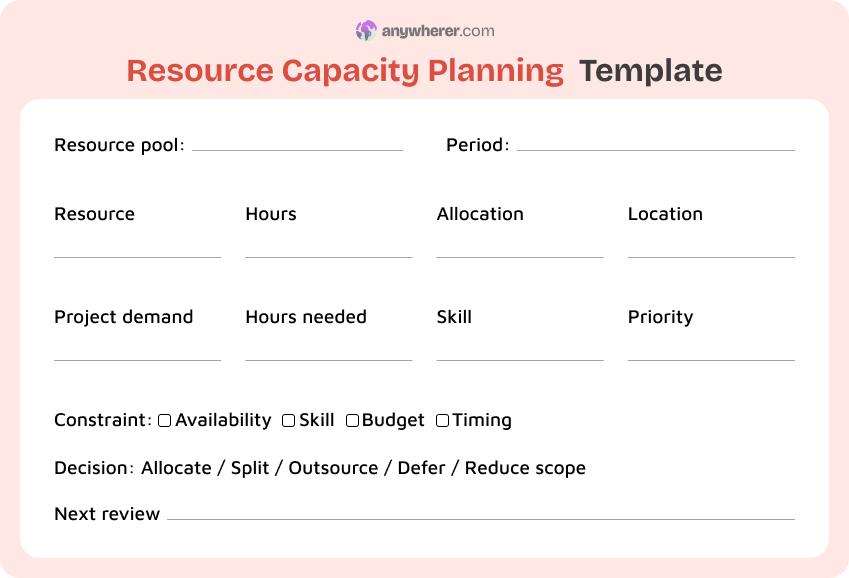
Best for: PMOs and department heads comparing resource capacity planning templates for shared service teams.
Workforce Capacity Planning Template
Purpose: A workforce capacity planning template helps HR connect hiring, skills, attrition risk, workforce plans, and business demand over the long term.
Template sections:
- Time horizon: annual plan, half-year plan, or rolling quarter.
- Available capacity: current headcount, role mix, location, contract type, and planned leave.
- Demand inputs: growth plan, forecast workload, backfill needs, and new capability needs.
- Skills mapping: critical skills, gaps, bench strength, and succession concerns.
- Utilization rate and buffer: sustainable workforce load with hiring lead time built in.
- Gap and action items: hire, redeploy, train, automate, or adjust demand.
Example of a template (text version):
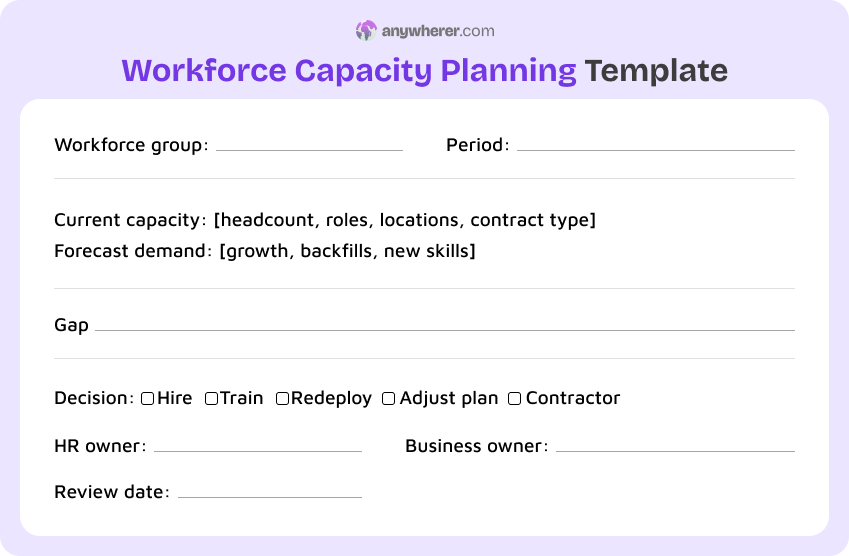
- What workforce group is being planned? Department / Region: ___________________________
- What is the planning window? Annual / Half-year / Rolling quarter: ___________
- What is the current capacity? List headcount, roles, locations, and employment type: ___________________________
- What is the forecast demand? Workload growth / Backfills / New skills needed: ___________________________
- What roles or skills are missing? Identify the gap: ___________________________
- What decision was made to close the gap? Hire / Train / Redeploy / Adjust plan / Use contractor support: ___
- HR owner: ___________________________ | Business owner: ___________________________ | Review date: ___________
Best for: HR teams that need a workforce capacity planning example for annual or quarterly people planning.
Project Management Capacity Planning Template
Purpose: A project management capacity planning template helps project leads assess whether each phase has sufficient capacity before dates, scope, and dependencies are locked in.
Template sections:
- Time horizon: project phase, milestone, release, or month.
- Available capacity: assigned team members, allocation percentage, contractor time, and approved absences.
- Demand inputs: tasks, dependencies, stakeholder reviews, testing, launch work, and support needs.
- Skills mapping: phase skills, decision makers, reviewers, and scarce specialists.
- Utilization rate and buffer: planned delivery load plus contingency for rework.
- Gap and action items: phase risk, owner, mitigation, and decision deadline.
Example of a template (text version):
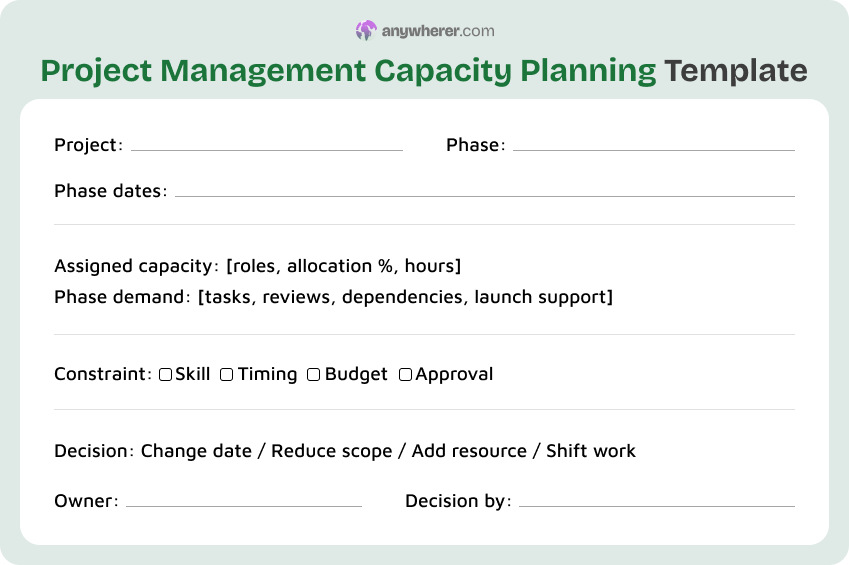
- What is the project name and current phase? ___________________________ | Phase dates: ___________
- Who is assigned to this phase? List roles, names, allocation %, and hours: ___________________________
- What are the phase demands? Tasks / Dependencies / Stakeholder reviews / Testing / Launch support: ___________________________
- What constraints apply? Skill / Timing / Budget / Approval needed: ___________________________
- What buffer is included for rework or discovery work? ___________________________
- What delivery decision was made? Change date / Reduce scope / Add resource / Shift work: ___
- Who is the project owner? ___________________________ | Decision deadline: ___________
Best for: Project managers who need an example of capacity planning before scope or dates are approved.
IT Capacity Planning Template
Purpose: An IT capacity planning template covers both people capacity and technical capacity, so infrastructure, engineering, and support leaders can plan work without ignoring systems risk.
Template sections:
- Time horizon: sprint, month, release, quarter, or forecast window.
- Available capacity: engineers, admins, support staff, maintenance windows, and on-call limits.
- Demand inputs: incidents, roadmap work, upgrades, security work, service requests, and expected usage.
- Skills mapping: platform knowledge, security expertise, support coverage, and release ownership.
- Utilization rate and buffer: planned engineering work plus incident and maintenance capacity.
- Gap and action items: staffing, automation, vendor support, hardware, or schedule changes.
Example of a template (text version):
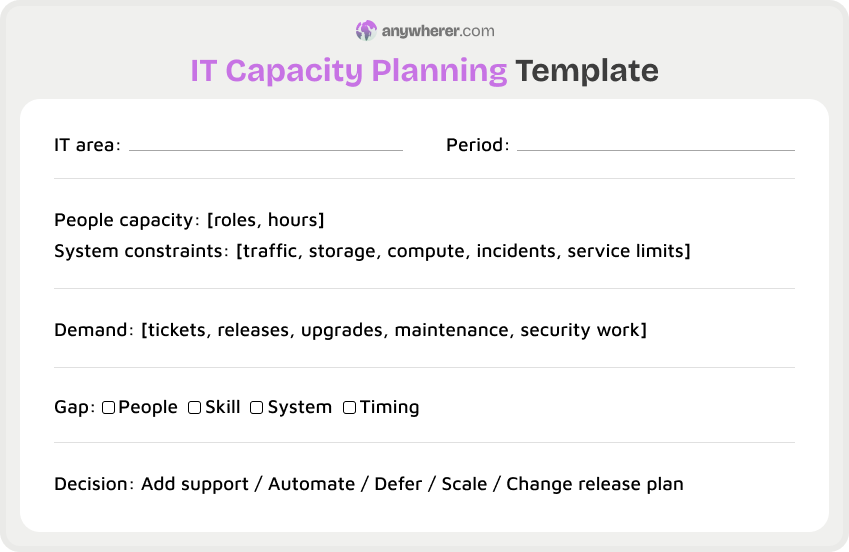
- What IT area is being planned? Platform / Product / Support group: ___________________________
- What is the planning window? Sprint / Month / Release / Quarter: ___________
- What is the people capacity? List roles and hours for engineers, admins, and support staff: ___________________________
- What system constraints apply? Traffic / Storage / Compute / Incident load / Service limits: ___________________________
- What is the demand? Tickets / Releases / Upgrades / Maintenance / Security work: ___________________________
- What is the gap? People / Skill / System / Timing: ___________________________
- What decision was made? Add support / Automate / Defer / Scale infrastructure / Change release plan: ___
Best for: Infrastructure, engineering, and support teams that need a resource capacity planning example with technical constraints.
Agile / Sprint Capacity Planning Template
Purpose: An agile capacity planning template helps sprint teams commit to work based on real availability, planned absences, support rotation, and recent delivery patterns.
Template sections:
- Time horizon: sprint, iteration, or release increment.
- Available capacity: working days, team member availability, PTO, holidays, ceremonies, and support rotation.
- Demand inputs: backlog items, bugs, technical debt, support work, and carryover items.
- Skills mapping: story ownership, pairing needs, review capacity, and testing coverage.
- Utilization rate and buffer: sprint commitment with room for defects and discovery.
- Gap and action items: remove work, split story, pair, defer, or request a product decision.
Example of a template (text version):
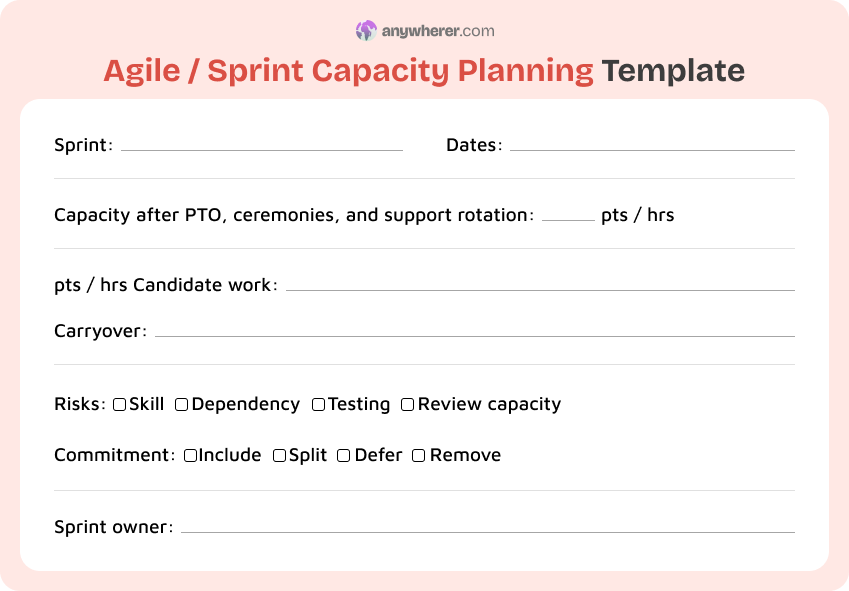
- What sprint is being planned? Number: ___ | Dates: ___________
- What is team capacity after PTO, holidays, ceremonies, and support rotation? ___ points / hours / days
- What backlog items and carryover work are candidates for this sprint? ___________________________
- What risks apply? Skills / Dependencies / Testing limits / Review capacity: ___________________________
- What commitment decision was made for each candidate item? Include / Split / Defer / Remove: ___
- Who is the sprint owner? Scrum master / Team lead: ___________________________
Best for: Scrum and agile teams that need a lightweight sprint planning view without hiding absences or support work.
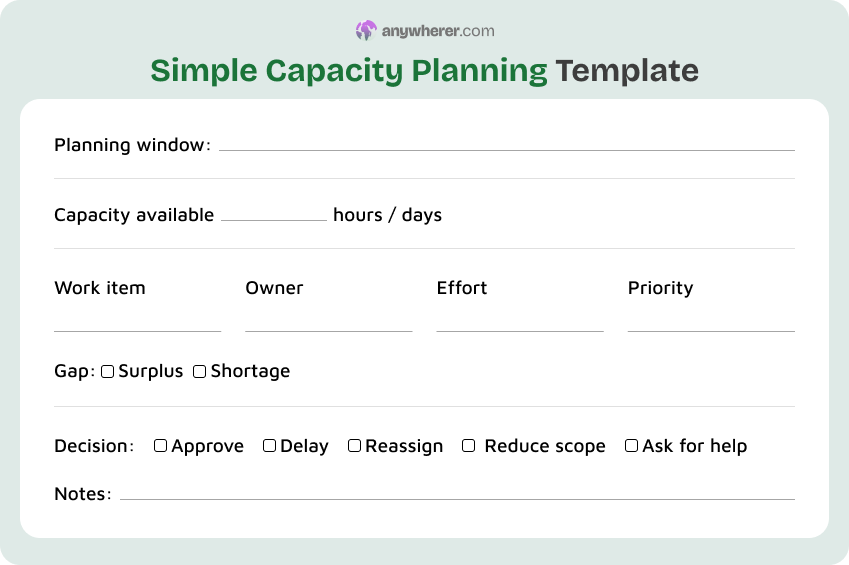
Simple Capacity Planning Template
Purpose: Use a free capacity planning template when a team needs a fast, spreadsheet-ready view for one plan, one manager, or one short decision cycle.
Template sections:
- Time horizon: week, month, or simple planning period.
- Available capacity: names, hours, PTO, and known non-project work.
- Demand inputs: priority work, due date, estimated effort, and owner.
- Skills mapping: role or skill needed for each work item.
- Utilization rate and buffer: planned load plus a simple protected margin.
- Gap and action items: stop, delay, reassign, or approve work.
Example of a template (text version):
- What is the planning window? Week / Month / Short cycle: ___________
- What is the total capacity available? ___ hours / days | PTO and non-project work deducted: ___________________________
- List each work item with owner, estimated effort, and priority: ___________________________
- What skills or roles are needed for each work item? ___________________________
- What is the capacity gap? Surplus / Shortage: ___________________________
- What decision was made? Approve / Delay / Reassign / Reduce scope / Ask for help: ___
- Notes, risks, or assumptions: ___________________________
Best for: Managers who need one-page capacity resource planning templates for a quick planning conversation.
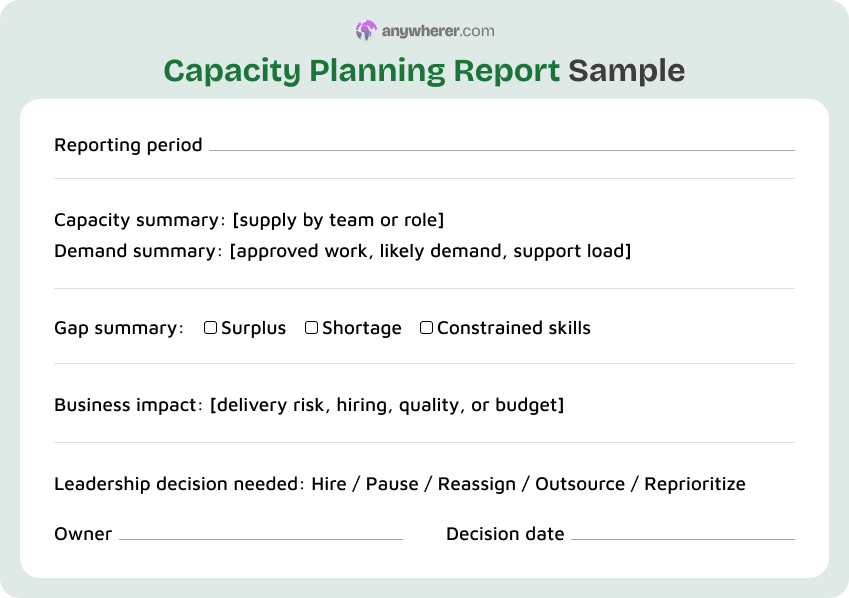
Capacity Planning Report Sample
Purpose: A capacity planning report sample turns planning data into an executive summary for leadership, finance, HR, and portfolio review meetings.
Template sections:
- Time horizon: quarter, half year, or executive reporting period.
- Available capacity: total supply by department, role, region, or resource pool.
- Demand inputs: funded work, unfunded work, strategic projects, and support volume.
- Skills mapping: critical gaps, constrained roles, and resourcing risks.
- Utilization rate and buffer: overall load, exceptions, and teams without enough room for change.
- Gap and action items: leadership decisions, owners, cost notes, and due dates.
Example of a template (text version):
- What is the reporting period? Quarter / Half-year / Executive review cycle: ___________
- What is the total capacity by team or role? List available supply: ___________________________
- What is the demand summary? Approved work / Likely demand / Support load: ___________________________
- What is the gap summary? Surplus / Shortage / Constrained skills: ___________________________
- What is the business impact of the gap? Delivery risk / Hiring / Quality / Budget: ___________________________
- What leadership decision is needed? Hire / Pause / Reassign / Outsource / Reprioritize: ___
- Who owns the decision and by what date must it be made? ___________________________ | ___________
Best for: Executives and HR leaders who need a concise report for hiring, budget, and delivery decisions.
Key Elements Every Capacity Planning Template Should Include
A useful template keeps the same core fields visible. That makes capacity decisions easier to compare across teams and cycles.
- Time horizon: define the week, sprint, month, quarter, project phase, or annual cycle.
- Available capacity: include people, hours, skills, PTO, holidays, contractor limits, and location constraints.
- Demand inputs and prioritization: separate committed work from requested or lower-priority work.
- Utilization rate and buffer: show the planned workload and the space left for change, rework, or urgent demand.
- Gap analysis: state whether there is a surplus, shortage, or skill-specific constraint.
- Decisions and owners: record who will hire, reassign, defer, reduce scope, or approve the risk.
- Review cadence: set the next review date so the plan does not become a static spreadsheet.
Common Mistakes in Capacity Planning
Capacity plans fail when availability is treated as fixed or interchangeable. A short check against these mistakes can prevent weak plans.
- Planning at 100% utilization with no buffer for support work, rework, onboarding, or urgent requests.
- Treating contractors and FTEs as interchangeable units when contracts, context, and availability differ.
- Ignoring time-zone overlap for distributed teams that need live reviews, handoffs, or customer coverage.
- Leaving the plan static after scope, PTO, hiring, attrition, or business priorities change.
- Confusing capacity with demand, then calling a wish list a plan.
- Ignoring future role continuity when a critical skill depends on one person. A succession plan template can help with that longer-term risk.
FAQs on Capacity Planning Template
What should be included in a capacity planning template?
A template should include the planning period, available people, hours, skills, PTO, demand inputs, priority order, buffer, gap analysis, decisions, owners, and review date. It should be clear enough for HR, finance, project leads, and team managers to read the same way. Atlassian also frames capacity planning around matching available resources to project demand, which is why demand and supply should sit in the same view.
How is capacity planning different from resource planning?
Capacity planning checks whether enough supply exists to meet future demand. Resource planning decides how specific people, teams, or tools will be assigned to that work. A capacity plan may show a shortage in engineering capacity for the next quarter. A resource plan then decides which engineers, contractors, or vendors will cover the approved work. The two plans should connect, but they answer different questions.
What is a good utilization rate for capacity planning?
There is no utilization rate that works for every team. A support team, a project team, a sprint team, and an executive function carry different amounts of unplanned work. A good plan sets a target workload, protects a buffer, and then checks whether deadlines and burnout signals stay healthy. Deloitte links workforce planning to supply and demand gaps, so judge workload against demand.
How often should a capacity plan be updated?
A capacity plan should be updated whenever demand or available supply changes materially. Many teams review it before a sprint, a monthly operations meeting, a quarterly business review, or an annual workforce cycle. Longer plans need a lighter monthly check because hiring, PTO, attrition, and priorities move. HR teams can connect longer-horizon capacity work with a succession plan template when role continuity affects future supply.
How do you do capacity planning for remote and distributed teams?
Remote capacity planning should treat time zones, part-time schedules, local holidays, PTO, and contractor availability as real constraints. A distributed team may have enough total hours but too little overlap for reviews, handoffs, or customer coverage. Atlassian’s sprint planning guidance encourages teams to review capacity before selecting sprint work. A remote work policy template can also clarify availability norms that affect capacity.
What are common mistakes in capacity planning?
Common mistakes include planning at full utilization, ignoring skill constraints, treating FTEs and contractors as identical, and updating the plan only after delivery slips. Another mistake is confusing demand with capacity. A roadmap can say what leaders want to do, but capacity planning shows whether the organization has enough people, skills, time, and buffer to do it responsibly.

Yaryna is our lead writer with over 8 years of experience in crafting clear, compelling, and insightful content. Specializing in global employment and EOR solutions, she simplifies complex concepts to help businesses expand their remote teams with confidence. With a strong background working alongside diverse product and software teams, Yaryna brings a tech-savvy perspective to her writing, delivering both in-depth analysis and valuable insights.