Resource management matches people’s working hours to the work that needs them. Every resource plan rests on 2 measures. Capacity planning compares a team’s hours against the hours upcoming projects will need. Utilization is the share of available hours spent on work. Billable utilization counts only the hours a client pays for, while total utilization also includes internal projects, training, and sales support.
A resource plan is a forecast, not a record. It names who should work on what over the coming weeks, then gets corrected as actual hours arrive from timesheets. The gap between planned and actual hours is where agencies and consultancies win or lose margin. It is also the number a planning tool has to make visible, because nobody notices it in a spreadsheet until the invoice is already short.
What Is the Best Resource Management Software in 2026?
Resource management software plans who works on what, and when, across projects and clients. It shows who is free next week, who is booked twice, and how much capacity is left for work that has not been signed. The usual buyers are agency operations leads, resource managers in consultancies, and PMO leads. A PMO is the project management office that governs a portfolio. This page stays at project level, measured in weeks and quarters. Planning headcount a year or more out is a separate job, covered in our guide to workforce planning software.
The cost of getting this wrong is well documented. In PMI’s Pulse of the Profession 2018, 26% of respondents named resource dependency as a primary cause of their failed projects. In plain terms, work stalled because a specific person or team was needed somewhere else. This is familiar to anyone who runs delivery. Most managers hear about an overbooked designer or engineer from that person, usually after a deadline has already moved. A shared schedule surfaces that clash while there is still time to fix it.

INSIGHT: How much of a team’s time actually goes to billable work?

Most firms plan for more billable hours than they get, and the gap shows up in margins before it shows up in the schedule.
- SPI Research’s 2026 benchmark covers 509 professional services organizations. Its benchmark page reports 42% more billable utilization at the most mature firms (Level 5) than at Level 2 peers.
- In the same PMI survey, limited or taxed resources were a primary cause in 21% of failed projects, and inadequate resource forecasting in 18%. Respondents could choose up to 3 causes.
- A schedule nobody updates shows capacity that does not exist.
Sources:
both read October 2026
No single product wins this category, because it covers 3 different jobs. Team schedulers place named people on projects this week and next. PSA platforms, short for professional services automation, tie those bookings to budgets, time, and invoices. Portfolio platforms plan capacity by role across dozens of projects, months ahead. Money is why the choice matters. SPI Research’s release of February 24, 2026 put billable utilization at 66.4%, the lowest level in its 19-year benchmark. Finding the best resource management software therefore starts with what you schedule and how far ahead. Below, I’ve reviewed 13 of the leading tools in A-Z order.
INSIGHT: Scheduler, PSA, or portfolio platform?
The 13 tools here do 3 different jobs. The one that decides your shortlist is how far ahead you plan and whether money is part of the plan.
- Team scheduling (Float, Milient Resource Flow, Resource Guru, Runn): who works on which project this week and next.
- PSA platforms (Kantata, Mosaic, Productive): the same schedule tied to budgets, time, and billing.
- Enterprise portfolio (Epicflow, Meisterplan, Planview, Saviom, Smartsheet Resource Management, Tempus Resource): capacity by role across a portfolio, months ahead.
Resource Planning Tools Compared
Sorting the 13 by group first is the fastest way to narrow a long list of software for resource management. Rows follow the same A-Z order as the reviews below. Prices are omitted here and collected in the pricing section, where you can compare units properly.
| Tool | Group | Best for | AI for resourcing | G2 rating |
|---|---|---|---|---|
| Epicflow | Enterprise portfolio | Engineering and R&D PMOs sharing scarce specialists | AI resource allocation advisor | 4.4 (15) |
| Float | Team scheduling | Agencies and studios from 10-person teams up | Smart assign, Smart insights | 4.3 (2,159) |
| Kantata | PSA | Consultancies and IT services firms that bill for time | Expertise Agent | 4.2 (1,576) |
| Meisterplan | Enterprise portfolio | PMOs balancing project demand against team capacity | None named | 4.7 (27) |
| Milient Resource Flow | Team scheduling | Small and mid-size consultancies and IT teams | None named | 4.2 (59) |
| Mosaic | PSA | Architecture, engineering, and consulting firms | Chello | 4.4 (14) |
| Planview | Enterprise portfolio | Large PMOs and enterprise portfolio offices | Planview Anvi | 4.2 (61) |
| Productive | PSA | Digital, creative, and marketing agencies | Resourcing Assistant agent | 4.6 (90) |
| Resource Guru | Team scheduling | Small teams replacing a spreadsheet or shared calendar | None named | 4.6 (498) |
| Runn | Team scheduling | Growing consultancies forecasting revenue from the schedule | SmartMatch AI (Beta) | 4.5 (1) |
| Saviom | Enterprise portfolio | Large organizations with many resource managers | Enterprise Intelligence, not itemized | 4.5 (1) |
| Smartsheet Resource Management | Enterprise portfolio | Organizations already running projects in Smartsheet | None named | 4.0 (142) |
| Tempus Resource | Enterprise portfolio | PMOs modeling long-range capacity scenarios | None named | 3.0 (1) |
G2 ratings were taken from each product profile on October 27, 2026.
Resource Management vs Human Resource Management Software
An HR system answers the question of who works for you. It holds employee records, payroll, leave balances, and performance reviews. Human resource management system software is built to serve as the official employment record. Resource management answers a different question: what those people work on, week by week, and whether anyone is booked past their contracted hours.
The 2 systems meet at availability. A well-connected scheduler pulls approved leave, public holidays, and start dates from the HR system. That way it never books anyone who is on vacation or not yet hired. Vendors blur the vocabulary as well. Employee resource management software is a label you will see on both product types. Reading the feature list therefore matters more than the name.
Perhaps you arrived here looking for an HR platform rather than a scheduler. Our roundup of HR software for small businesses compares software for human resource management on its own terms, from payroll to onboarding.
2 neighboring categories cause the rest of the confusion. Workforce planning works on headcount and skills a year or more ahead, usually before anyone is named. ERP runs finance, inventory, and supply chain. It is a different category, even though “enterprise resource management” sounds close. No HR systems are reviewed or listed on this page.
What Does AI Resource Management Software Actually Do?
Strip away the marketing and the model-driven parts are fairly narrow. Float’s Smart Assign, Kantata’s Expertise Agent, Mosaic’s Chello, Productive’s Resourcing Assistant, and Runn’s SmartMatch AI all suggest who should take an assignment. They weigh skills, availability, and past work. Chello also drafts a first staffing plan from a proposal. Epicflow’s advisor and Kantata’s agent flag overloaded people and propose where the work should move.
Much of what gets called smart in this category is not AI at all. Capacity heatmaps, double-booking alerts, and what-if scenarios are rules and arithmetic. A what-if scenario is a copy of the plan you can change without touching the live version. These features are useful, and they were useful long before anyone called them intelligent.
The real limit is the data underneath. A match is only as good as the skills profiles and leave records it reads, and both are usually out of date. Teams that keep proficiency current, often with dedicated skills matrix software, get far better suggestions than teams relying on job titles.
Packaging matters too. Runn puts SmartMatch AI on its Advanced plan, Productive keeps agents on Ultimate, and Epicflow reserves its advisor for Enterprise. Mosaic includes Chello Base and sells deeper tiers as add-ons. In every case, a resource manager or project lead still confirms the booking. Even the best AI resource management software recommends a name, and a person commits the week.
Best Resource Management Software by Team Type
These groupings follow the work each team schedules, not a score. Tools appear in A-Z order inside every group, and a tool named twice is broad rather than better. One boundary first: shift rotas for hourly staff in stores, clinics, or warehouses are a different product, covered in our guide to employee scheduling software. Everything below plans project hours for salaried teams.
For Agencies and Creative Teams
Everyone reads an agency schedule, from the producer to the freelancer, so legibility comes first. Float offers a visual schedule a studio can scan in seconds. It includes tentative bookings, meaning holds for work not yet confirmed, to cover pitches that may not land. Resource Guru covers the same need at a lower price, with clash management that warns before anyone is double-booked. Productive is the bigger decision. It runs budgets, time, and billing next to the schedule, so a producer sees the margin effect of each booking. The real choice is between a scheduler that plugs into your other tools and an agency platform that replaces several of them.
For Consultancies and Professional Services Firms
Consultancies plan in billable hours, so the schedule doubles as a revenue forecast. Kantata handles this as a full PSA, carrying a booking through time entry, utilization, and project financials in 1 system. Mosaic suits architecture and engineering firms in particular, with a native ERP connection the vendor maintains and AI that drafts staffing from a proposal. Runn is the lighter route to the same forecast. It shows tentative projects, utilization, and project financials without moving invoicing into the tool. All 3 put billable utilization front and center. The honest question is how much of your operating model you want inside 1 product.
Enterprise Resource Management Software for PMOs and Portfolios
Portfolio offices plan capacity by role across dozens of projects, often before any of them is approved. Meisterplan and Tempus Resource both let a PMO run what-if scenarios on project sequence and see which teams overload. Planview ProjectAdvantage adds stage gates, demand intake, and role-based matching for larger delivery groups. Saviom targets medium and large organizations where many resource managers work from 1 enterprise resource management system. The planning unit here is a role or a team, not a named person, which keeps long-range forecasts useful. Budgeting future hires is a different exercise, handled by headcount planning software and finance.
For Engineering, IT, and R&D Teams
Engineering and R&D groups rarely lack projects. They lack the handful of specialists every project needs in the same month. Epicflow is built around that bottleneck. It ranks projects by time pressure, shows future load per team, and points to the group everything else waits on, months ahead. Milient Resource Flow takes a more direct route for IT teams and engineering consultancies. Its scheduler filters people by skill, role, and location, tracks dependencies, and compares scheduled hours with logged ones. Both turn a slipping deadline into an overloaded name before it becomes a late milestone.
For Teams Already Running Projects in Smartsheet or Jira
Some teams do not want a new project tool, only a resource layer above the one they already use. Meisterplan connects to tools such as Jira and Smartsheet, then rolls their work into a portfolio view of demand against team capacity. Smartsheet Resource Management is the native option for Smartsheet customers. It adds capacity heatmaps, skill-based assignments, time tracking, and scenario planning, linked to the sheets teams already maintain. Neither asks project managers to change how they work each day. The trade-off is that resource data lives in a second system, so someone has to own the connection between them.
How Much Does Resource Management Software Cost?
The pricing unit tells you more than the price. Float and Resource Guru charge per scheduled person, and Runn charges per resource seat with a 20-seat minimum. Epicflow’s Growth plan bills per person but caps the account at 50 users. Productive charges per user inside an agency platform, and Kantata quotes by company size. Meisterplan prices by planned resource and leaves users free and unlimited. Smartsheet Resource Management is an add-on to a Smartsheet license, and the remaining vendors quote. The point buyers miss is who counts as a paid seat. Paying for everyone on the schedule produces a very different bill than paying only for people who log in.
| Tool | Pricing model | Free trial or free plan | Published starting price | AI on which plan |
|---|---|---|---|---|
| Epicflow | Per person per month, Growth capped at 50 users | 30-day trial | €22.50 per person/month billed annually (€25 monthly) | Enterprise |
| Float | Per scheduled person per month | 30-day trial | $7 per scheduled person/month billed annually ($8.50 monthly) | Role suggestions on Starter, AI profiles on Pro |
| Kantata | Quote based on company size | Not stated | Custom pricing | Not published |
| Meisterplan | Per planned resource, users free and unlimited | 30-day trial | €600/month for 50 planned resources, billed annually | No resourcing AI |
| Milient Resource Flow | Quote per user | Free trial | Custom pricing | None named |
| Mosaic | Per seat plus annual platform fee | Not stated | Custom pricing | Chello Base included; Pro $50 and Max $200 per user/month add-ons |
| Planview | Enterprise quote | Not stated | Custom pricing | Not published |
| Productive | Per user per month | 14-day trial | €9.50 per user/month billed yearly (€11 monthly) | Agents on Ultimate |
| Resource Guru | Per scheduled person, lower rate for other resources | 30-day trial | $5 per person/month billed annually ($6 monthly) | None named |
| Runn | Per resource seat, 20-seat minimum | 30-day trial | $7 per seat/month billed annually ($9 monthly) | Advanced |
| Saviom | Power and Lite licenses, non-users free | 60-day trial | Custom pricing | Not itemized |
| Smartsheet Resource Management | Add-on to Smartsheet Business or Enterprise | Not stated | Custom pricing | None named |
| Tempus Resource | Enterprise quote | Free trial | Custom pricing | None named |
As pricing is subject to change, prices are listed as they stand in October 2026.
INSIGHT: What does resource management software actually cost?
The list price matters less than who counts as a paid seat and which plan carries the features you need.
- 6 of the 13 publish a starting price (Epicflow, Float, Meisterplan, Productive, Resource Guru, Runn) and 7 quote. Mosaic quotes its seats but does list its Chello AI add-ons at $50 and $200 per user per month.
- The units scale with different things: scheduled people (Float, Resource Guru), seats with a 20-seat floor (Runn), and planned resources with free users (Meisterplan). Saviom charges for Power and Lite licenses and schedules non-user resources at no charge.
- In several tools, the AI features sit on the top plan or a paid add-on.
How to Choose Resource Management Software
I would start by naming what you actually schedule: people’s hours, projects with budgets, or capacity by role across a portfolio. Then set the horizon. A team planning the next 2 weeks needs a different tool from a PMO planning the next 4 quarters. Decide where time actuals will come from, whether built-in timesheets, an integration with the tool people already log hours in, or nowhere at all. Then test how each product handles work you have not won yet. Tentative bookings and placeholders make pipeline planning possible. A placeholder is a stand-in for a role nobody has hired or named.
Next, check that leave, holidays, and skills flow in from your HR system instead of being typed twice. Count who becomes a paid seat, then confirm which plan carries the AI features you saw in the demo. The question that decides most rollouts is who will keep the schedule current, because adoption is the product. Any resource management and planning software is only as accurate as its last update. Finally, look honestly at the workload view inside your current project tool. For a small team, it may be enough for another year.
Top 13 Resource Management Software Tools for 2026
I built each review from the vendor’s own product, documentation, and pricing pages, read in October 2026. I pulled G2 scores from each product profile on October 27, 2026. Vendor numbers are labeled as vendor claims. The 13 range from team schedulers like Float and Resource Guru to PSA platforms like Kantata and portfolio tools like Planview. Every block states the planning unit, how far ahead the tool plans, and where actual hours come from. That matters because resource management system software built for a 12-person studio and a 2,000-person PMO share little vocabulary.
I’m listing all providers in alphabetical order to keep this comparison neutral.
Epicflow
Quick Overview
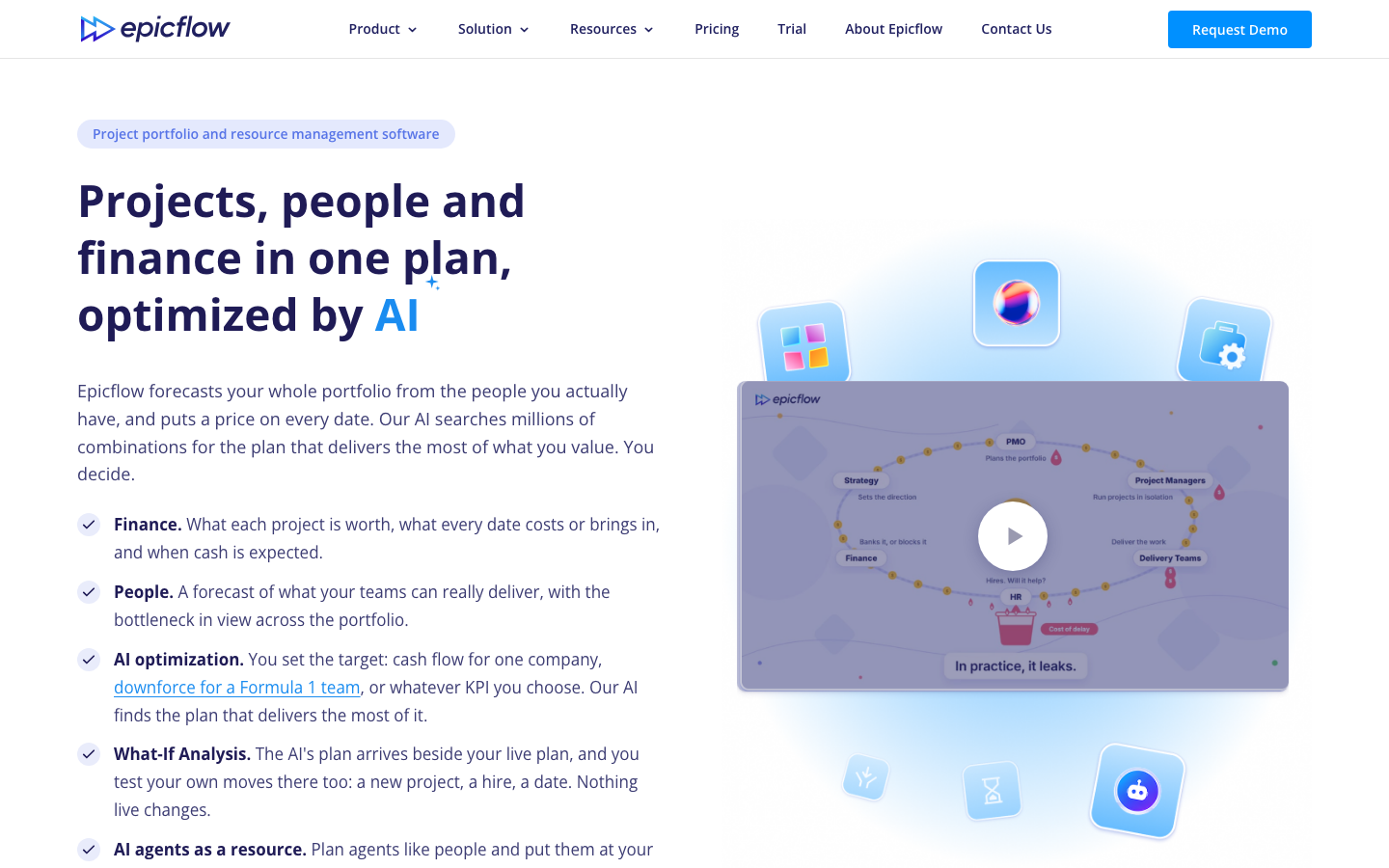
Epicflow is an enterprise portfolio platform that plans task load against team capacity across many parallel projects, with forecasts running months ahead. It targets engineering-heavy PMOs in aerospace and defense, automotive, telecom, and pharma. The vendor reports that KPN raised on-time delivery from 18% to 80% in under a year.
Software Pros
- Future load shows which team holds up the portfolio
- What-if analysis runs beside the live plan without changing it
- Connects to Jira, Microsoft Project, and Oracle Primavera
Software Cons
- AI allocation advisor sits on Enterprise only
- Growth plan stops at 50 users and 50 projects
- 15 G2 reviews, a thin sample
Epicflow Review
The team this suits is a PMO where 2 or 3 shared groups set the pace for each project. Epicflow plans task load against group capacity quarters ahead. Its advisor suggests a person from task history, and someone confirms each assignment. Progress flows back from connected tools such as Jira or Microsoft Project. Growth costs €22.50 per person per month billed annually, or €25 monthly.
Our Verdict
Bottleneck Forecasting for Engineering PMOs
*As pricing is subject to change, prices are listed as they stand in October 2026
Float
Quick Overview
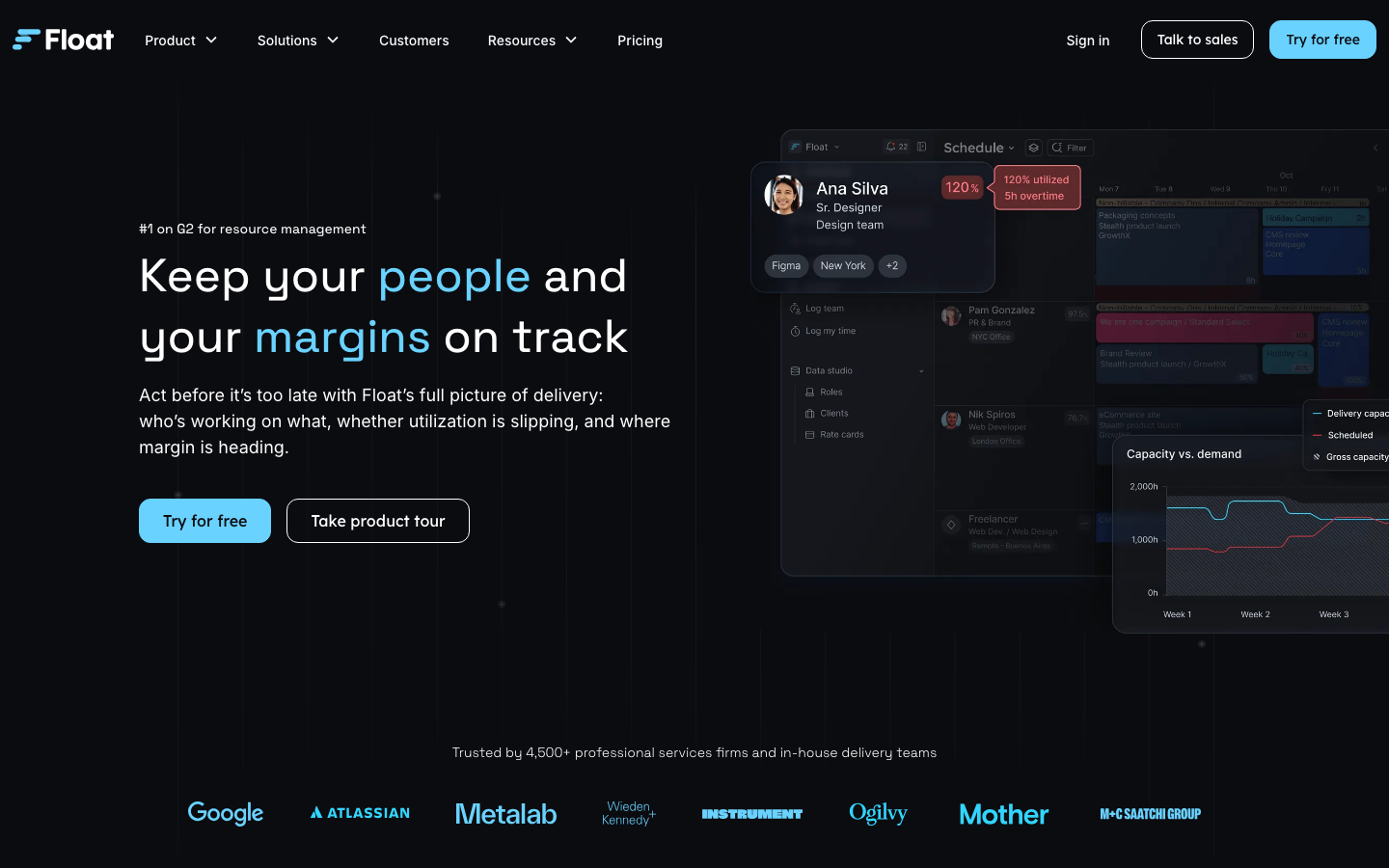
Float is a team scheduler that books named people onto projects by hours or percentages, typically for the weeks and months ahead. It covers tentative work, capacity, time off, and utilization reporting for agencies and studios. Its pricing page says 4,500+ professional services teams use it.
Software Pros
- Visual schedule the whole studio can read at a glance
- Smart assign recommends the closest role fit for open roles
- Billable versus non-billable utilization reported by default
Software Cons
- Time tracking and margin reports start on Pro
- Starter includes only 1 placeholder
- Plans people, not invoices or full project accounting
Float Review
This earns its place for the 25-person agency that has outgrown a shared spreadsheet. Bookings stretch weeks to months ahead, and Pro adds time tracking so actuals land in the same system. Starter costs $7 per scheduled person per month billed annually ($8.50 monthly), and Pro $12 ($14 monthly). Smart assign shipped in March 2026, and Smart insights began rolling out in August, both as suggestions a scheduler accepts.
Our Verdict
Clearest Visual Agency Schedule
*As pricing is subject to change, prices are listed as they stand in October 2026
Kantata
Quick Overview
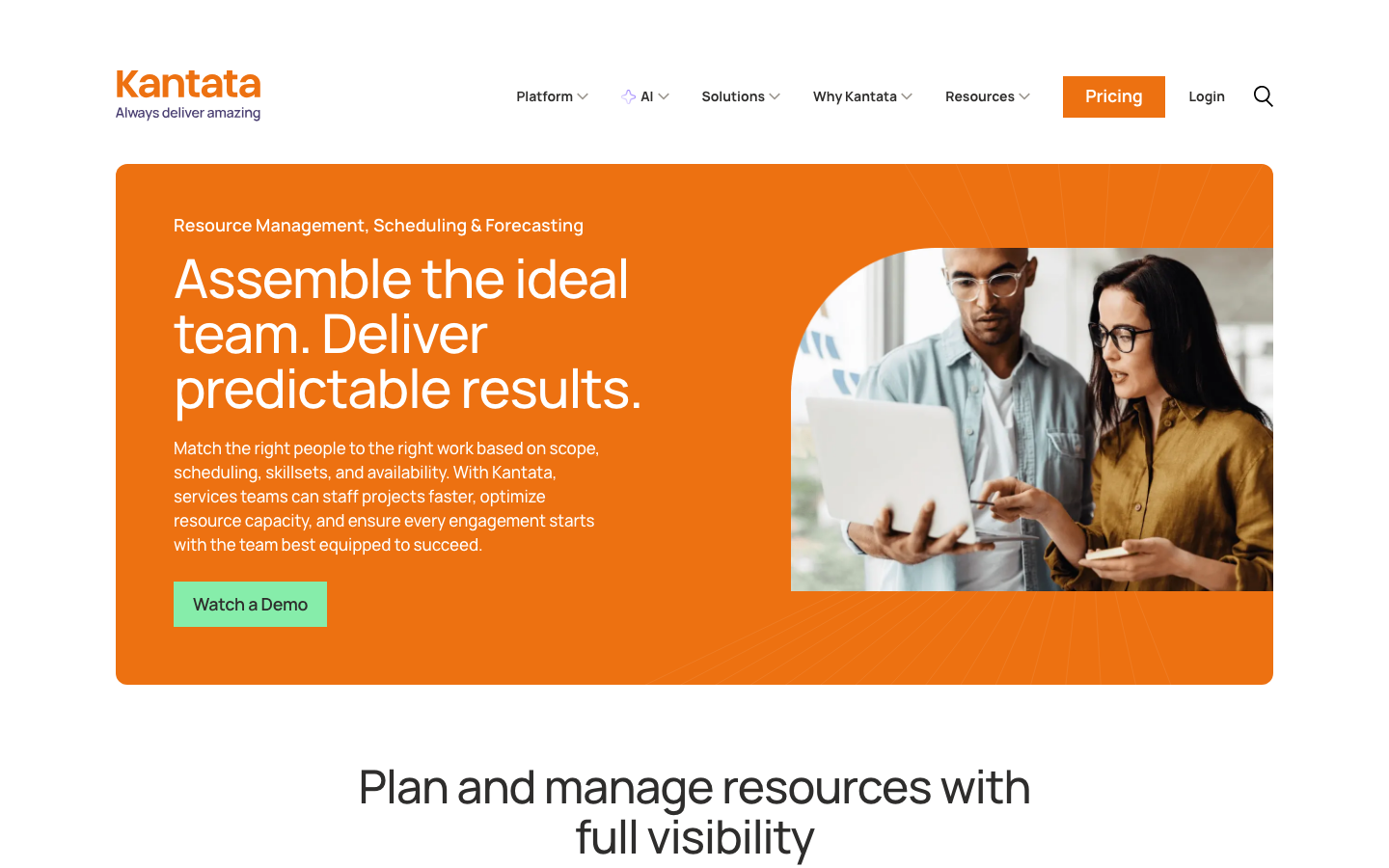
Kantata is a PSA suite formed from Mavenlink and Kimble, and this review covers its resource management side. It plans people and roles against the project pipeline, from next month to next year, tied to project financials. On its Expertise Agent page, the vendor claims a 40% improvement in resource planning accuracy.
Software Pros
- Bookings connect to rates, budgets, and margin in 1 system
- Skills inventory covers internal staff and external contractors
- Expertise Agent ranks candidates and shows its reasoning
Software Cons
- Pricing is quote-only, tailored to company size
- Adopting a full PSA reshapes several finance workflows
- The plan that includes the Expertise Agent is not published
Kantata Review
I would hand Kantata to an IT services firm or consultancy whose bookings must turn into revenue forecasts. The platform tracks time, expenses, and utilization, so actuals never leave it. Moving delivery, resourcing, and project financials onto 1 PSA is a project measured in months. The Expertise Agent flags conflicts and proposes reallocations, and a resource manager approves each change.
Our Verdict
Full PSA for Billable Firms
Meisterplan
Quick Overview
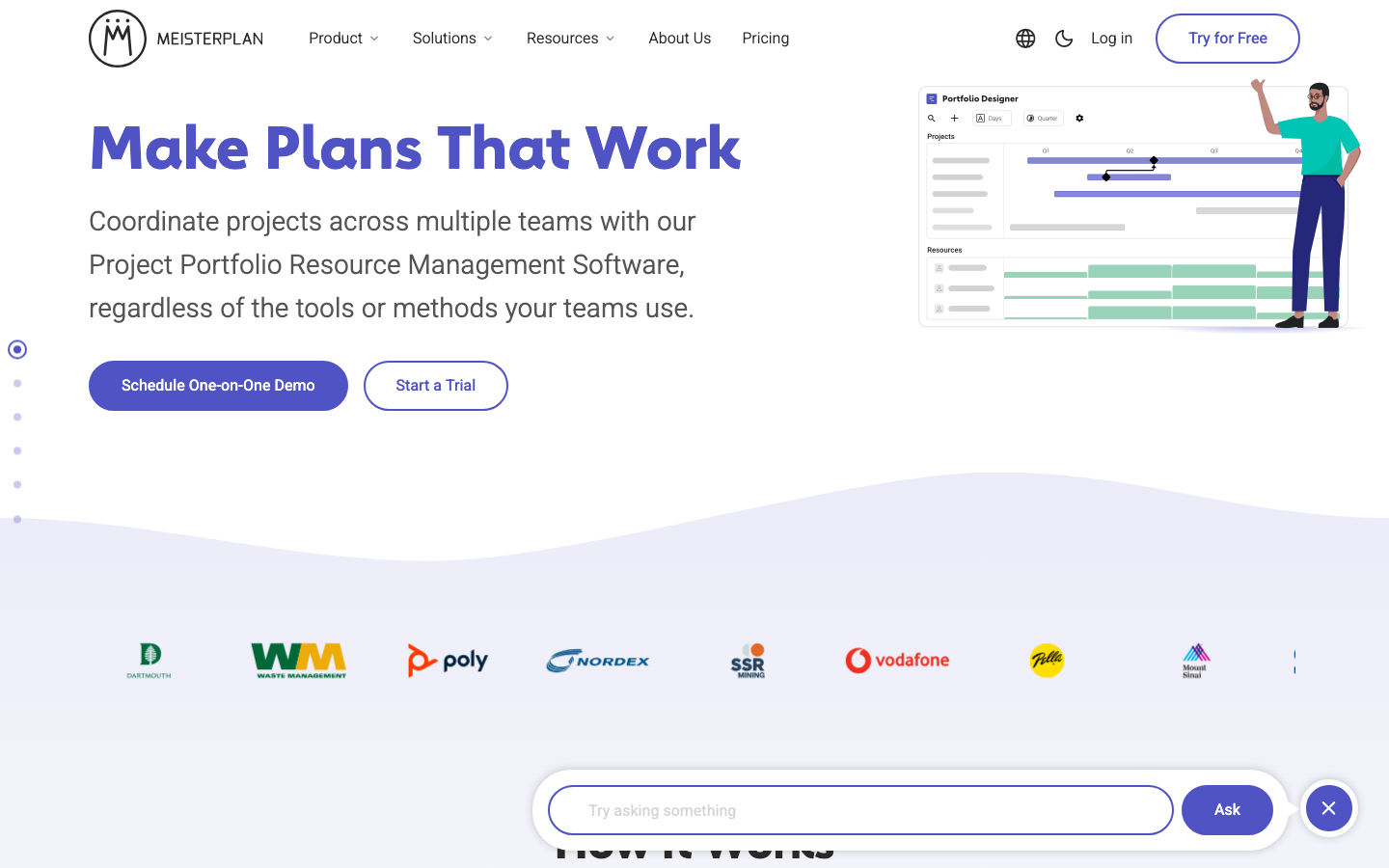
Meisterplan is a portfolio platform that plans project demand against team capacity, by role and team, typically several quarters ahead. It charges per planned resource and keeps users free and unlimited. Its pricing page lists Basic at €600 per month, billed annually, for 50 planned resources.
Software Pros
- Free users let stakeholders view plans without buying a seat
- What-if scenarios compare portfolio sequences before approval
- Jira and Smartsheet integrations keep teams in their own tools
Software Cons
- No AI for resourcing, only summaries and data access
- Scenarios and integrations need Pro rather than Basic
- 27 G2 reviews, a thin sample
Meisterplan Review
The case for Meisterplan is a PMO that needs 1 portfolio view while teams keep their own tools. Planning stays at the level of team capacity, which makes long-range scenarios workable without assigning every task. Actuals arrive from connected tools such as Jira and show up in its plans-versus-actuals view. Its AI features ship switched off and never recommend bookings, which some PMOs will count as a plus.
Our Verdict
Portfolio Capacity Without Seat Costs
*As pricing is subject to change, prices are listed as they stand in October 2026
Milient Resource Flow
Quick Overview
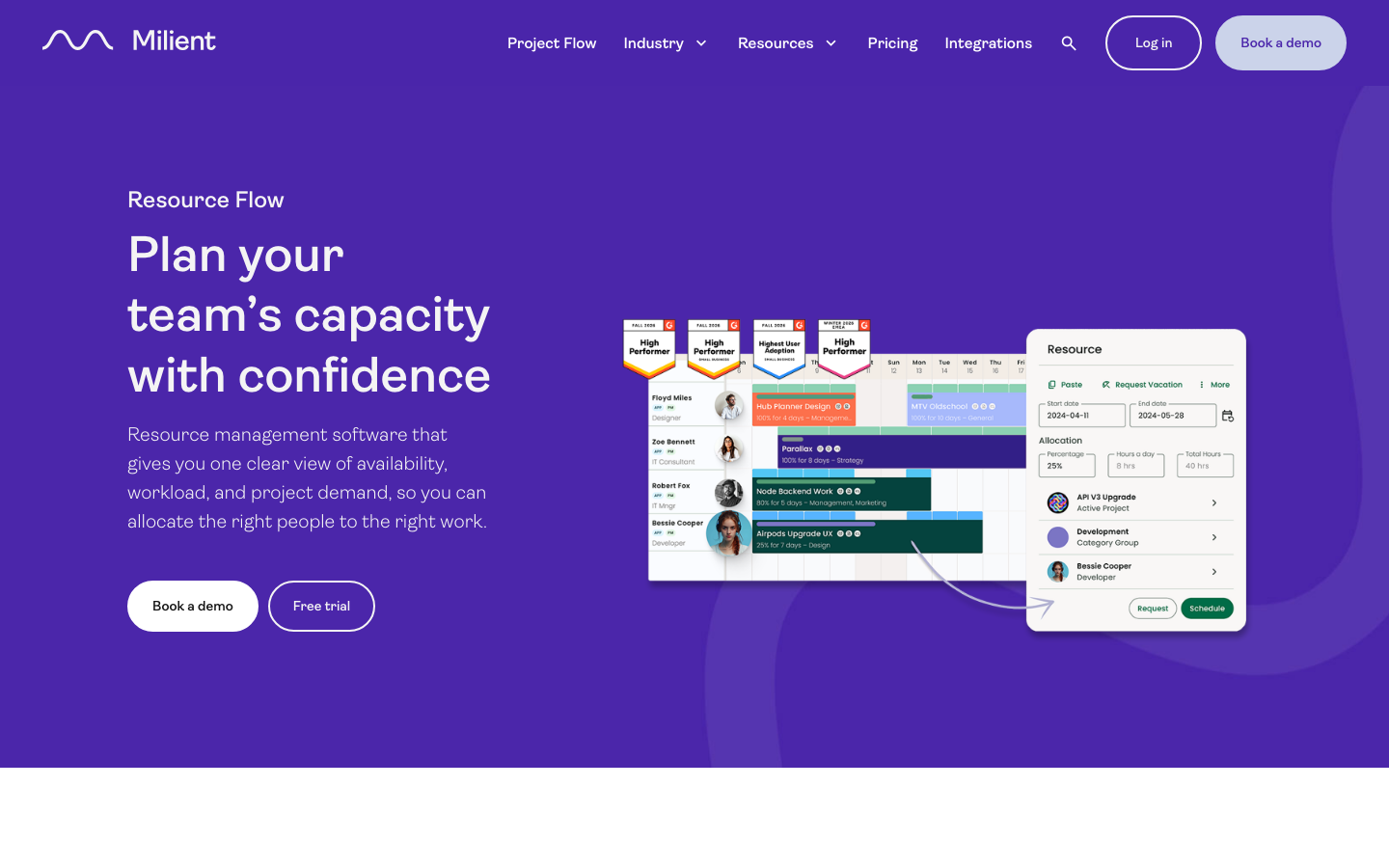
Milient Resource Flow, formerly Hub Planner, is a team scheduler for consultancies, IT teams, and architecture and engineering firms. It plans named people across projects in a visual scheduler, from this week into the coming months. On its product page, Milient lists customer results, including a 70% increase in utilization.
Software Pros
- Search the resource pool by skill, role, or location
- Built-in timesheets suggest entries straight from the schedule
- Dependencies keep linked work in step when dates shift
Software Cons
- Pricing is by quote only
- No AI feature named
- Reviews are split across the old and new names
Milient Resource Flow Review
Put plainly, Milient Resource Flow is for the firm that wants a dependable scheduler and timesheets in one place, without a PSA rollout. Planning runs on named people and hours, and actuals come from its own timesheets, which it compares against the schedule. Searching by skill or location helps a mid-size consultancy staff work quickly. Readers who know the product as Hub Planner will find it sold today under the Milient name.
Our Verdict
Dependable Scheduler With Timesheets
Mosaic
Quick Overview
Mosaic is a PSA-style planning platform for professional services, strongest in architecture and engineering. It plans people, projects, and budgets together, from revenue and headcount forecasts through execution. Its pricing page cites a vendor case in which CetraRuddy reached 90% utilization, up from 77% to 80%.
Software Pros
- Chello matches roles and drafts a first plan from a proposal
- Native ERP integration maintained by Mosaic
- Onboarding and a customer success manager included every year
Software Cons
- Heavier Chello use costs $50 or $200 per user per month extra
- Seat pricing and the platform fee are quote-only
- 14 G2 reviews, so the score is thin
Mosaic Review
This makes most sense for an A/E or consulting firm that wants schedule and budget in 1 plan. Chello Base is included, while Pro and Max are optional add-ons billed month to month. Financial data arrives through the ERP integration Mosaic maintains. The vendor puts onboarding at 30 to 60 days from contract to live planning. Every staffing draft Chello produces still needs a planner’s sign-off.
Our Verdict
AI Planning for A/E Firms
*As pricing is subject to change, prices are listed as they stand in October 2026
Planview
Quick Overview
Planview sells several products, and this review covers Planview ProjectAdvantage (formerly Sciforma), its resource management offering. It plans resources by role and skill against portfolio demand, with scenarios months ahead. Planview states that 3,000+ enterprises use its platform.
Software Pros
- Capacity versus demand shown across the whole portfolio
- Role and skill matching with conflict detection
- Time and effort tracking feeds forecasts with actuals
Software Cons
- Pricing is quote-only
- A large product lineup takes effort to navigate
- Implementations run in weeks to months
Planview Review
My read is that ProjectAdvantage fits a PMO that needs to standardize stage gates and intake while getting resources under control. Actuals come from its own time-and-effort tracking, so forecasts update from real hours. Planview Anvi, the company’s AI, offers prebuilt agents for resource planning and allocation guidance, and a resource manager still makes the booking. Strategic portfolio offices should also look at Planview Portfolios.
Our Verdict
Structured PMO Delivery at Scale
Productive
Quick Overview
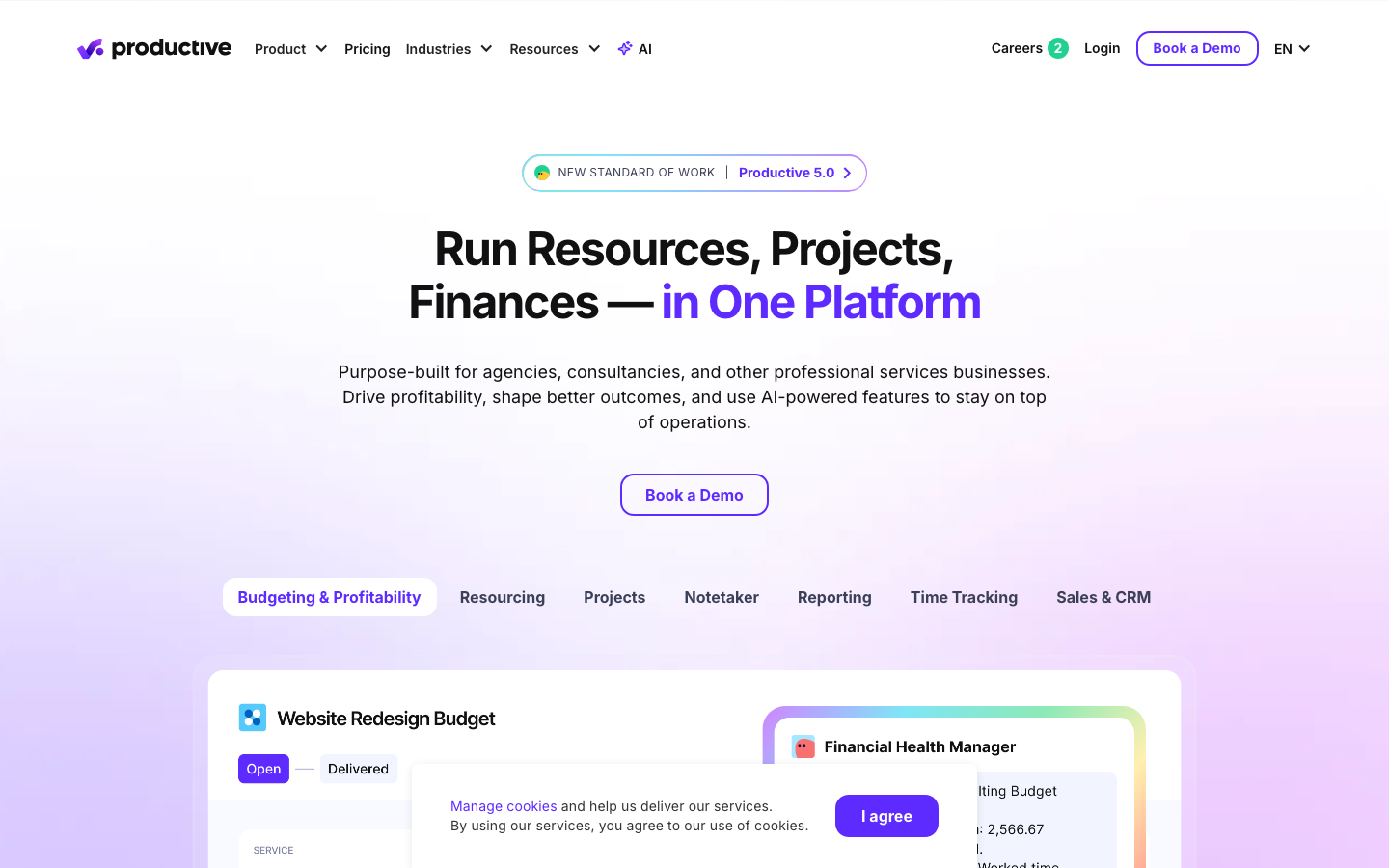
Productive is an agency management platform that puts resource planning alongside budgets, time tracking, and billing. It plans named people and placeholders against utilization targets, from current bookings to pipeline work. On its agents page, the vendor states that 2,000+ companies run their operations on it.
Software Pros
- Tentative work converts to confirmed with 1 click
- Placeholders let projects be staffed before a hire starts
- Scenario Builder compares who, when, and cost side by side
Software Cons
- Scenario Builder and agents sit on the Ultimate plan
- Ultimate pricing is quote-only
- Adopting it means moving budgets and billing as well
Productive Review
What I keep coming back to is how close Productive keeps each booking to its cost. A producer sees the margin effect of a schedule change before approving it, because time tracking and budgets share the app. The Resourcing Assistant compares needs with availability, drafts the schedule, and waits for approval. Essential costs €9.50 per user per month billed yearly (€11 monthly).
Our Verdict
Agency Schedule Tied to Margin
*As pricing is subject to change, prices are listed as they stand in October 2026
Resource Guru
Quick Overview
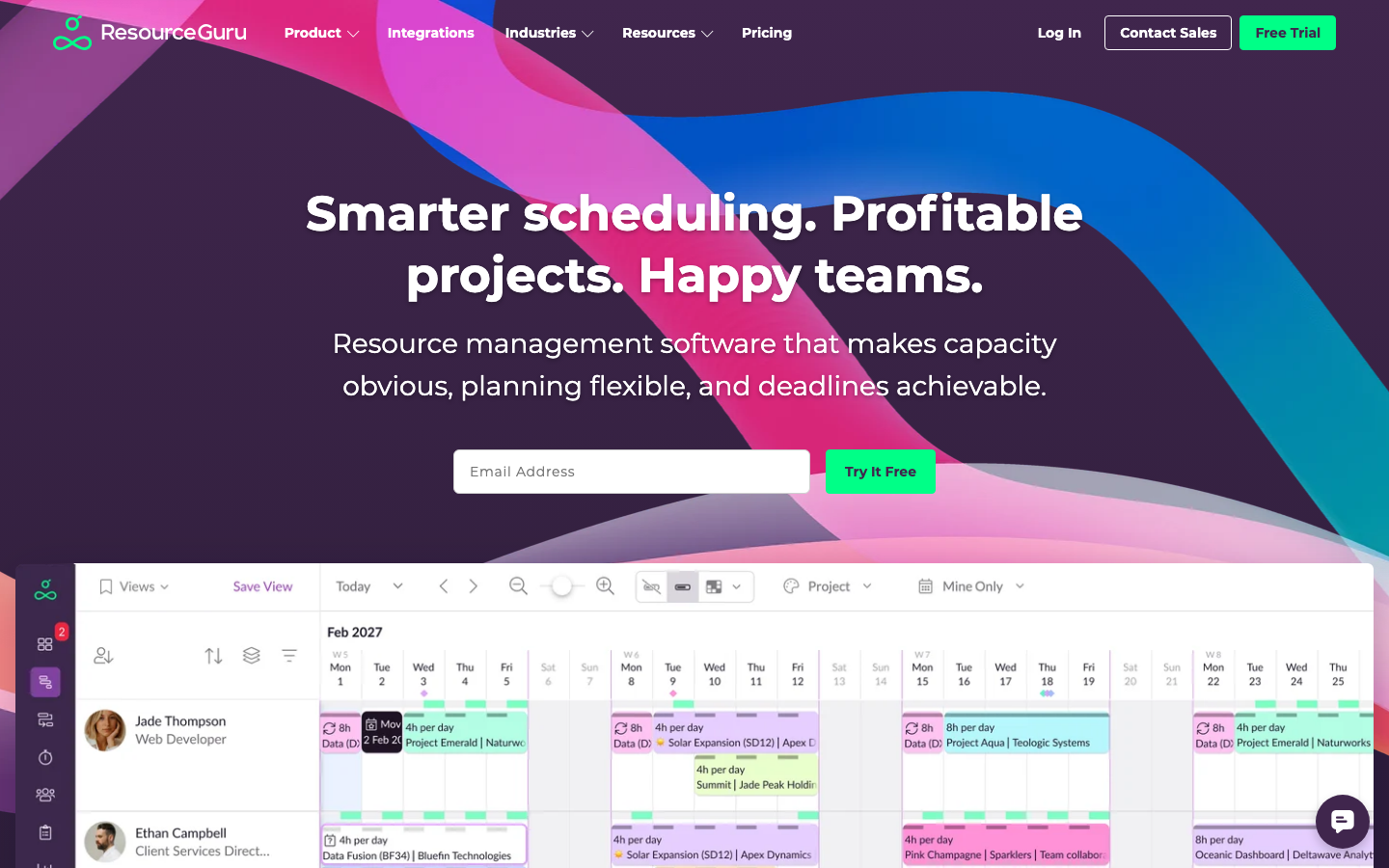
Resource Guru is a team scheduler for straightforward bookings of people and other resources on a shared schedule, usually days to weeks ahead. It handles leave, clash management, and utilization reports. The vendor says 65,000+ people in 100+ countries are scheduled with it.
Software Pros
- Clash management catches double-booking before it happens
- Leave management and public holiday calendars built in
- Non-person resources cost less to add than people
Software Cons
- No AI scheduling or matching
- Reports and timesheets start on Blackbelt
- Built for bookings, not long-range capacity scenarios
Resource Guru Review
Where this earns its place is the small team retiring a shared calendar that keeps getting double-booked. Planning works at the level of bookings for named people over the coming weeks, and Blackbelt adds timesheets for actuals. There is no AI scheduling, although an MCP connection lets outside AI tools read the data. Grasshopper costs $5 per person per month billed annually ($6 monthly), and Blackbelt $8.
Our Verdict
Simple Scheduling Without Surprises
*As pricing is subject to change, prices are listed as they stand in October 2026
Runn
Quick Overview
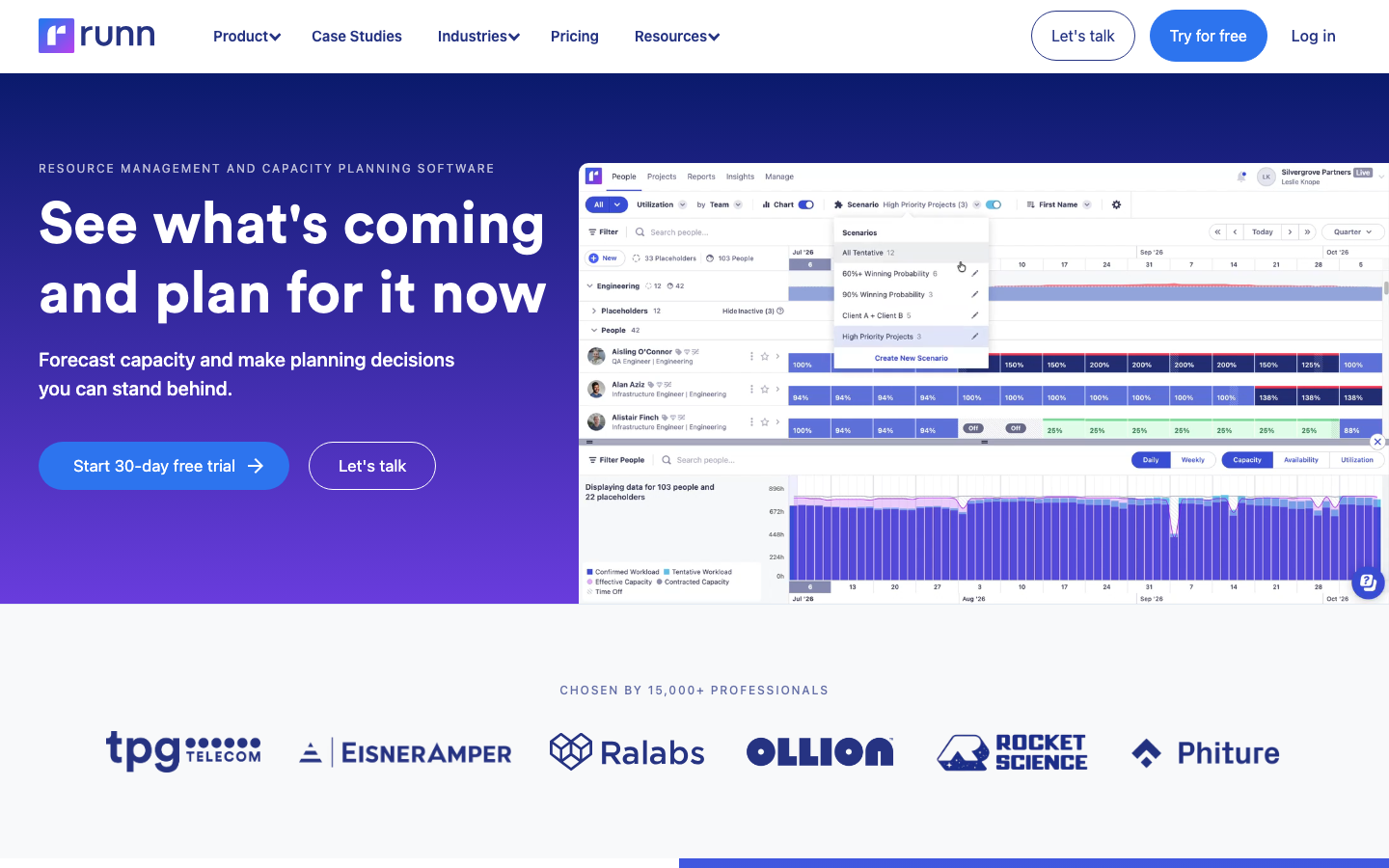
Runn is a team scheduler and capacity planner for growing consultancies and technical teams. It plans named people and placeholders on confirmed and tentative projects, months ahead, with project financials attached. Its overview page says it has 15,000+ users worldwide.
Software Pros
- Tentative projects model pipeline revenue before contracts are signed
- Capacity and utilization charts update as plans change
- Rate cards and planned versus actual reporting included
Software Cons
- 20-seat minimum on every plan
- SmartMatch AI (Beta) sits on the custom-priced Advanced plan
- 1 G2 review, so there is no meaningful score
Runn Review
The case for Runn is a 40-person consultancy that wants revenue forecasts from its schedule without a full PSA. Planning runs on people and roles, and actuals come from Runn timesheets on Standard or from integrations. SmartMatch AI suggests people for a project, and a resource manager still confirms the match. Lite costs $7 per seat per month billed annually ($9 monthly), and Standard $11 ($13 monthly).
Our Verdict
Forecasts Straight From the Schedule
*As pricing is subject to change, prices are listed as they stand in October 2026
Saviom
Quick Overview
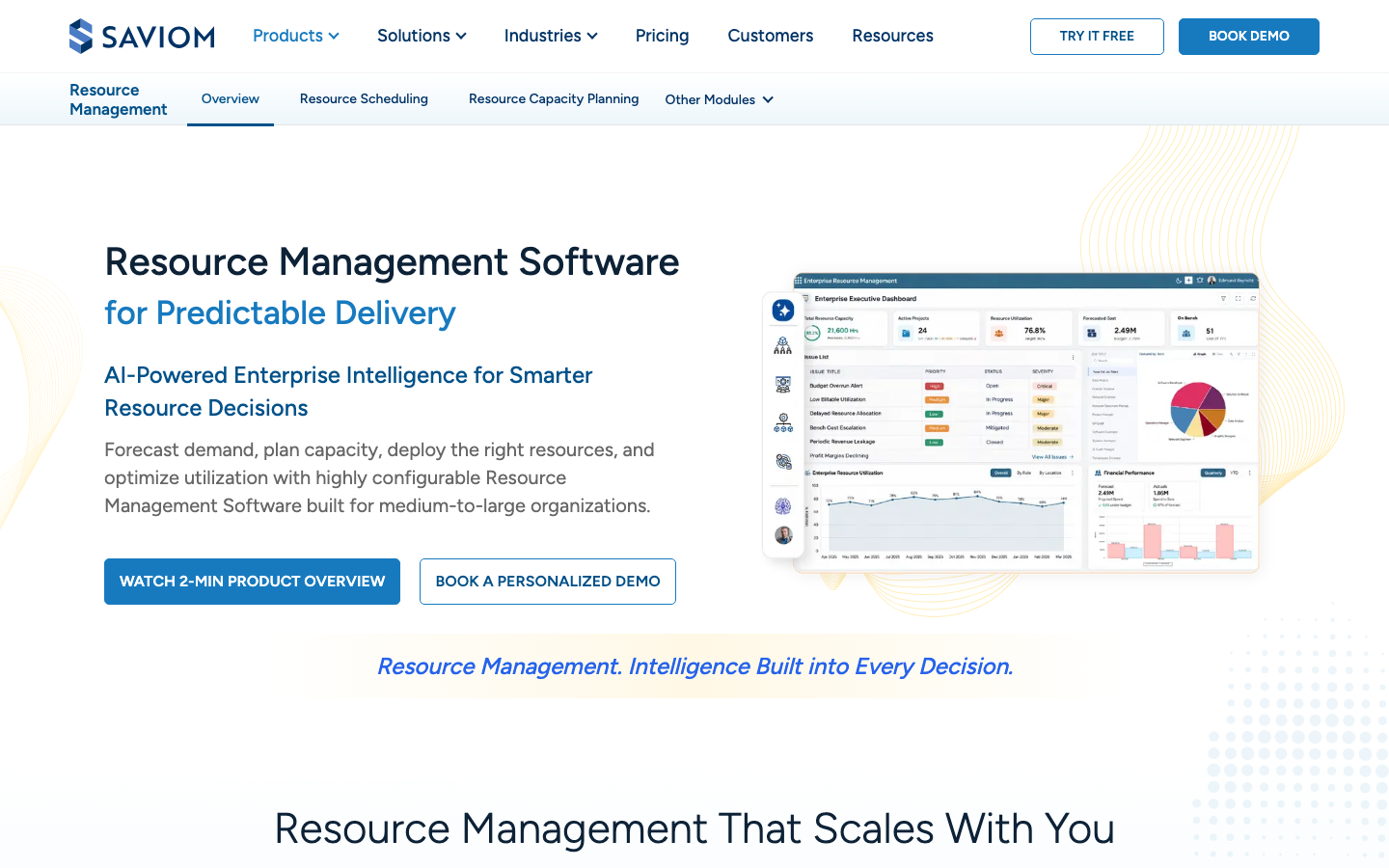
Saviom is an enterprise scheduling and capacity planning platform for medium and large organizations, with PSA and PPM (project portfolio management) modules alongside. It forecasts demand and capacity across projects and portfolios, months ahead. The vendor cites 100+ global customers and 25+ years in the field.
Software Pros
- Configurable views for each resource manager role
- Non-user resources can be scheduled without a license
- 60-day free trial, longer than most
Software Cons
- Pricing is quote-only, by Power and Lite license
- AI claims are broad rather than itemized
- 1 G2 review on its resource management profile
Saviom Review
This one is built for the organization where dozens of resource managers share 1 pool, and each needs a different view of it. Planning covers named people, roles, and non-project work across a long horizon. Where actuals come from depends on which modules you license. The site promises AI-powered Enterprise Intelligence that surfaces issues and recommendations, but it does not itemize them, so ask for a live demonstration.
Our Verdict
Configurable Scheduling for Large Teams
Smartsheet Resource Management
Quick Overview
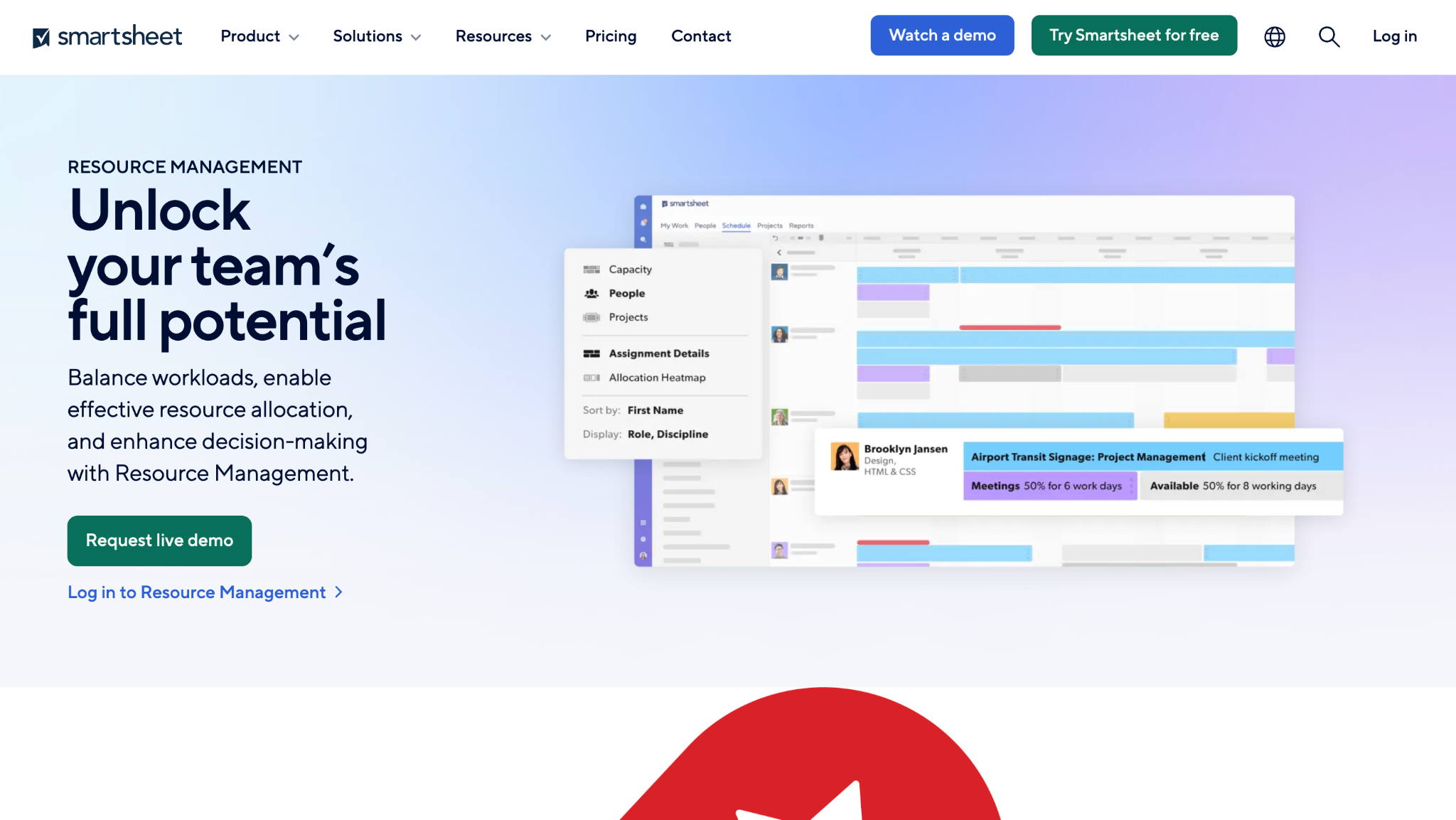
Smartsheet Resource Management, formerly 10,000ft, is a paid add-on to Smartsheet Business and Enterprise plans. It plans named people and placeholders across projects, weeks to months ahead, with capacity heatmaps and scenario planning. A customer story on its page credits it with a 25% utilization increase at Caravel BPM.
Software Pros
- Capacity heatmaps show over- and under-allocated people
- Skill-based assignments and placeholders for unfilled roles
- Pre-built utilization, budget, and time reports
Software Cons
- Requires a Smartsheet Business or Enterprise plan first
- Add-on pricing only through sales
- No AI feature named for resourcing
Smartsheet Resource Management Review
I would hand this to a team already running projects in Smartsheet that has hit the limits of basic workload tracking. Planning works by person and hour, and actuals come from its own time tracking, which teams can leave switched off. Resource data sits in a separate app linked to the sheets, so someone must own that link. Outside the Smartsheet world, there is little reason to choose it.
Our Verdict
Natural Add-On for Smartsheet
Tempus Resource
Quick Overview
Tempus Resource is ProSymmetry’s resource forecasting and capacity planning platform for PMOs, IT, R&D, and professional services. It plans generic and named resources against demand, with scenario modeling 6, 12, 24, or 36+ months ahead. ProSymmetry offers a free trial and prices every engagement individually.
Software Pros
- Generic resources make multi-year capacity models practical
- What-if analysis tests project sequence and new mid-plan demand
- Timesheets compare planned time with actual time
Software Cons
- Pricing is quote-only
- No AI feature named
- 1 G2 review, rated 3.0
Tempus Resource Review
The team this suits is a PMO that asks whether next year’s portfolio fits the people it already has. Tempus plans roles and skills long before names are known, then swaps in people as projects firm up. Actuals come from its timesheets, so analysts can check the forecast against real hours. Insight+ reporting lets analysts build their own views. Expect an implementation project rather than a self-serve start.
Our Verdict
Long-Range Capacity Scenario Modeling
FAQs About Resource Management Software
What is resource management software used for?
It plans who works on what, and when, across projects and clients. Managers use it to see spare capacity before accepting new work, spot people booked past their hours, and reassign work when priorities change. It also reports utilization, meaning the share of available hours spent on work. Agencies and consultancies watch that figure every week, because billable hours drive their margins more than any other cost.
Which human resource management software features overlap with resource management tools?
The overlap is narrow and mostly about availability. The HR system holds leave, public holidays, employee profiles, skills, start dates, and departures, and the scheduler simply reads them. Payroll, benefits, performance reviews, and compliance records stay in the HR platform, where auditors and payroll teams expect to find them. The cleanest setups sync in 1 direction, from HR to the scheduler, so nobody maintains the same employee record in 2 places.
How is resource management different from workforce planning?
Resource management places named people on projects over the coming weeks and quarters. Workforce planning works on headcount and capability a year or more ahead, usually before anyone is named. The first asks whether Priya can take the March launch, while the second asks how many engineers the business needs next year. Most organizations need both, usually run by different teams, with different tools and different review cycles.
Can AI assign people to projects on its own?
Not in any tool reviewed here, and that is deliberate. The AI features suggest the best available match from skills, availability, and past work, or flag someone who is overloaded. A person then confirms, because a booking commits somebody’s working week and affects clients, budgets, and other projects. Treat each suggestion as a shortlist from a well-informed colleague, then check it against what you know about workloads, preferences, and client history.
How much does resource management software cost?
Published rates in October 2026 start at $5 per person per month for Resource Guru and $7 for Float and Runn, all billed annually. Productive starts at €9.50 per user, Epicflow at €22.50 per person, and Meisterplan at €600 per month for 50 planned resources. The other 7 vendors quote. Check who counts as a paid seat, because scheduled people and logged-in users produce very different bills at the same rate.
Is a spreadsheet enough for resource planning?
For a handful of people on a few projects, often yes. A spreadsheet breaks once several people edit it at the same time, or when tentative work must sit beside confirmed work. It also struggles the first time someone asks for a utilization report by role. The usual warning sign is 2 versions of the schedule in circulation, each trusted by a different manager and neither matching real hours.
What is a good utilization rate?
It depends on the role and on which utilization measure you mean. Billable utilization counts only hours a client pays for, while total utilization adds internal projects, training, and sales support. A delivery consultant and a practice lead with sales duties should not share a target. Set targets by role, review them each quarter, and watch the trend, since a short dip often reflects holidays rather than a real problem.
How long does it take to set up?
Team schedulers can be running within days, since the main work is adding people, projects, and leave. PSA and portfolio platforms usually take weeks to months, because data migration, finance and HR integrations, and agreement on roles and rates all take time. The slowest part is rarely technical. The hardest part is getting every project lead to keep bookings current after launch, a habit to build rather than a setting.

Helen is Anywherer’s Market Analyst & Content Researcher, with extensive experience in analyzing global employment markets and HR technology trends. She is skilled at turning complex market data into clear, well-researched insights that inform every piece of content. With a strong grasp of the EOR, PEO, and international hiring space, Helen plays a key role in keeping Anywherer’s research accurate, up to date, and genuinely useful for readers.