OnPay is a US full-service payroll provider, meaning it calculates pay, files payroll taxes, and issues year-end forms. Its defining trait is 1 published payroll plan, not a tier ladder. People rarely leave it because of the bill. They leave for a capability, most often faster direct deposit or time tracking built into payroll. Among OnPay competitors, Gusto fits faster deposits, Rippling covers time tracking and integrations, and BambooHR suits a team whose real need is now HR.
I scored each option against OnPay directly, noting what it does better and where OnPay keeps the edge. On several of those areas, OnPay comes out ahead, and the blocks below state that plainly. If a rival only wins on 1 narrow point, that point is named, and the rest of the block explains what switching costs you.
The case for staying is unusually strong here. OnPay folds multi-state filing, benefits administration, and specialist forms for farms and churches into that single plan. It bills monthly, sets up new accounts for free, and migrates prior payroll data at no charge. Keep those facts in mind as you read the table below, because most rivals price the same features quite differently.

INSIGHT: What does a payroll plan tier actually gate?

A base price means little until you know which tier holds the feature you came for. That is why a single-plan provider is worth comparing against.
- As of September 13, 2026, 2 of the 9 providers in the table sell a single full-service payroll plan: OnPay and Square Payroll. Gusto, Justworks, QuickBooks Workforce, Patriot Payroll, and BambooHR sell tiers; Rippling is modular; and Paychex quotes each account.
- Gusto’s Simple plan lists “Single-state payroll,” with multi-state payroll on Plus. Intuit says time tracking is “included with Workforce Premium and Elite.” Patriot charges $12 a month for “Each additional state” on Full Service Payroll.
- Comparing a tiered base fee with an all-inclusive one ranks them correctly only if you already know which tier you would end up on.
Sources:
all checked September 13, 2026
OnPay Competitors at a Glance: Fees, Plans, and Ratings
In this OnPay competitors comparison, OnPay holds row 1 as the benchmark, and the 8 rivals follow in the order I ranked them. Fees are split into a base column and a per-employee column. A 3-worker shop and a 40-worker company would otherwise read the same price very differently. The plan structure column changes what each price means. A cheap base on a tiered product may not include the feature you came for.
| Provider | Base fee | Per employee | Plan structure | Best for | G2 |
|---|---|---|---|---|---|
| OnPay | $49 | $6 | Single plan, all included | US teams under about 100 | 4.8/5 (417) |
| Gusto | $49 (Simple) | $6 (Simple) | 3 tiers | Faster deposits and built-in time | 4.6/5 (14,028) |
| Rippling | Custom pricing | Custom pricing | Modular | Time tracking, integrations, global staff | 4.8/5 (13,392) |
| BambooHR | Custom pricing (payroll add-on) | Custom pricing | 3 tiers, payroll add-on | Companies whose next need is HR | 4.4/5 (6,709) |
| Justworks | $50 (Payroll); none on PEO | $8 (Payroll); $79 (PEO Basic) | 3 tiers | Teams that need group health plans | 4.6/5 (1,127) |
| QuickBooks Payroll | $50 (Workforce Payroll) | $7 | 3 tiers | Books kept in QuickBooks Online | 4.4/5 (510) |
| Paychex | Custom pricing | Custom pricing | Quote only | Owners who prefer outsourcing payroll | 4.1/5 (1,743) |
| Patriot Payroll | $37 (Full Service) | $5 | 2 tiers | Single-state teams on tight budgets | 4.8/5 (630) |
| Square Payroll | $35 | $6 | Single plan plus contractor-only | Shift teams already on Square POS | 4.2/5 (31) |
Every fee above is monthly and was copied from the provider’s own pricing page on September 13, 2026, the day the G2 figures were read.
*As pricing is subject to change, we are listing prices as they stand in September 2026.
Why Teams Shop OnPay Alternatives
Cost and pricing transparency are not on this list. OnPay publishes its fees and sells a single payroll plan, so the reasons to look elsewhere are capability gaps. We checked each one below against OnPay’s own pages on September 13, 2026.
- Direct deposit speed. OnPay’s help center lists payroll turnaround as 2 to 4 business days, depending on a risk review of each account. Gusto lists next-day pay as a standard speed on every plan for qualifying employers. QuickBooks Workforce Payroll includes next-day direct deposit.
- No native time tracking. OnPay does not build time tracking in; it syncs with QuickBooks Time, Deputy, and When I Work. Native time tracking, meaning hours captured inside the payroll system itself, comes built in at Rippling, Square Payroll, Gusto Plus, and QuickBooks Premium. Patriot and BambooHR sell it as an add-on.
- Integration depth. OnPay’s app directory lists 9 apps, alongside those time-tracking syncs. Rippling advertises more than 600 ready-made integrations.
- Growing past the single plan. OnPay’s optional HR add-on covers onboarding, PTO, and equipment provisioning. Performance management and pooled large-group health plans still sit outside what the plan can hold, which is why the Group B options exist.
- US only. OnPay files in all 50 states plus the District of Columbia and pays US W-2 employees and 1099 contractors. It offers no international payroll, and I found no statement on US territories in its FAQ or help center. Rippling sells Global Payroll.
Balance note: OnPay does several things almost nothing else here does. It sells 1 payroll plan with every payroll feature inside, so there is no tier to discover after signing. Only its optional HR tools cost extra. Multi-state payroll is included, while Patriot charges $12 per additional state and Gusto keeps it of. It files Form 943 for farms, pays H-2A workers, prepares Form 8846 for restaurants, and handles clergy FICA exemptions and parsonage wages. Setup and data migration are free, and its terms let the service end on 30 days’ written notice, with no fixed contract length. Its own product page cites a #1 G2 ranking for Summer 2026. If none of the 5 gaps above is your problem, you are already on a very good product.
How I Compared These OnPay Alternatives
I scored all 8 providers on my 6 criteria, reading each one’s pricing page, help center, and G2 profile on September 13, 2026:
- Plan structure: How many plans exist, and what the base price includes.
- Base and per-employee fees: State both fees separately; never blend them into 1 monthly figure.
- What sits outside the base price: Extra-state charges, contractor payments, and tax penalty protection, meaning a promise to cover penalties caused by the provider’s errors.
- Direct deposit timing: The standard timeline and any faster option, from the provider’s own page.
- Specialist filings: Form 943 for farms, Form 8846 for tips, and clergy tax treatment.
- Published support scores: G2’s quality-of-support sub-score for every provider, read on 1 day.
Best Overall OnPay Alternative: Gusto
Gusto is OnPay’s closest peer, so it sits alone in this group. Its Simple plan starts at exactly the same fees, and it adds faster deposit options and time tracking on higher tiers. The trade-off is that its features are spread across 3 tiers, whereas OnPay keeps them in 1.
#1 Gusto: the closest peer
Gusto
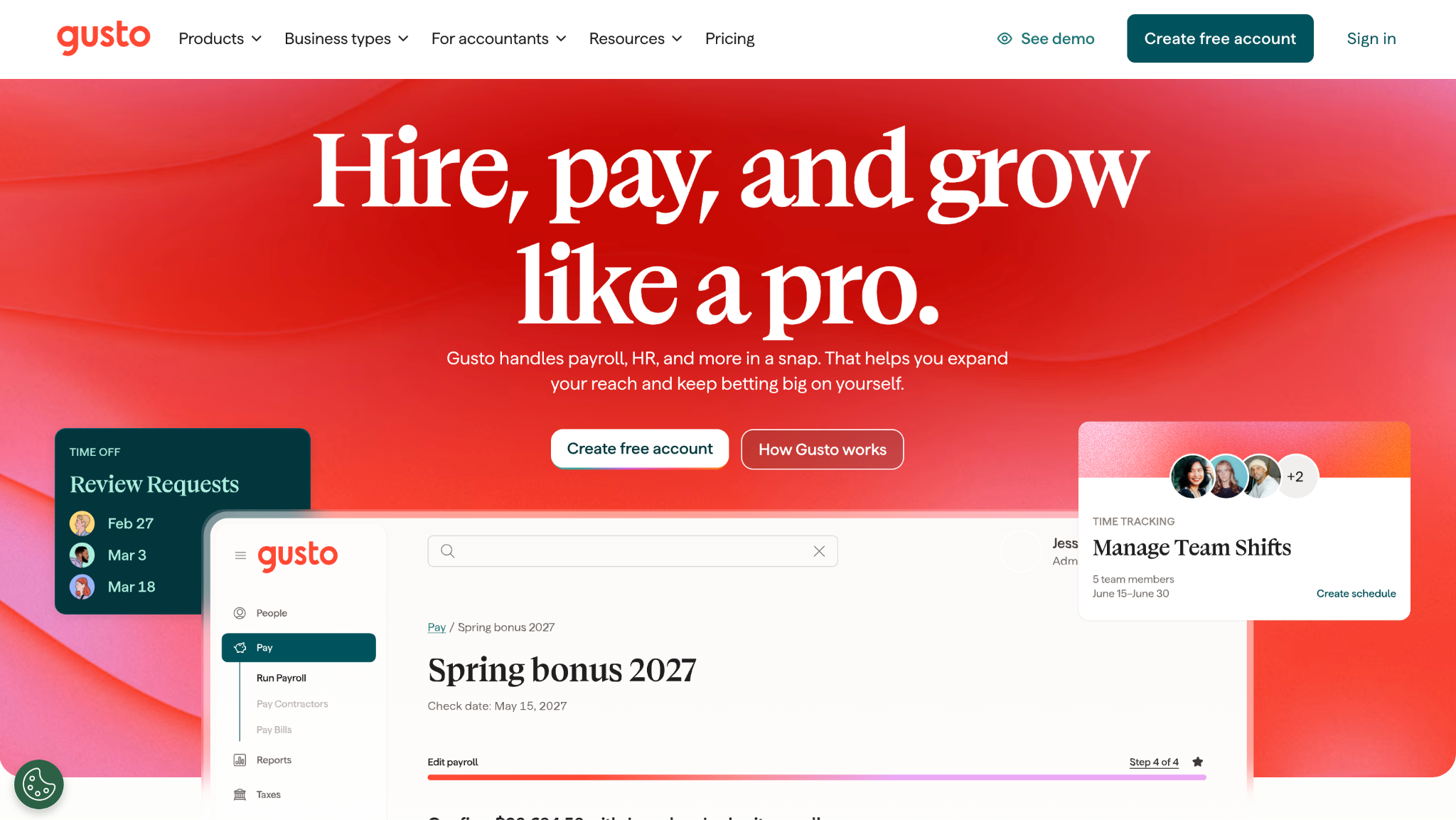
Gusto sells 3 tiers, whereas OnPay sells 1 plan. Simple costs $49 a month plus $6 per person, Plus $80 plus $12, and Premium $180 plus $22. Simple matches OnPay’s fees exactly but covers payroll in a single state. Its edge is speed, since next-day pay is a standard option for qualifying employers on every plan.
What it does better than OnPay:
- Next-day pay is available on Simple, Plus, and Premium for employers in good standing, against OnPay’s 2 to 4 business days.
- Time tracking synced to payroll comes with Plus, so hours skip a separate app.
- Premium includes Same-day Pay and Instant Pay on qualifying payrolls, which cost $90 or $100 per payroll on the lower plans.
- International freelancers can be paid through Gusto in over 120 countries at no extra monthly cost per head.
Where OnPay still wins:
- OnPay’s single plan includes multi-state payroll, while Gusto leaves it off Simple.
- Paying staff in 2 states at Gusto means Plus at $80 plus $12, double OnPay’s per-worker fee.
- Gusto does not support agricultural payroll, which OnPay handles through Form 943.
- New Gusto employers start on 4-day pay and wait 15 days before 2-day pay opens.
Base fee:
Simple $49; Plus $80; Premium $180
Per employee:
Simple $6; Plus $12; Premium $22
Plan structure:
3 tiers
Direct deposit:
4-day default; 2-day after 15 days; next-day if qualified
Best for:
Teams wanting faster pay and built-in time
G2:
4.6/5, 14,028 reviews
Pick it over OnPay if:
you pay staff in 1 state and want next-day deposits or hours tracked inside payroll.
Stick with OnPay if:
your team spans several states, where the Plus price cancels out the speed advantage.
*As pricing is subject to change, we are listing prices as they stand in September 2026
OnPay Competitors for Teams That Outgrew a Single Plan
These 3 are not cheaper or better versions of OnPay. You buy them once the single plan stops being enough, and each takes a different route out. Rippling adds a platform around payroll. BambooHR puts HR first and attaches payroll. Justworks changes the legal arrangement through co-employment.
#2 Rippling: the platform step-up
Rippling
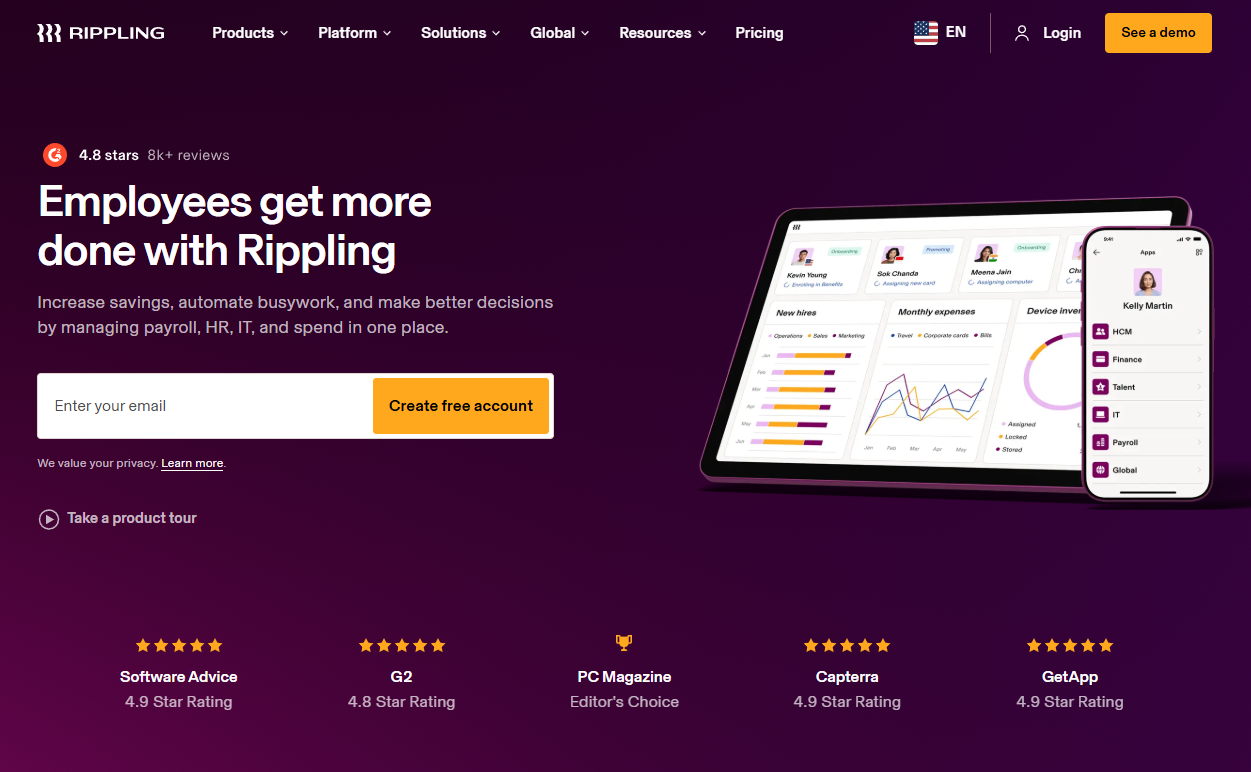
Rippling is modular: payroll, time and attendance, and other products are bought separately. It publishes neither a base fee nor a per-employee fee, and every account gets a custom quote. It answers 3 OnPay gaps at once, with native time tracking, more than 600 integrations, and a Global Payroll product.
What it does better than OnPay:
- Time and Attendance sends approved hours straight into payroll, with no sync to maintain.
- Rippling advertises more than 600 ready-made integrations, against 9 apps in OnPay’s directory.
- Global Payroll pays employees outside the United States, which OnPay cannot do.
- Device and app access are managed from the same employee record that drives payroll.
Where OnPay still wins:
- OnPay publishes its full price, while every Rippling deal starts with a quote.
- OnPay’s single plan includes payroll, benefits admin, and support, with no module choices.
- OnPay documents Form 943 and clergy tax handling, and I could not confirm either on Rippling’s own pages.
- A small US team gets running on OnPay with free setup and data migration.
Base fee:
Custom pricing
Per employee:
Custom pricing
Plan structure:
Modular
Direct deposit:
Not published
Best for:
Teams adding time, IT, or global staff
G2:
4.8/5, 13,392 reviews
Pick it over OnPay if:
you need native time tracking, a deep integration list, or payroll outside the United States.
Stick with OnPay if:
payroll for a US team is the whole job and you want to see the price before a sales call.
*As pricing is subject to change, we are listing prices as they stand in September 2026
#3 BambooHR: HR first, payroll attached
BambooHR
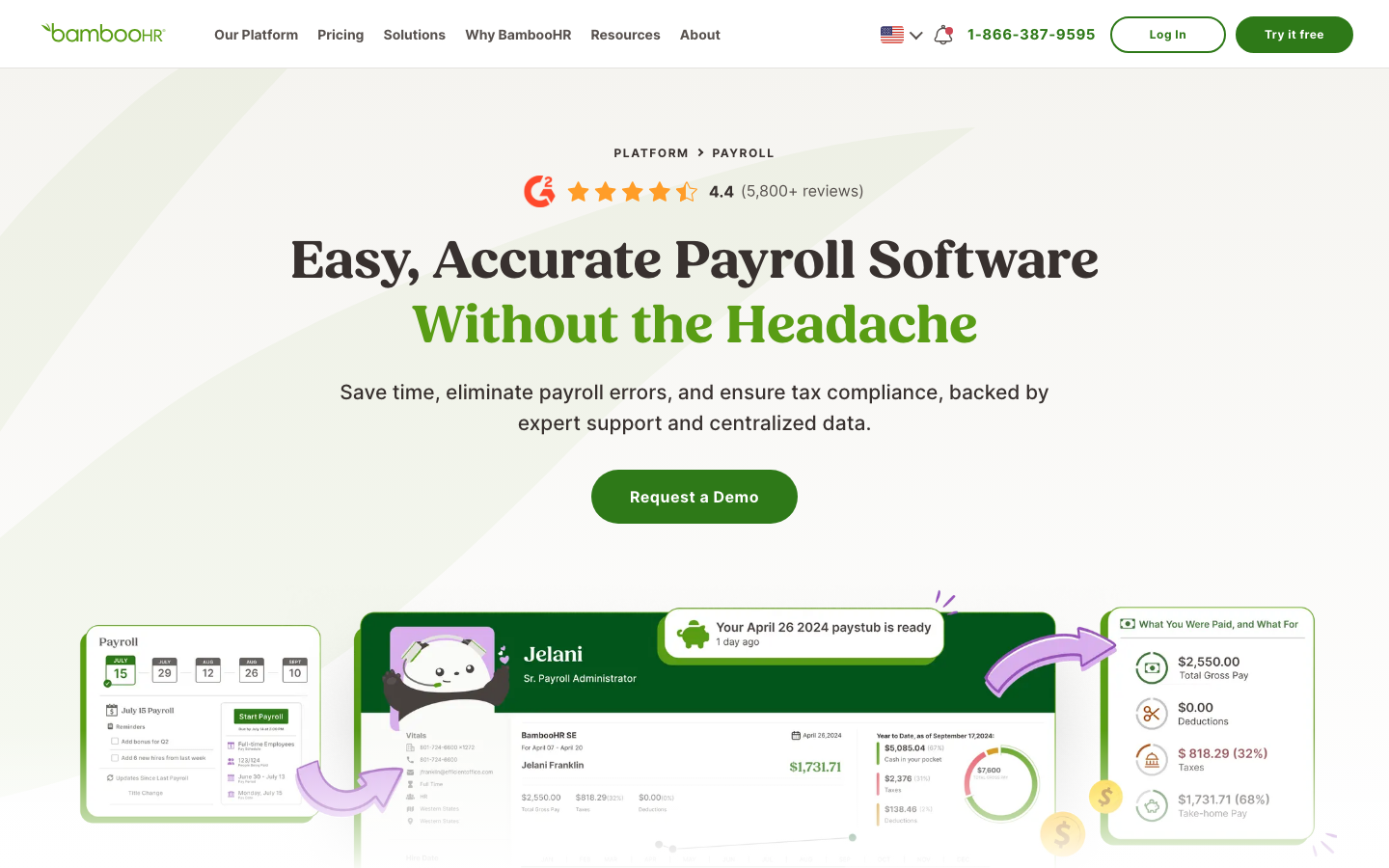
BambooHR is an HR platform sold in 3 tiers, and payroll is an add-on rather than the core product. HR pricing is published at $10, $17, or $25 per employee per month for more than 25 employees. Smaller teams pay a flat rate from $250 a month. The payroll add-on is quoted, so its fees are not published.
What it does better than OnPay:
- Performance management and compensation planning live in the same system as payroll.
- Employees update withholdings and direct deposit details inside the HR record they already use.
- Managed Payroll puts a BambooHR specialist in charge of each cycle while you approve.
- Payroll syncs with QuickBooks Online, Xero, NetSuite, or Sage Intacct.
Where OnPay still wins:
- Payroll is an add-on to an HR platform, so you buy HR software first and payroll second, the reverse of OnPay.
- OnPay publishes its payroll fees, while BambooHR quotes its payroll add-on.
- OnPay documents Form 943, clergy FICA handling, and tip pools, and I found no matching documentation for BambooHR Payroll.
- Time tracking is also an add-on at BambooHR, so that gap stays open inside the base price.
Base fee:
Custom pricing for payroll; HR plans from $250 flat at 25 employees or fewer
Per employee:
Custom pricing for payroll; HR plans $10 to $25
Plan structure:
3 tiers, payroll as an add-on
Direct deposit:
Not published
Best for:
Companies whose next need is HR
G2:
4.4/5, 6,709 reviews
Pick it over OnPay if:
performance reviews and HR records have become the bigger job, and payroll can follow.
Stick with OnPay if:
payroll is still the main task and HR software can wait.
*As pricing is subject to change, we are listing prices as they stand in September 2026
If BambooHR is close but not quite right, this roundup of BambooHR alternatives covers the other HR-first platforms.
#4 Justworks: the benefits step-up
Justworks

Justworks changes the legal arrangement: on its PEO plans it becomes co-employer of your staff, which OnPay never does. Its Payroll tier costs $50 a month plus $8 per employee. PEO Basic costs $79 and PEO Plus $124 per employee per month, both with no base fee.
What it does better than OnPay:
- PEO Plus opens access to medical, dental, and vision plans through co-employment, which a payroll provider cannot offer.
- PEO Basic includes 24/7 support, according to its pricing page.
- Every plan includes basic timecards, including Payroll.
- The flat PEO fee per employee does not rise when wages go up.
Where OnPay still wins:
- Co-employment is a different legal arrangement, so a reader who wanted better payroll is being offered something larger and priced accordingly.
- At 10 employees, PEO Basic costs $790 a month against OnPay’s $109.
- Justworks Payroll runs on a 4-business-day timeline, no faster than OnPay’s slower setting.
- OnPay documents Form 943 and clergy tax handling, and I couldn’t confirm either in Justworks’ documentation.
Base fee:
$50 (Payroll); none on PEO Basic or PEO Plus
Per employee:
$8 (Payroll); $79 (PEO Basic); $124 (PEO Plus)
Plan structure:
3 tiers; 2 of them are PEO
Direct deposit:
4 business days on Justworks Payroll
Best for:
Small teams that need group health plans
G2:
4.6/5, 1,127 reviews
Pick it over OnPay if:
hiring now depends on benefits, and pooled health plans matter more than payroll cost.
Stick with OnPay if:
you already offer benefits through a broker and only need payroll done well.
*As pricing is subject to change, we are listing prices as they stand in September 2026
Justworks is not the only PEO route, and this guide to Justworks alternatives lines it up against the rest.
Full-Service OnPay Payroll Software Competitors
QuickBooks Payroll and Paychex are the OnPay competitors payroll software buyers tend to meet first, and both are full-service. Neither sells an all-inclusive plan: Intuit runs 3 tiers, and Paychex quotes each account. 1 wins on ledger integration; the other on service from a person.
#5 QuickBooks Payroll: books already in QuickBooks
QuickBooks Payroll
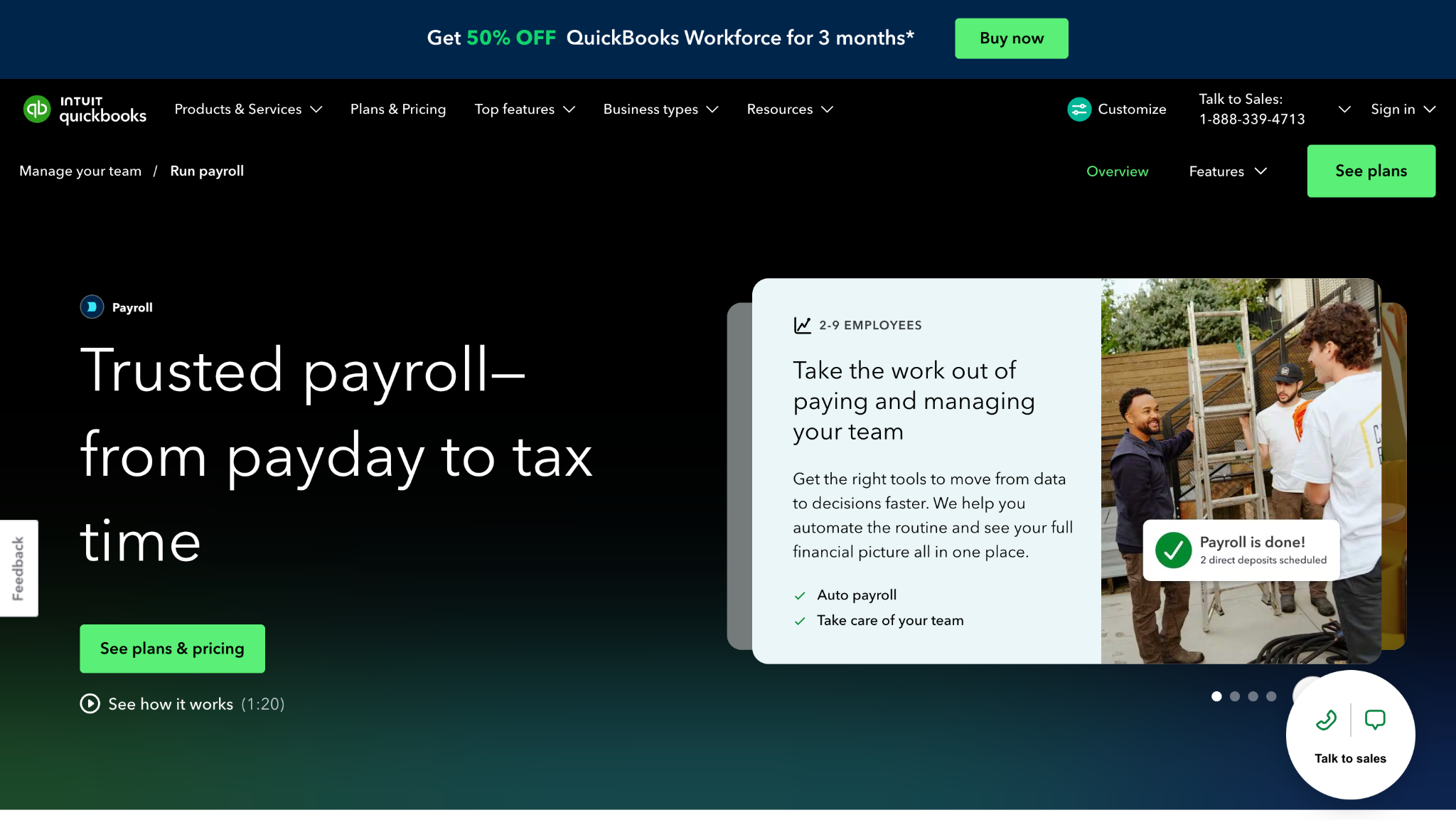
QuickBooks Payroll, now sold as QuickBooks Workforce, comes in 3 tiers. Per Intuit’s July 2026 update, Workforce Payroll costs $50 plus $7 per employee. Premium costs $88 plus $13, and Elite costs $134 plus $17. Pay runs land in the QuickBooks ledger with no integration.
What it does better than OnPay:
- Payroll posts straight into QuickBooks Online, while OnPay has to sync.
- Workforce Payroll includes next-day direct deposit, and higher tiers add same-day.
- Workforce Premium and Elite include time tracking.
- Elite adds tax penalty protection of up to $25,000 a year.
Where OnPay still wins:
- OnPay’s $49 plus $6 undercuts Workforce Payroll’s $50 plus $7 at every headcount.
- Time tracking and faster deposits sit in Intuit’s higher tiers, while OnPay’s price never changes by feature.
- Intuit reserves automated local tax filing for Premium and Elite, and OnPay includes local filings.
- OnPay connects to both QuickBooks Online and Xero, so payroll survives a change of books.
Base fee:
$50, $88, or $134, by tier
Per employee:
$7, $13, or $17, by tier
Plan structure:
3 tiers
Direct deposit:
Next-day (Workforce Payroll); same-day (higher tiers)
Best for:
Businesses keeping books in QuickBooks Online
G2:
4.4/5, 510 reviews
Pick it over OnPay if:
your bookkeeper lives in QuickBooks Online and a sync is 1 thing too many.
Stick with OnPay if:
you want local filings and every feature at the lowest published per-worker fee.
*As pricing is subject to change, we are listing prices as they stand in September 2026
#6 Paychex: service from a person
Paychex

Paychex sells payroll by quote only, so it doesn’t publish a base fee or a per-employee fee, and packages are set during the sales process. That is the opposite of OnPay’s single published plan. Its annual report says clients can run payroll online, hand it to Paychex payroll specialists, or combine both.
What it does better than OnPay:
- Payroll can be outsourced to Paychex specialists instead of run by your own staff.
- Paychex Flex is built for small and medium-sized businesses, so it scales further than a small-team plan.
- HR outsourcing and a PEO are sold by the same company if needs grow later.
- A Paychex-built integration posts payroll entries to QuickBooks Online.
Where OnPay still wins:
- OnPay publishes its price, while Paychex requires a sales conversation first.
- OnPay’s features do not change by package, so there is nothing to negotiate.
- Paychex does not publish its direct deposit timing, while OnPay’s help center does.
- OnPay lists free setup and data migration on its pricing page.
Base fee:
Custom pricing
Per employee:
Custom pricing
Plan structure:
Quote only
Direct deposit:
Not published
Best for:
Owners who prefer outsourcing payroll
G2:
4.1/5, 1,743 reviews
Pick it over OnPay if:
you would rather hand payroll to a specialist than click through it yourself.
Stick with OnPay if:
you want the full price in writing before anyone calls you.
*As pricing is subject to change, we are listing prices as they stand in September 2026
Cheaper and Specialist OnPay Alternatives
Patriot Payroll is here because it undercuts OnPay on published price. Square Payroll is here because hours arrive from Square POS without a separate time-tracking app. Both sell narrower products than OnPay, so each block spells out what the lower price or the POS link leaves out.
#7 Patriot Payroll: the lower price, itemized
Patriot Payroll
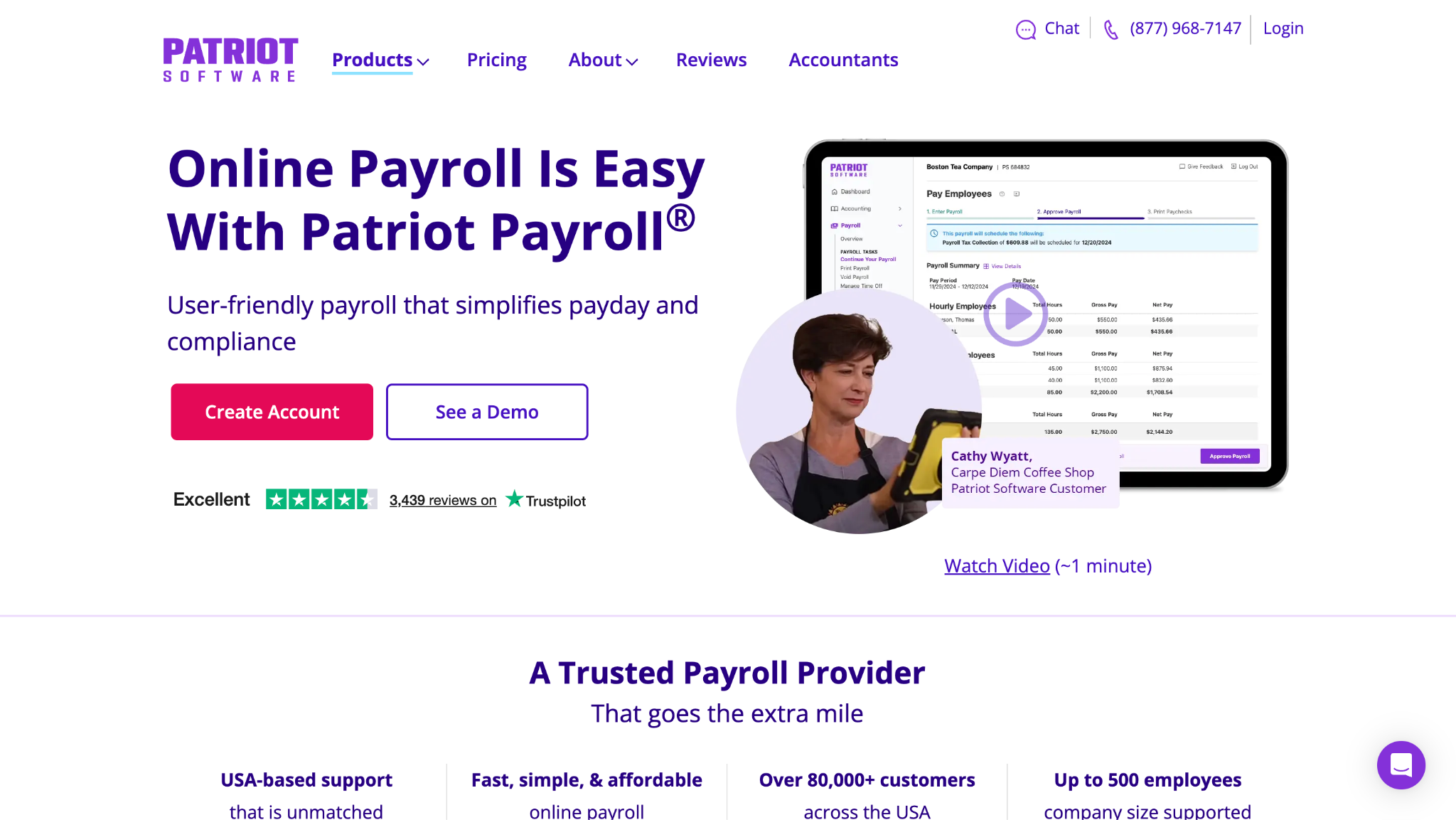
Patriot Payroll sells 2 tiers. Full Service Payroll costs $37 a month plus $5 per worker and includes tax filing for 1 state. The cheaper Basic tier, at $17 plus $4, hands tax filing back to the employer. Each extra state on Full Service adds $12 a month.
What it does better than OnPay:
- At 10 workers in 1 state, Full Service costs $87 a month against OnPay’s $109.
- A month with no pay run is billed at the base fee alone, with no per-worker charge.
- With prefunding, payroll can run as late as 1 day before payday.
- Time & Attendance adds tracking for $6 a month plus $2 per W-2 employee who uses a timecard.
Where OnPay still wins:
- OnPay includes every state, so at 10 workers in 3 states, Patriot reaches $111 against OnPay’s $109.
- Patriot does not supply or file Form 943, which OnPay files for farms.
- Standard Patriot deposits collect funds 4 banking days before payday.
- Basic Payroll’s lower price excludes tax filing entirely.
Base fee:
Full Service $37; Basic $17
Per employee:
Full Service $5; Basic $4
Plan structure:
2 tiers
Direct deposit:
Funds collected 4 banking days ahead; 1 day with prefunding
Best for:
Single-state teams on tight budgets
G2:
4.8/5, 630 reviews
Pick it over OnPay if:
your team works in 1 state, you file Form 941, and $22 a month at 10 workers matters.
Stick with OnPay if:
you file in 3 or more states or need Form 943, where Patriot’s savings disappear.
*As pricing is subject to change, we are listing prices as they stand in September 2026
#8 Square Payroll: hours from the register
Square Payroll
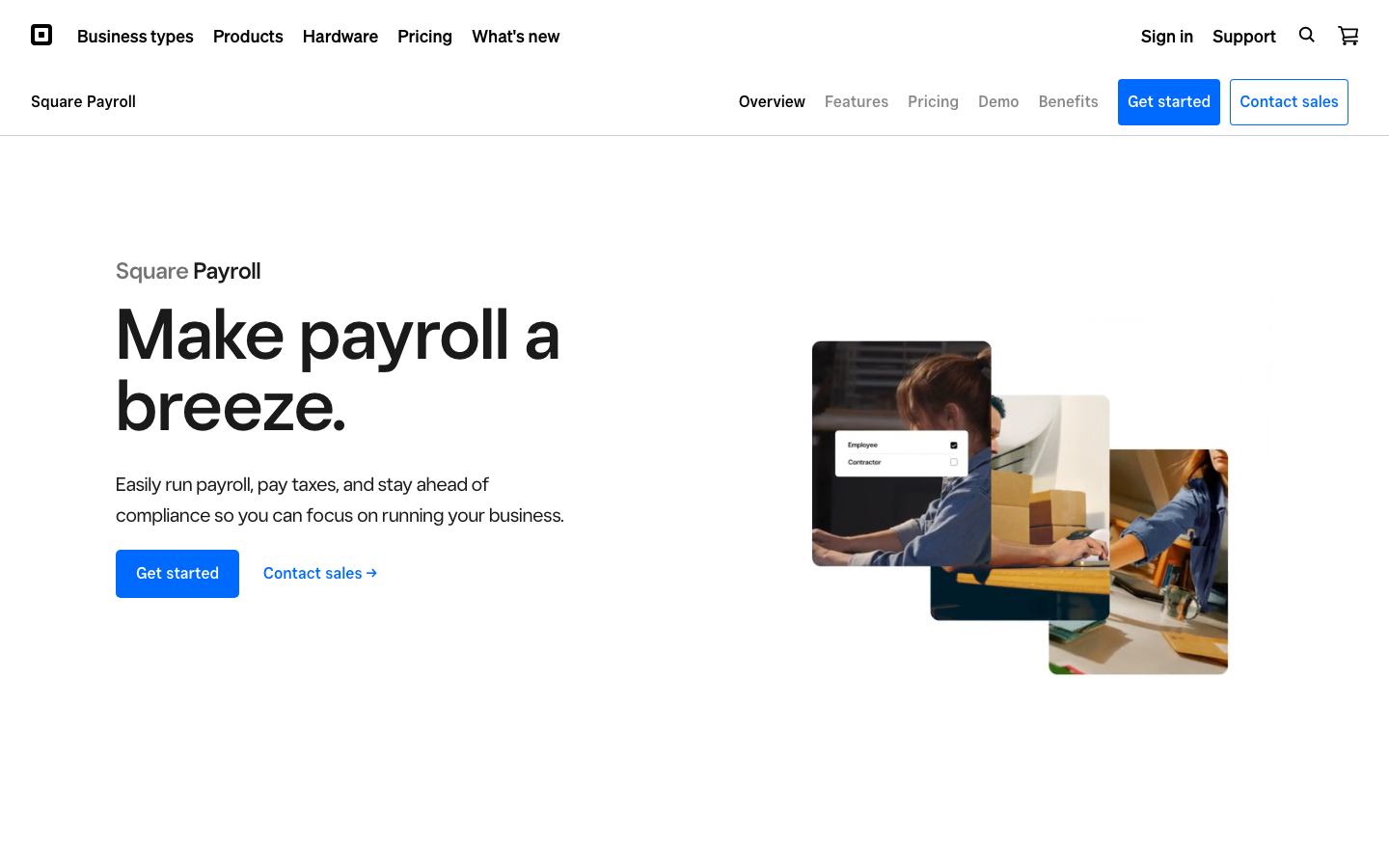
Square Payroll sells a single full-service plan at $35 a month plus $6 per person paid. Teams paying only 1099 workers can skip the base fee and pay $6 per contractor. Timecards and tips come from Square POS, and payroll subscribers get free Square Shifts timecards and scheduling.
What it does better than OnPay:
- Hours and tips import from Square POS, so you don’t need a separate time-tracking integration.
- Payroll subscribers get Square Shifts timecards, scheduling, and tip tracking for free, with no team size cap.
- The base fee is $14 lower than OnPay’s at the same $6 per person.
- A contractor-only option drops the base fee for teams without W-2 staff.
Where OnPay still wins:
- Square Payroll only serves Form 941 or 944 filers and does not support agricultural employees.
- OnPay publishes an error-free guarantee that covers dealing with the tax agency after its own mistakes.
- OnPay handles clergy FICA exemptions, and I found no clergy documentation for Square Payroll.
- Square’s standard timeline is 4 days, with 2-day processing only on approval.
Base fee:
$35 on the full-service plan; $0 on contractor-only
Per employee:
$6 for each person paid in the month
Plan structure:
Single plan plus contractor-only option
Direct deposit:
4-day standard; 2-day on approval
Best for:
Shift teams already on Square POS
G2:
4.2/5, 31 reviews
Pick it over OnPay if:
your staff clock in on Square POS and you want hours and tips in payroll without another app.
Stick with OnPay if:
you run a farm, pay clergy, or track time outside Square.
*As pricing is subject to change, we are listing prices as they stand in September 2026
Which OnPay Alternative Fits Your Situation
Cheapest OnPay Alternatives
Patriot Payroll’s Full Service plan ($37 plus $5) costs less than OnPay ($49 plus $6) at any headcount in 1 state. The gap widens by $1 per worker. Square Payroll ($35 plus $6) stays $14 below OnPay at every size. Between those 2, Square is cheaper for 1 worker and Patriot from 3 workers. Extra states change the order: at 10 workers, OnPay passes Patriot from the third state.
OnPay Competitors for Faster Direct Deposit
On September 13, 2026, OnPay’s help center gave a 2- to 4-business-day turnaround, decided by a risk review. Gusto’s help center lists next-day pay as a standard speed on all 3 plans for qualifying employers, though new accounts start on 4-day pay. QuickBooks Workforce Payroll includes next-day direct deposit, with same-day on higher tiers. Patriot lets prefunded payroll run 1 day before payday.
OnPay Alternatives With Built-In Time Tracking
Rippling Time & Attendance feeds approved hours straight into payroll. Square Payroll subscribers get free Square Shifts timecards, and Gusto builds time tracking into Plus. QuickBooks includes it in Workforce Premium and Elite. Patriot and BambooHR sell it as an add-on, and Justworks includes basic timecards. OnPay syncs with QuickBooks Time, Deputy, and When I Work, so a team already using one may not feel the gap.
OnPay Alternatives for Teams Outgrowing Payroll-Only Software
When onboarding, reviews, and access requests outweigh payroll, a payroll-first plan starts to pinch. BambooHR leads with HR and attaches payroll, while Rippling adds device and app access on top of both. Either keeps employee data in 1 record. Teams weighing automation on top of either platform can compare options in this roundup of AI HR software.
Best OnPay Alternative if Your Books Are in QuickBooks
If your books live in QuickBooks Online, QuickBooks Payroll removes the sync entirely. Pay runs post straight to the ledger, and Workforce Payroll costs $50 plus $7 per employee. OnPay also connects to QuickBooks Online at no fee, for $1 less on the base and $1 less per worker. The real question is whether skipping the sync is worth that difference to your bookkeeper.
OnPay Reviews Against Competitors on Customer Support
OnPay’s product page carries the title “#1 on G2 (Summer 2026),” which is a company claim rather than a sub-score. The fairer test is G2’s quality-of-support rating for every provider, read on the same day.
How Does OnPay Stack Up Against Competitors?
It leads on packaging, with 1 published plan, multi-state filing included, and specialist forms such as Form 943. It trails on deposit speed, at 2 to 4 business days against next-day options at Gusto and QuickBooks. It also trails on native time tracking and integration count, with 9 directory apps versus Rippling’s 600+. On price, it sits mid-pack: above Patriot and Square, level with Gusto Simple, and below QuickBooks.
When OnPay Is Still the Right Choice
For a US business under about 100 people, OnPay is usually the right place to stay. That holds whether the team sits in 1 state or 10, as long as everyone is paid in the United States. It also holds when hours already live in a tool OnPay syncs with. Farms, restaurants, churches, and nonprofits have extra reason to stay, because the forms they rely on are part of the plan. Move only when a specific gap is costing you time or hires.
How to Switch From OnPay
OnPay ends on 30 days’ written notice under its terms of service, with no fixed contract length. The timing constraint is the tax calendar, not a contract. None of the steps below count as tax or accounting advice.
- Choose the cutover date. Aim for the start of a quarter, or January 1 if the tax picture is messy. That way each quarterly return belongs to 1 provider.
- Assign every filing. Get written confirmation of who files the open quarter and who produces this year’s W-2s and 1099s, so no form is duplicated or missed.
- Check specialist filings. Confirm the new provider supports every specialist filing you use today, such as Form 943 or clergy tax treatment. The insight card below explains why this question comes first.
- Save your records. Download pay registers, filed returns, and worker records while the OnPay login still works, including prior-year W-2s.
- Move state authorizations. Find out whether you must transfer state tax accounts or agent authorizations before the new provider can file.
- Test with a parallel run. Process 1 pay period in both systems side by side, and match net pay and withholding line by line before switching off OnPay.
INSIGHT: Will your next provider file the same forms?
If you farm, run a restaurant, pay clergy, or hold 501(c)(3) status, your filings differ. Most payroll software is not built around those forms.
- The IRS describes Form 943 as the Employer’s Annual Federal Tax Return for Agricultural Employees. Form 8846 is the Credit for Employer Social Security and Medicare Taxes Paid on Certain Employee Tips. Publication 517 covers Social Security and other information for clergy and religious workers.
- As of September 2026, 2 providers in the table document support for Form 943: OnPay and QuickBooks Workforce. Gusto, Square Payroll, and Patriot Payroll document that they do not support it. I could not confirm either way for Rippling, BambooHR, Justworks, or Paychex.
- Ask this in the sales call before price comes up, because a cheaper provider that cannot file your return is not cheaper.
Sources:
as of September 2026
FAQs on OnPay Alternatives
Which are the best OnPay alternatives 2026 buyers should shortlist?
The answer follows the gap you are trying to close. Gusto suits teams that want faster deposits and a bigger feature set, while Rippling covers native time tracking and a long integration list. BambooHR fits a company whose needs have moved from payroll to HR. Patriot Payroll is the pick for a lower published price, provided you file in 1 or 2 states.
How does OnPay stack up against competitors?
OnPay leads on packaging, with 1 published plan that includes multi-state filing and specialist forms such as Form 943. It trails on direct deposit speed, where rivals offer next-day options, and on native time tracking and the number of integrations. On price, it sits in the middle, above Patriot and Square but level with Gusto Simple and below QuickBooks Workforce on both fees.
What are the alternatives to OnPay software?
OnPay here means the Atlanta payroll company at onpay.com, not OnPay Solutions, an unrelated invoice payments firm that Medius acquired in 2022. For the payroll product, the 8 providers compared above are the realistic replacements, each checked on its own site. Gusto, Rippling, and BambooHR cover most needs, while Patriot and Square serve tighter budgets and shift-based teams working from a point-of-sale system.
Does OnPay have good customer support compared with competitors?
OnPay’s own product page cites a #1 G2 ranking for Summer 2026, which is a company claim. The quality-of-support sub-scores in this article were read from each G2 profile on September 13, 2026. Compare those numbers directly rather than relying on adjectives from any vendor, OnPay included, before deciding whether support is a genuine reason to move.
Which provider costs less than OnPay?
Yes. Patriot Payroll’s Full Service plan costs $37 a month plus $5 per worker, against $49 plus $6 at OnPay. The lower price covers only 1 state, adds $12 for each extra state, and does not include Form 943. Because both use a base fee plus a per-worker fee, savings grow with headcount and shrink as you add states.
What does OnPay not do?
OnPay has no native time tracking and relies on syncs with QuickBooks Time, Deputy, and When I Work. It offers no international payroll. Its direct deposit turnaround is 2 to 4 business days, with no next-day option on its pricing page. Its app directory lists 9 apps, and it runs in a mobile browser instead of a dedicated employer app.
Can I leave OnPay partway through a tax year?
Yes, as long as 3 points are settled first. Someone must own the open quarter’s filings and issue this year’s W-2s and 1099s. The new provider must also handle any specialist forms you depend on, such as Form 943. The How to Switch section walks through each point, and nothing here replaces the advice of your own accountant on your specific situation.
Verdict: The Best OnPay Alternative for You
Pick Gusto for faster deposits and a larger feature set, Rippling for native time tracking and integrations, BambooHR when HR has become the main job, Justworks for pooled benefits, QuickBooks Payroll for books in QuickBooks Online, Paychex for service from a person, Patriot Payroll for the lowest published price, and Square Payroll for shift teams on Square POS.
For most US small businesses under about 100 people, OnPay remains the right answer. The alternatives matter when 1 specific capability is blocking you: deposit speed, built-in time tracking, integration depth, pooled benefits, or international coverage. If none of those apply to your team, the smartest move is to stay where you are.

Helen is Anywherer’s Market Analyst & Content Researcher, with extensive experience in analyzing global employment markets and HR technology trends. She is skilled at turning complex market data into clear, well-researched insights that inform every piece of content. With a strong grasp of the EOR, PEO, and international hiring space, Helen plays a key role in keeping Anywherer’s research accurate, up to date, and genuinely useful for readers.