Introduction
Remote hiring is no longer limited to a handful of tech companies. Teams now span multiple countries, time zones, and legal jurisdictions, and most of the early employee experience happens through screens, shared documents, and async messages. In this context, a generic new hire checklist built for an office setting leaves too many gaps. There is no front desk to hand out a badge, no IT person walking over with a laptop, and no colleague in the next seat to answer quick questions. When these gaps are not covered by a deliberate process, new employees lose time, confidence, and momentum in the weeks that matter most.
Research backs this up. SHRM reports that 69% of employees are more likely to stay for three years if they experience a strong onboarding process, and that structured onboarding leads to 50% higher new-hire productivity. Yet most companies still treat onboarding as a short orientation call followed by a shared folder of links. For remote teams, this is not enough. Shipping equipment, provisioning accounts across multiple SaaS tools, handling compliance in different jurisdictions, and building trust without face-to-face contact all require deliberate, documented steps.
This article gives you 10 practical new hire checklist samples, each focused on a specific onboarding area for remote employees. Every checklist includes a detailed version you can adapt to your own tools and policies, plus a condensed version you can turn into a visual or a quick-reference card. The content is written for HR teams, managers, and founders who want a repeatable, reliable way to bring remote people on board without missing critical steps.
New Hire Checklist by Category
A single, flat onboarding list tries to cover everything at once and usually fails at most of it. A better approach is to break the process into focused categories, each with a clear owner and a clear purpose. The 10 new hire checklist examples below follow this logic. They move roughly in order from pre-hire paperwork through the first 90 days of work, and each one is designed so that tasks do not repeat across sections.
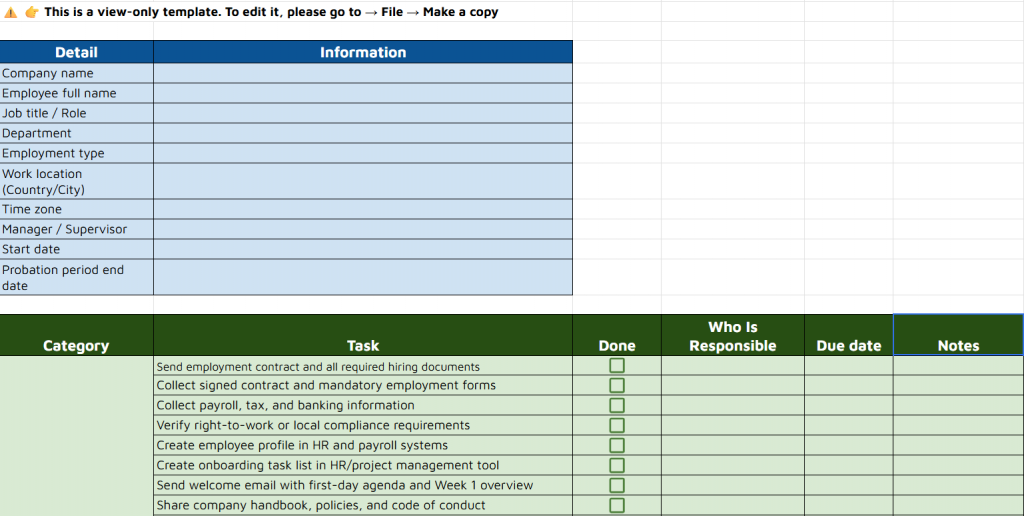
Set every new hire up for success. Check out the spreadsheet version of onboarding checklist to manage tasks, assign owners, and customize the process for your team.
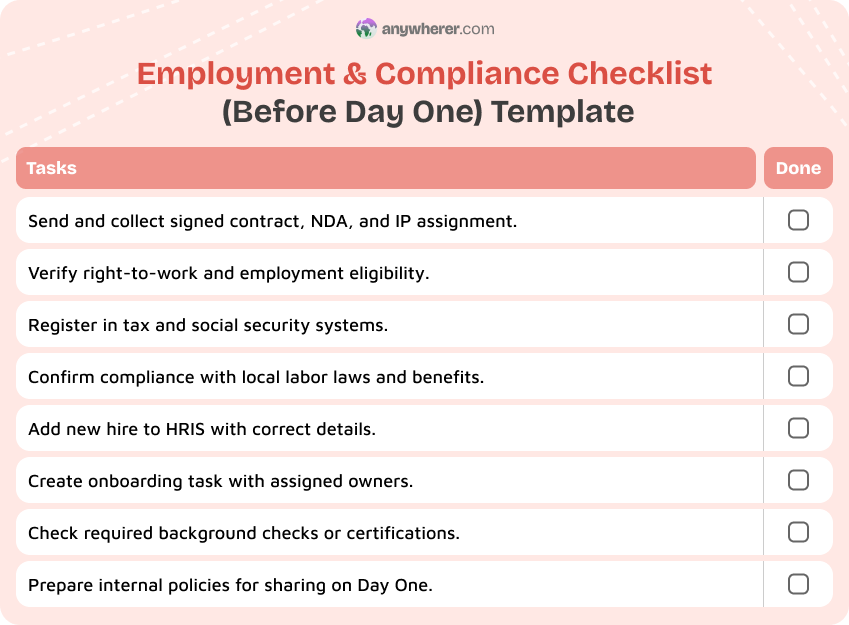
1. Employment & Compliance Checklist (Before Day One)
Before a remote employee logs in for the first time, the legal and administrative foundation must already be in place. This is especially important when hiring across borders, where contracts, tax rules, and labor regulations differ by country. Skipping or delaying these steps creates compliance risk and can delay payroll, benefits, and even the start date itself.
Use this new employee checklist for employment and compliance tasks before Day One:
- Send the employment contract or offer letter with clear terms (role, compensation, start date, working hours, termination clauses).
- Collect signed documents: contract, NDA, IP assignment, and any local regulatory forms.
- Verify right-to-work or employment eligibility documents based on the employee’s country of residence.
- Register the employee in the relevant tax and social security systems (or confirm this through your Employer of Record if applicable).
- Confirm compliance with local labor laws: probation periods, mandatory benefits, notice requirements, data protection obligations.
- Add the new hire to your HRIS with correct personal details, role, manager, and start date.
- Create an onboarding task or ticket in your project tool and assign clear owners for each step of the new hire checklist.
- Check whether any background checks, certifications, or professional registrations are required for the role.
- Confirm that internal policies (remote work policy, code of conduct, acceptable use policy) are ready to share on Day One.
- Store all signed documents securely in the employee’s digital file, following your data retention policy.
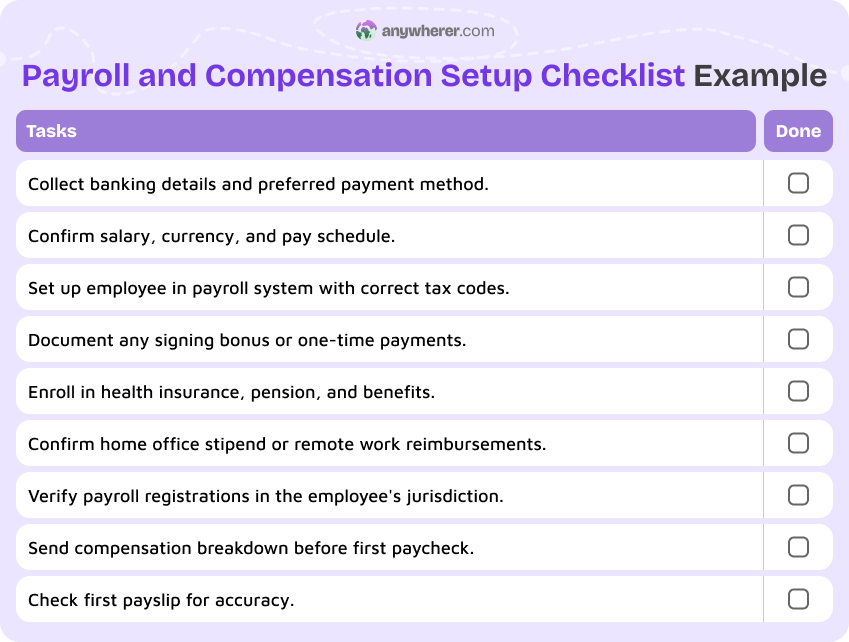
2. Payroll & Compensation Setup Checklist
Nothing damages a new hire’s trust faster than a payroll mistake in the first month. For remote teams, payroll setup is more complex because currencies, tax withholdings, and payment methods can vary by country. Getting this right before Day One means the employee can focus on their role instead of chasing HR about missing payments.
Use this new hire checklist template for payroll and compensation setup:
- Collect banking details and confirm the preferred payment method (local bank transfer, international wire, payroll provider).
- Confirm gross salary, currency, and pay schedule (monthly, bi-weekly, or as agreed).
- Set up the employee in your payroll system or with your payroll provider, including correct tax codes and deductions.
- Calculate and confirm any signing bonus, relocation allowance, or one-time payments.
- Document benefits enrollment: health insurance, pension, stock options, or any country-specific statutory benefits.
- Confirm home office stipend, equipment allowance, or recurring remote work reimbursements, if applicable.
- Verify that all payroll and tax registrations are complete in the employee’s jurisdiction.
- Send a clear breakdown of compensation, deductions, and payment dates to the employee before their first paycheck.
- Set a reminder to verify the first payslip is accurate and delivered on time.
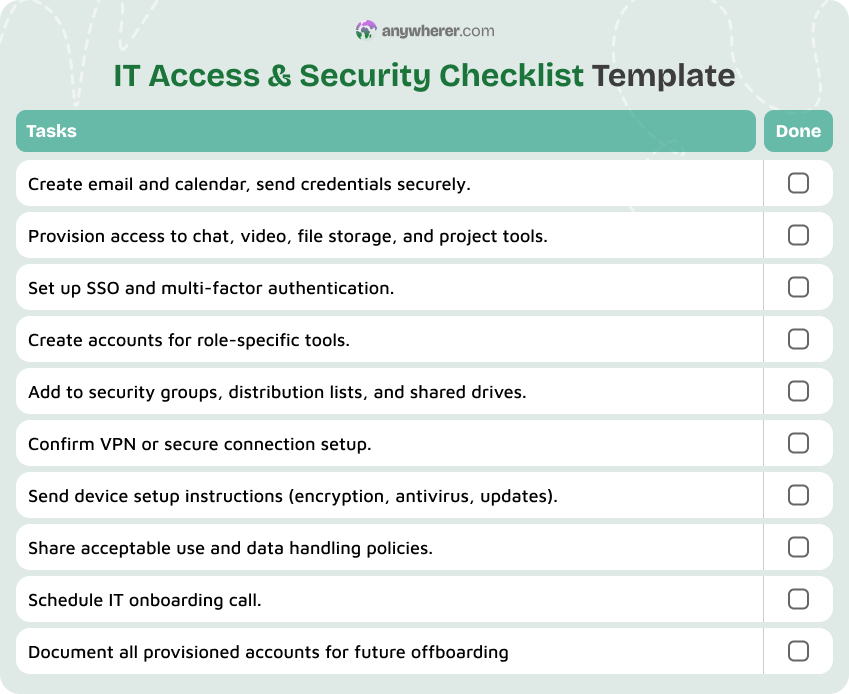
3. IT Access & Security Checklist
Remote employees depend entirely on digital tools to do their work. If accounts are not ready on Day One, the new hire sits idle while IT scrambles to provision access. At the same time, security matters more when people connect from home networks, personal devices, or co-working spaces. This checklist ensures that access is provisioned correctly and securely before the employee starts.
Use this sample new hire checklist for IT access and security:
- Create a company email account and calendar, and send login credentials securely (password manager invite, not plain text).
- Provision access to core collaboration tools: chat platform, video conferencing, file storage, and project management tool.
- Set up SSO (single sign-on) and enforce multi-factor authentication on all critical accounts.
- Create accounts in role-specific tools (CRM, code repository, design tools, analytics platform, finance system, etc.).
- Add the employee to relevant security groups, distribution lists, and shared drives based on role and team.
- Confirm VPN access or secure connection setup, if required by company policy.
- Send clear instructions for setting up devices: OS configuration, encryption, antivirus, and auto-update policies.
- Share the company’s acceptable use policy, data handling guidelines, and incident reporting procedure.
- Schedule a short IT onboarding call to walk through tools, answer questions, and confirm everything works.
- Document all accounts provisioned so they can be tracked and revoked cleanly during offboarding.
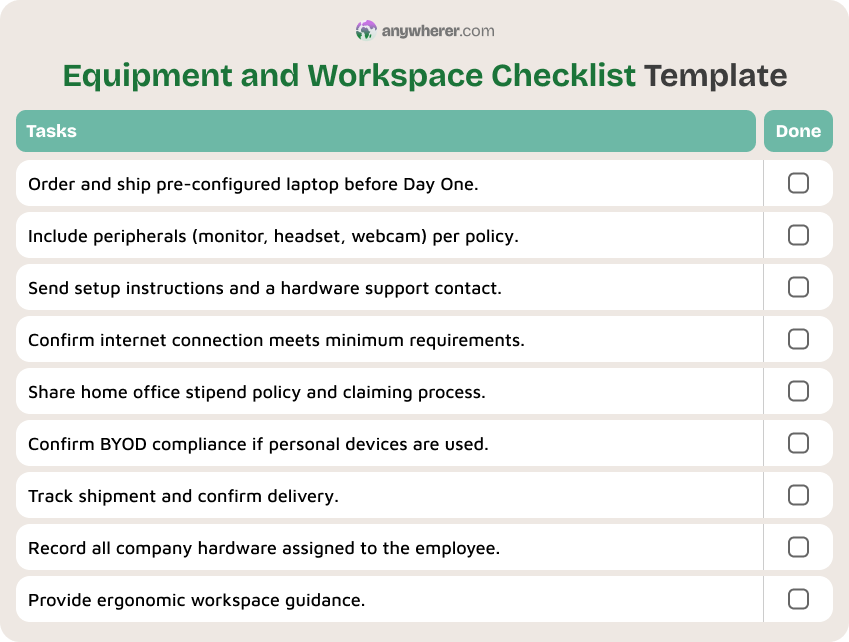
4. Equipment & Workspace Checklist
Office-based employees pick up their equipment at a desk. Remote employees need their hardware shipped, tracked, and set up before they can do anything productive. Delays here are one of the most common reasons remote onboarding falls apart in the first week. A clear equipment and workspace checklist keeps logistics on track and sets expectations about what the company provides versus what the employee is expected to have.
Use this new hire onboarding checklist for equipment and workspace. It works well as a standalone new employee checklist template for logistics:
- Order and ship the company laptop (pre-configured with required software, encryption, and MDM enrollment) with enough lead time to arrive before Day One.
- Include peripherals as per company policy: monitor, keyboard, mouse, headset, webcam, or docking station.
- Provide clear setup instructions and a point of contact if the employee runs into hardware issues.
- Confirm the employee has a reliable internet connection that meets minimum requirements for video calls and tool access.
- Share the home office stipend policy, including what is covered, how to claim it, and any spending limits.
- If the employee uses personal devices (BYOD), confirm compliance with security and data protection policies.
- Track shipment and confirm delivery of all equipment before the start date.
- Keep an inventory record of all company-owned hardware assigned to the employee for future recovery.
- Provide ergonomic guidance or resources for setting up a comfortable, productive home workspace.
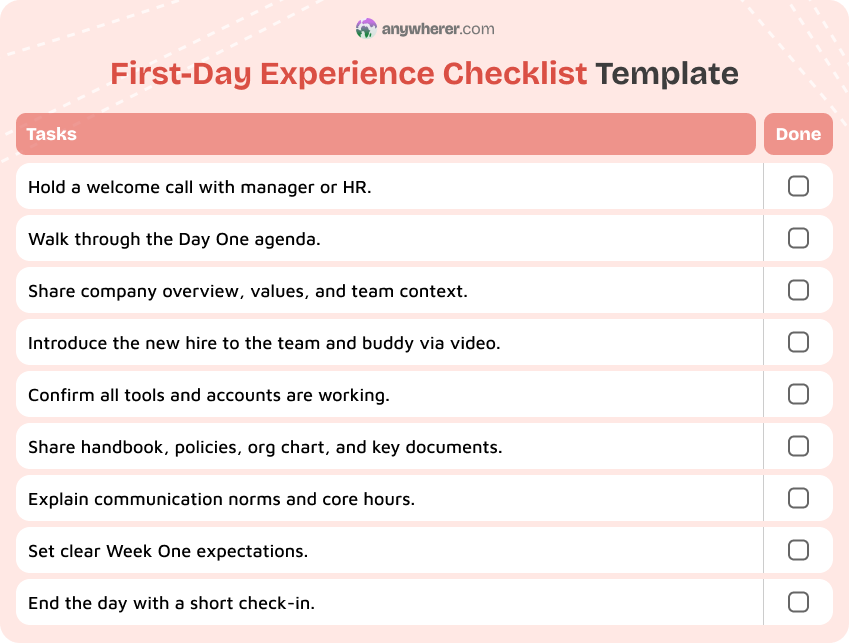
5. First-Day Experience Checklist
The first day sets the tone for everything that follows. For remote employees, there is no office buzz, no desk neighbor, and no casual lunch with the team. If the day is not deliberately structured, the new hire can spend hours waiting for a call, refreshing their inbox, or wondering what they are supposed to do. A clear first-day checklist replaces that uncertainty with a guided experience that feels welcoming and organized.
Use this new employee orientation checklist for Day One. You can also treat it as a new hire orientation checklist that HR and the manager follow together:
- Start with a welcome call from the manager or HR to set a positive, personal tone.
- Walk through the first-day agenda so the employee knows exactly what to expect and when.
- Give a brief overview of the company: mission, values, how the team fits in, and current priorities.
- Introduce the new hire to their immediate team and assigned buddy through a short video call.
- Confirm that all tools and accounts are working: email, chat, project tool, video, shared drives.
- Share key internal resources: employee handbook, remote work policy, org chart, team wiki, and FAQ documents.
- Explain communication norms: which channels to use, expected response times, meeting etiquette, and core working hours.
- Give a clear summary of what is expected in Week One, not just a job description.
- Schedule a short end-of-day check-in to answer questions, address concerns, and close the day on a positive note.
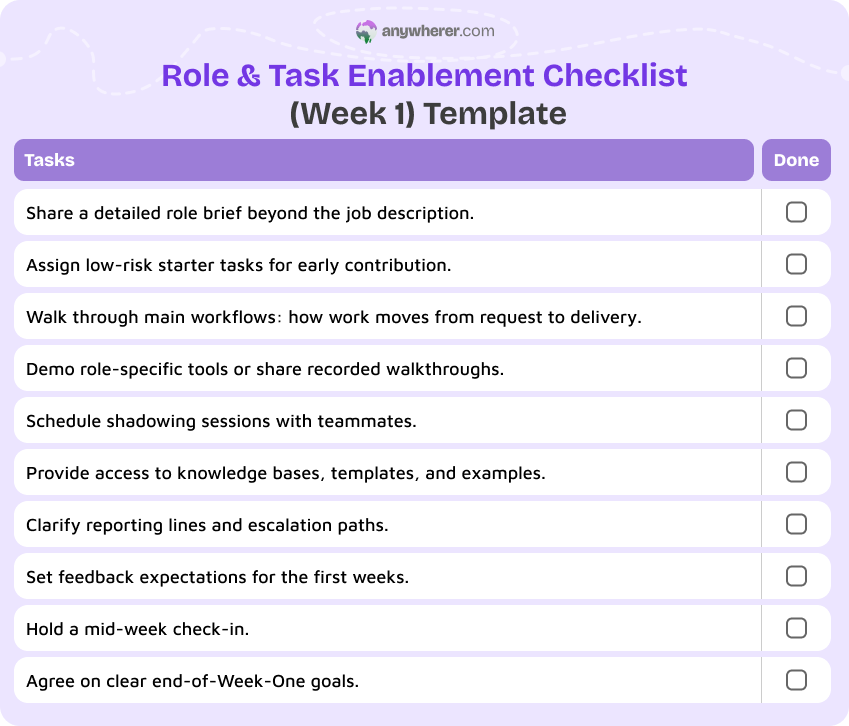
6. Role & Task Enablement Checklist (Week 1)
After the first day, the focus shifts from orientation to actual work. In a remote setup, new hires cannot observe how colleagues handle tasks, so they need more deliberate guidance. This checklist covers the practical steps that help someone move from “I understand my role” to “I can start doing my role” during their first full week.
Use this new hire training checklist for Week One role enablement:
- Share a written role brief that goes beyond the job description: key responsibilities, current priorities, who depends on the role, and what success looks like in the first month.
- Assign two or three starter tasks that are real but low-risk, so the new hire contributes early without pressure.
- Walk through the main workflows the role touches: how work is requested, tracked, reviewed, and delivered.
- Introduce role-specific tools with short demos or recorded walkthroughs, not just links to documentation.
- Schedule shadowing sessions or working calls with teammates who do similar or related work.
- Share access to relevant repositories, knowledge bases, templates, and past examples of good work.
- Clarify reporting lines, escalation paths, and decision-making authority for the role.
- Set expectations for how and when the manager will give feedback during the first weeks.
- Hold a mid-week check-in to review progress on starter tasks and answer any questions.
- Agree on a short list of goals for the end of Week One that both the manager and employee can review.
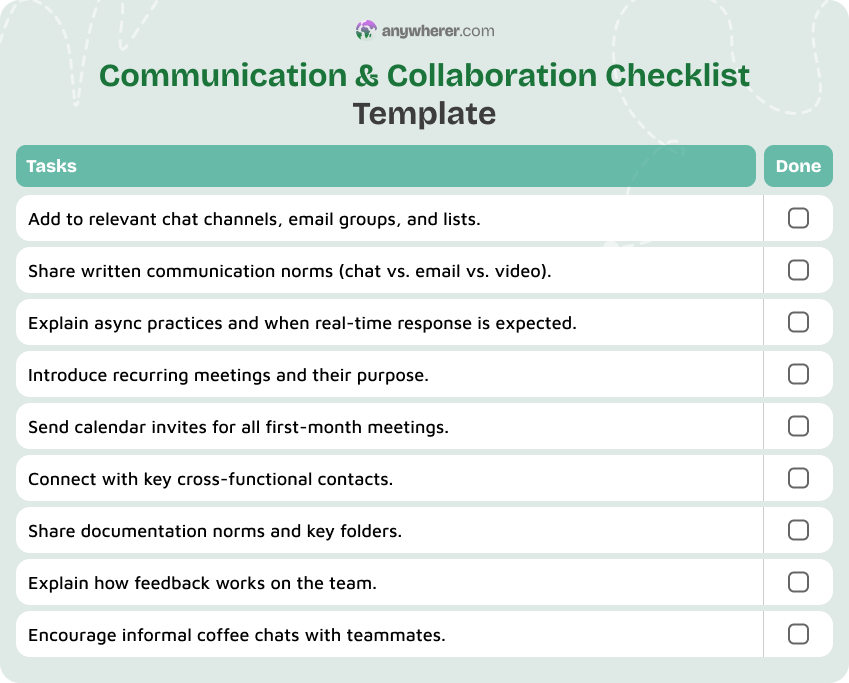
7. Communication & Collaboration Checklist
Communication is the infrastructure of remote work. Without clear norms, new employees either over-communicate (pinging everyone on everything) or under-communicate (staying silent when they need help). Harvard Business Review emphasizes that spending more time onboarding new hires, including clear communication frameworks, significantly reduces early turnover. This checklist helps new hires understand how your team communicates so they can participate effectively from the start.
Use this checklist for new hire onboarding communication and collaboration setup:
- Add the new hire to all relevant chat channels, email groups, and distribution lists for their role and team.
- Share a written guide to communication norms: when to use chat vs. email vs. video, expected response times, and meeting-free blocks.
- Explain async practices: how to write clear updates, how to use threads, and when it is okay not to reply immediately.
- Introduce recurring meetings the employee should attend (stand-ups, team syncs, all-hands, social calls) and explain their purpose.
- Confirm calendar invites are sent for all recurring meetings during the first month.
- Introduce the employee to key cross-functional contacts they will interact with regularly.
- Share norms around documentation: where decisions are logged, how meeting notes are shared, and which wikis or folders to use.
- Explain how feedback works on the team: frequency, format, and whether it is public or private.
- Encourage the new hire to schedule informal 1:1 coffee chats with teammates to build relationships beyond work tasks.
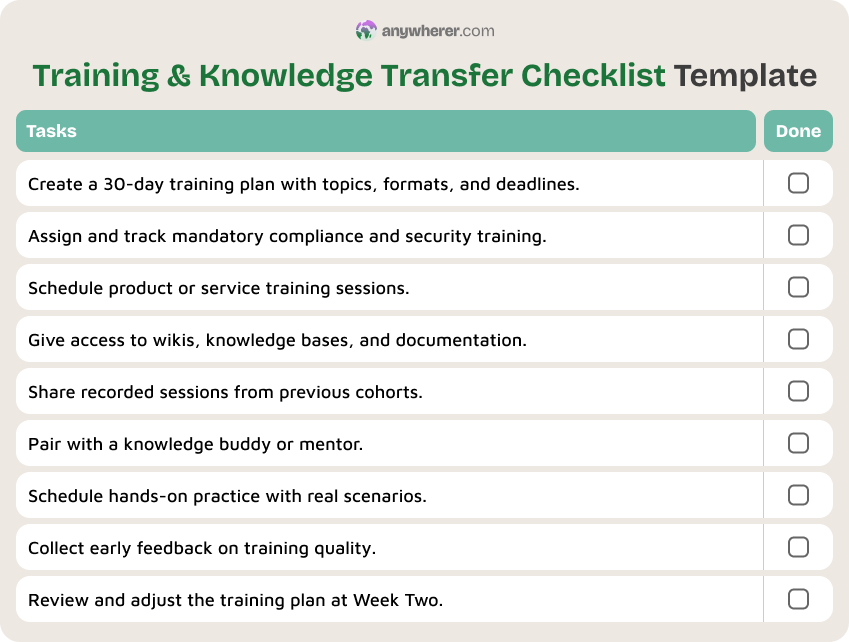
8. Training & Knowledge Transfer Checklist
In office settings, a lot of knowledge transfers informally: watching someone work, overhearing conversations, asking a quick question across the desk. Remote teams lose all of that. Training for remote new hires needs to be more structured, more documented, and more intentional. This new employee training checklist covers the formal and informal knowledge the new hire needs to become effective.
Use this sample new employee onboarding checklist for training and knowledge transfer:
- Create a training plan for the first 30 days, including topics, formats (live, self-paced, recorded), and deadlines.
- Assign mandatory compliance and security training and confirm completion deadlines.
- Schedule product or service training sessions to give the new hire a clear understanding of what the company offers.
- Provide access to internal wikis, knowledge bases, and process documentation relevant to their role.
- Share recorded training sessions, demos, or walkthroughs from previous onboarding cohorts, if available.
- Pair the new hire with a knowledge buddy or mentor who can answer day-to-day questions about how things really work.
- Schedule hands-on practice sessions where the new hire works through real scenarios with guidance.
- Collect early feedback from the new hire on training quality: what is clear, what is missing, what is overwhelming.
- Review training progress at the end of Week Two and adjust the plan if something is not working.
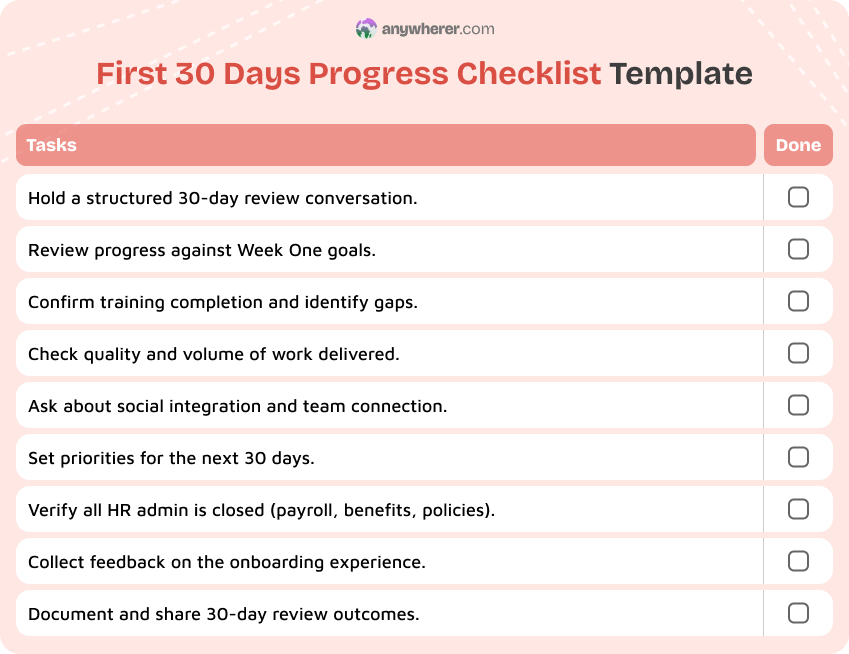
9. First 30 Days Progress Checklist
By the 30-day mark, the initial novelty has worn off and the real work begins. This is a critical checkpoint. Gallup’s research on employee retention consistently shows that engagement and culture are the top drivers of whether people stay or leave, and the first month is when these impressions harden. A 30-day checklist helps you catch problems early and confirm that the new hire is on track.
Use this new hire checklist for managers at the 30-day mark:
- Hold a structured 30-day review conversation: what has gone well, what has been difficult, and what needs to change.
- Review progress against the goals set in Week One and adjust expectations if needed.
- Confirm that initial training is complete or nearly complete, and identify any remaining gaps.
- Check the quality and volume of work delivered so far: is it realistic and sustainable?
- Ask the new hire about their social integration: do they feel connected to the team, or isolated?
- Review workload and priorities for the next 30 days with the employee.
- Confirm that all HR and admin tasks are fully closed: payroll verified, benefits active, policies acknowledged.
- Ask for honest feedback on the onboarding experience itself: what helped and what could be improved.
- Document the 30-day review outcomes and share a summary with the employee.
10. 90-Day Remote Employee Progress Checklist
The 90-day mark is widely considered the point where onboarding ends and full integration begins. By now, the employee should be working with normal levels of support, contributing independently, and feeling like a genuine part of the team. This checklist formalizes that transition and confirms that both the company and the employee are aligned on performance, development, and next steps.
Use this free new hire checklist template for the 90-day review:
- Hold a formal 90-day performance review covering results, behaviors, and alignment with company values.
- Compare actual performance against the expectations and goals set at the start.
- Discuss long-term role development: growth opportunities, skills to build, and potential career paths.
- Assess whether the employee is fully integrated into the team’s workflows, communication, and culture.
- Review the quality of cross-functional relationships: has the employee built connections beyond their immediate team?
- Confirm that all probationary requirements (if any) have been met and documented.
- Ask the employee for a final assessment of the onboarding process: what worked and what they would change.
- Agree on goals and priorities for the next quarter.
- Close the onboarding formally: mark the checklist complete in your HRIS or project tool.
- Transition the employee from onboarding support to ongoing performance management and development cycles.

Common Remote Onboarding Mistakes to Avoid
Even with a solid new hire onboarding checklist, some mistakes come up again and again. They are worth calling out because each one can quietly undo the good work your checklists are designed to do.
- Treating onboarding as “done” after Day One. Onboarding is not a single event. If you treat it as “done” after Day One or even after Week One, you leave new hires to figure out the rest on their own. Remote employees need structured support through the first 30 and 90 days.
- Overloading new hires with tools and documents. Sending 15 tool invites, 10 policy documents, and a 50-page handbook on the first day is a fast way to overwhelm someone. Spread information across the first weeks and prioritize what the employee actually needs each day.
- No clear point of contact. Remote new hires need to know who to ask when they are stuck. Without a named buddy, mentor, or go-to person, questions pile up and confidence drops.
- Ignoring time zone and async realities. If your new hire is in a different time zone and you schedule every meeting during your local business hours, you are signaling that their schedule does not matter. Plan around overlapping hours and use async tools for everything that does not require real-time conversation.
- Skipping structured 30- and 90-day check-ins. The first day and the first week get all the attention, but the 30-day and 90-day reviews are where you catch alignment issues, close skill gaps, and confirm that the employee is truly settling in. Skipping them turns a structured process into a one-off event.
Final Thoughts
A new hire checklist is not paperwork. It is the backbone of a process that protects the company, respects the person joining, and gives both sides a clear path through the first three months. For remote teams, where everything happens through tools, documents, and scheduled calls, having this structure in writing is not optional. You can align this checklist with your broader employee onboarding checklist so that each stage of the process feeds into the next.
The 10 checklists in this article cover the full cycle: compliance, payroll, IT, equipment, Day One, Week One, communication, training, 30-day review, and 90-day review. Each one stands on its own, but they work best together as a single new hire onboarding checklist template that your team follows every time someone new joins. Pair them with a solid onboarding plan for new hire to give each person not just a checklist of tasks but a clear view of how their first months will unfold.
Adapt the checklists to your tools, policies, and team size. Turn the condensed versions into visual cards, spreadsheet rows, or templates inside your HRIS. Whether you call it a remote employee onboard checklist or a new hire onboarding template, the goal is the same: make onboarding a reliable system, not something that depends on any one person’s memory.
FAQs on New Hire Checklist Process
Is a new hire checklist the same as an onboarding checklist?
They overlap, but they are not the same thing. A new hire checklist typically focuses on the administrative and logistical tasks that need to happen before and during the first days: contracts, access, equipment, payroll. An onboarding checklist is broader and includes cultural integration, training, relationship-building, and performance milestones over the first 30 to 90 days. In practice, a new employee checklist is often part of a larger onboarding process.
When should remote onboarding start?
Remote onboarding should start as soon as the offer is accepted, not on Day One. Pre-boarding tasks like contracts, compliance checks, equipment shipping, and account provisioning all take time. Starting early means the employee is ready to work from the moment they log in on their first day, instead of spending it waiting for access and paperwork.
How long should remote onboarding last?
For most roles, structured onboarding should last at least 90 days. The first week covers orientation and basic setup. The first 30 days focus on training and early contribution. By 90 days, the employee should be working independently and fully integrated into the team. Some complex or senior roles may benefit from a longer supported ramp-up.
How is onboarding remote employees different from office-based employees?
Remote onboarding requires more documentation, more deliberate communication, and more structured check-ins. You cannot rely on physical handovers, hallway conversations, or learning by observation. Equipment must be shipped, tools must be provisioned in advance, and social connections must be actively facilitated through scheduled calls and introductions.
Should remote onboarding be the same for every role?
The core process should be consistent: compliance, payroll, access, and communication norms apply to everyone. But the training content, role-specific tools, and depth of technical onboarding should be adapted to each role. A new hire checklist for managers, for example, may include team-level introductions and performance process walkthroughs that do not apply to individual contributors.
What tools are needed to onboard remote employees effectively?
At a minimum, you need an HRIS or people tool for tracking tasks, a communication platform (chat and video), a file storage or knowledge management system, and a project tool for assigning and tracking onboarding tasks. A password manager, SSO provider, and device management tool add security. The specific tools matter less than making sure they are set up, connected, and explained before the employee’s first day.
What are common mistakes to avoid when onboarding remote employees?
The most common mistakes are treating onboarding as a one-day event, overloading new hires with information, not assigning a clear point of contact, ignoring time zone differences, and skipping structured 30- and 90-day check-ins. Each of these creates confusion, reduces engagement, and increases the chance that the new hire leaves early. A consistent new hire onboarding checklist template helps prevent all of them.

Yaryna is our lead writer with over 8 years of experience in crafting clear, compelling, and insightful content. Specializing in global employment and EOR solutions, she simplifies complex concepts to help businesses expand their remote teams with confidence. With a strong background working alongside diverse product and software teams, Yaryna brings a tech-savvy perspective to her writing, delivering both in-depth analysis and valuable insights.