Introduction
Remote hiring and onboarding have become more structured in many companies, but remote offboarding is still easy to overlook. When someone leaves, IT might disable one or two tools, send a quick goodbye message, and hope nothing important was missed. In a remote setup there is no physical access handover, no badge to collect, no laptop placed back on a desk. Access is spread across many systems, and if even one account stays open, you can end up with “ghost users,” security gaps, and compliance risks. Security experts warn that orphaned accounts are a major source of data breaches and compliance problems because they give attackers a quiet way into company systems. At the same time, knowledge can quietly disappear if the person’s work lives in private chats, personal folders, or unshared documents, and replacing that lost expertise is expensive: some studies estimate average turnover costs at roughly a third of annual salary or more.
Because of this, structured offboarding matters even more for distributed teams than for office-based ones. A clear offboarding checklist helps you control who has access to what and when that access is removed. It makes documentation and handover part of the process instead of a last-minute rush. It also gives HR, managers, IT, and the employee clear steps to follow, which keeps the tone professional and protects your reputation as an employer.
This article gives you a stage-based remote employee offboarding checklist, along with practical templates you can adapt to your own tools and policies. The content is written for HR teams, people managers, and distributed companies that want a reliable, repeatable way to offboard remote staff. You can also align it with your remote employee onboarding checklist so that both the start and the end of the employee journey follow the same structured approach.
Remote Employee Offboarding Checklist & Templates (By Stage)
Offboarding is easier when it follows clear stages instead of one big, chaotic list. In this section, each stage comes with a detailed offboarding process checklist that explains what to do, plus a shorter version you can turn into a visual or a free offboarding checklist template for your team. You can combine all stages into one complete offboarding employee checklist, or use each stage on its own depending on the situation and the role.
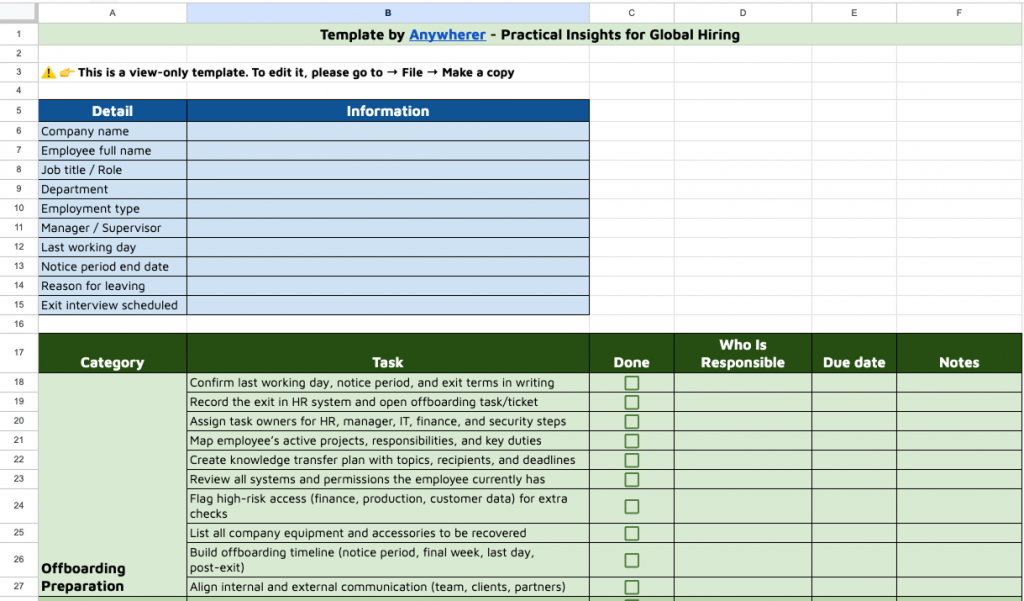
Make offboarding smoother for everyone. Check the spreadsheet version of this checklist to track each step, assign responsibilities, and adapt it to your company’s workflow.
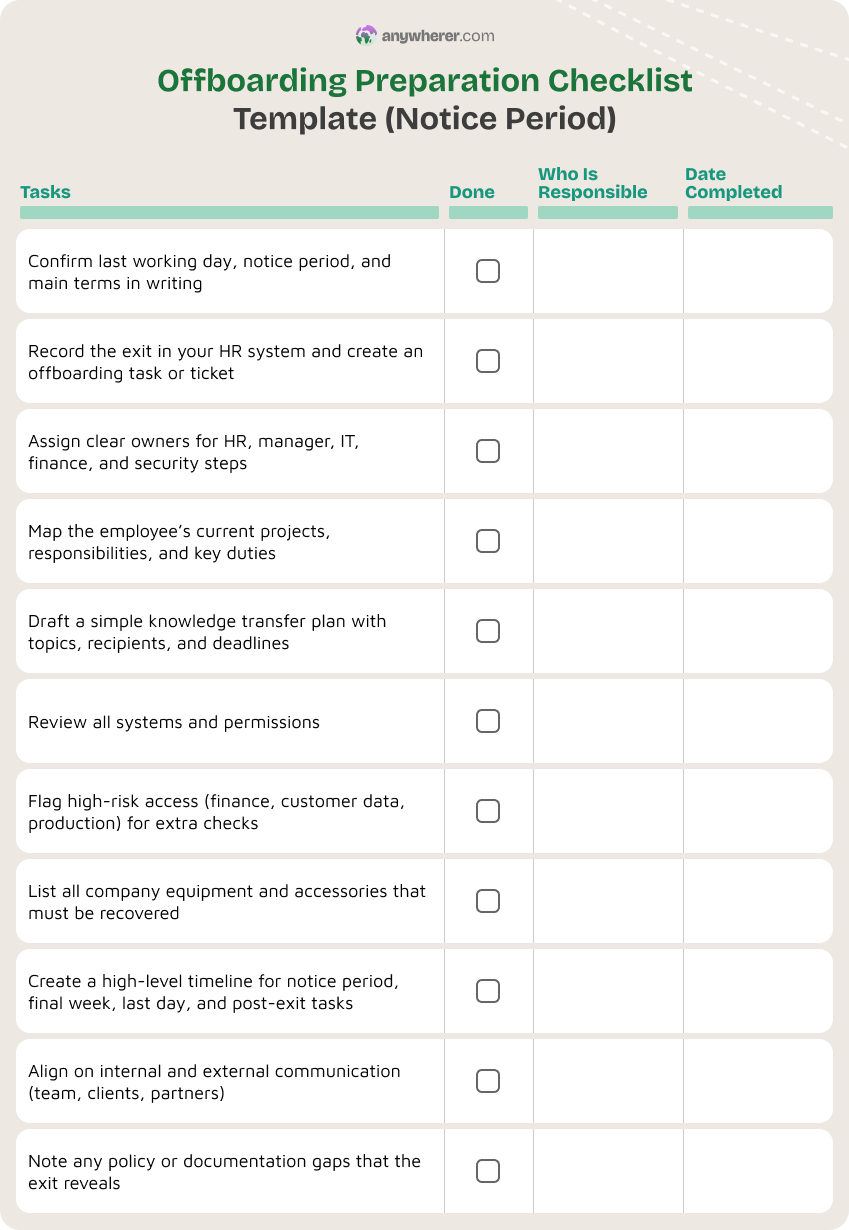
Offboarding Preparation Checklist Template (Notice Period)
During the notice period, you still have time to plan instead of rushing. This is when creating an offboarding checklist helps the most. You can confirm key details like dates, terms, and any special conditions, plan how knowledge will be handed over, and review all system access and equipment linked to the role. If you skip this stage, the rest of your staff offboarding checklist turns into a reactive, last-minute scramble instead of a controlled process.
Use this as an offboarding checklist for managers and HR during the notice period:
- Confirm resignation or termination details in writing (last working day, notice period, reason for leaving where appropriate).
- Log the exit in your HRIS and create an offboarding checklist task in your tracking tool.
- Assign clear owners for each part of the offboarding process checklist (HR, manager, IT, finance, security).
- Create a high-level offboarding timeline (notice period, final week, last day, post-exit actions).
- Review the person’s role, projects, and responsibilities to plan transition.
- Draft a knowledge transfer plan (what to document, who will receive it, deadlines).
- Review system access and permissions: HR system, email, collaboration tools, code repos, SaaS apps, VPN, shared drives, etc.
- Flag any high-risk access (admin rights, finance systems, customer data, production systems) for extra checks.
- Check company equipment on record (laptop, phone, tokens, monitors, other hardware).
- Align on communication: who will be told, when, and how (team, clients, partners).
- Update relevant policies or documentation if the exit reveals a gap.
This can be your employee offboarding checklist template for the early stage. You can store it as a shared doc or form so HR and managers complete it the same way each time.
Knowledge Transfer & Handover Checklist Template
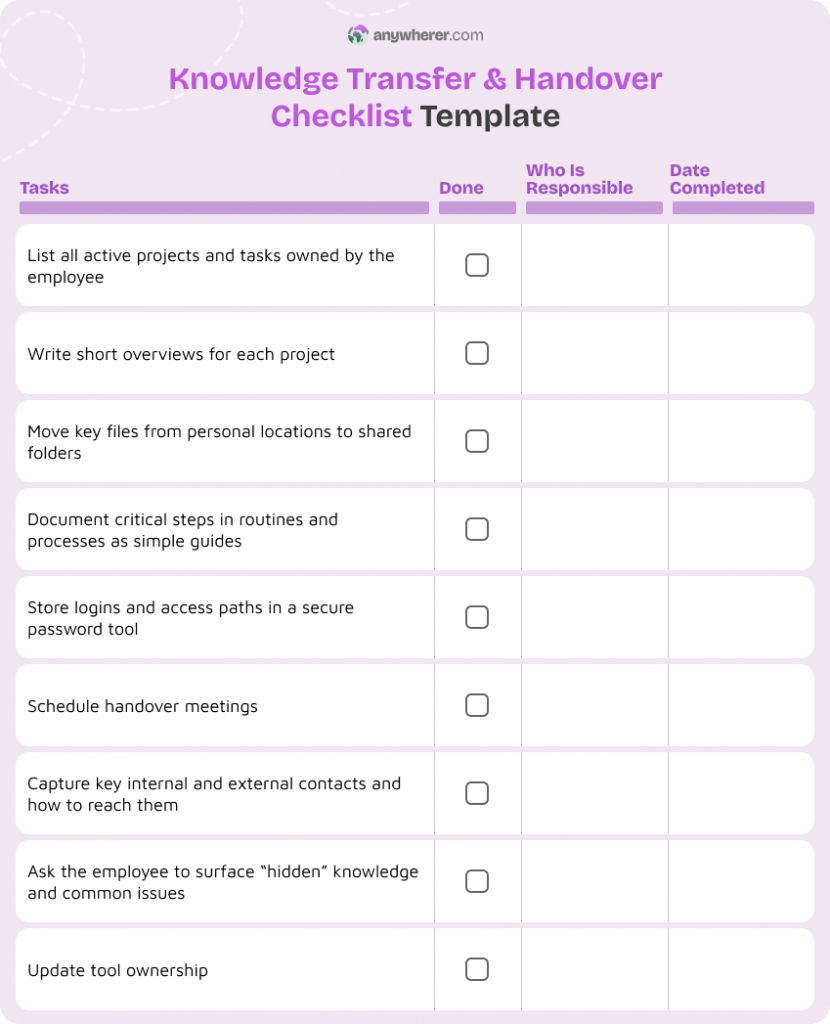
Remote teams rely heavily on documentation and tools. When someone leaves, there is a big risk that important know-how stays in their head, inbox, or DMs. A knowledge transfer & handover checklist is key to employee offboarding checklist best practices.
Use this as a sample new employee offboarding checklist for knowledge and tasks:
- List all active projects, clients, and recurring tasks owned or led by the employee.
- For each project, create or update a brief overview: goals, status, timelines, key risks.
- Make sure key documents are stored in shared locations, not personal drives.
- Document critical processes the person runs (step-by-step guides or checklists).
- Capture logins and access paths in a secure password or access management tool (never plain text).
- Schedule live handover sessions with the people taking over (record them, if allowed).
- Identify key internal and external contacts (stakeholders, customers, vendors) and how to reach them.
- Ask the employee to flag “hidden” knowledge: shortcuts, exceptions, common issues, key decisions.
- Update ownership in tools (ticket queues, shared inboxes, dashboards, repositories).
- Validate that the receiving person or team understands the new responsibilities.
This can become a knowledge handover section in your employee offboarding checklist template free.
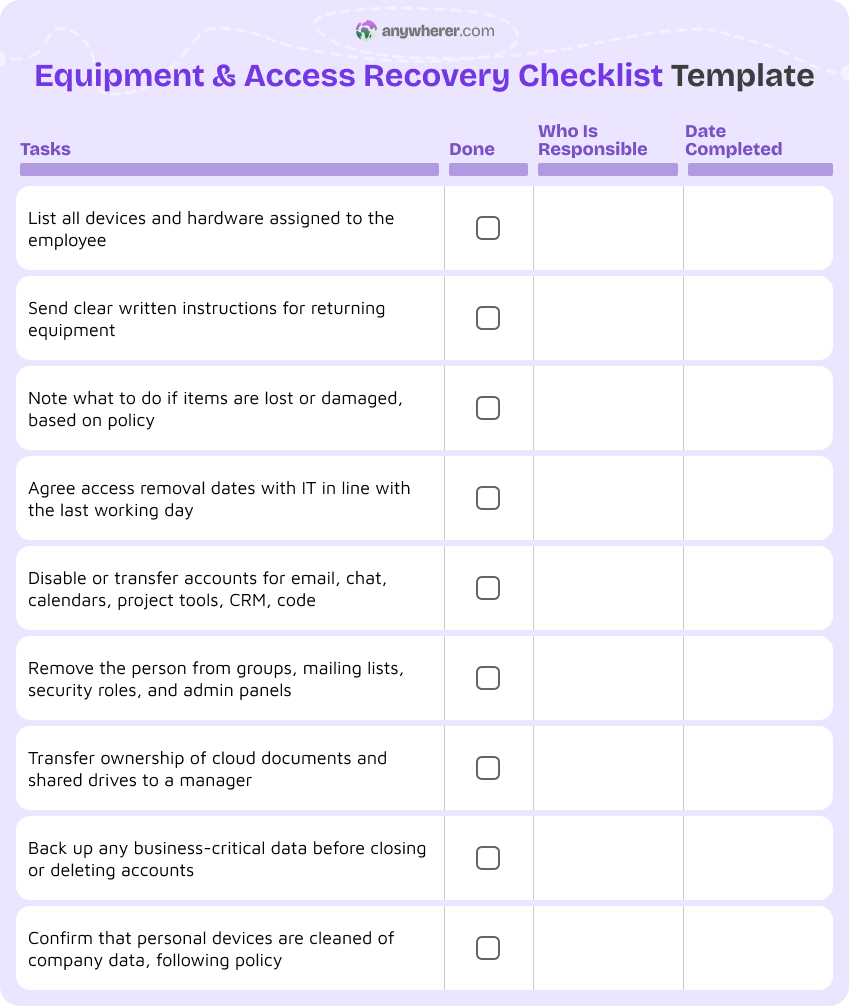
Equipment & Access Recovery Checklist Template
With remote staff, you cannot just collect a badge and laptop at the office door. A remote employee offboarding checklist must cover both physical and digital assets. Weak offboarding is a known security risk: missed accounts, unmanaged devices, and leftover access can lead to data leaks and compliance issues.
Use this as an offboarding checklist for HR and IT:
- Confirm full list of company devices assigned to the employee (laptop, phone, tokens, accessories).
- Share clear, written return instructions (packaging, courier label, deadline, tracking).
- Decide what happens if equipment is lost or damaged (policy and next steps).
- Schedule access removal dates with IT based on last working day.
- Disable or reassign access in key systems: email, calendars, chat, project tools, CRM, code repos, HRIS, finance, VPN, SSO, etc.
- Remove the employee from shared groups, mailing lists, security groups, and admin roles.
- Transfer ownership of cloud documents and shared drives to a manager or generic account.
- Back up any business-critical data before closing accounts.
- Confirm that personal devices (if BYOD) no longer hold company data, per policy.
- Document all completed steps in your checklist templates for audit purposes.
This becomes the core offboarding checklist for employees when it comes to access and equipment.
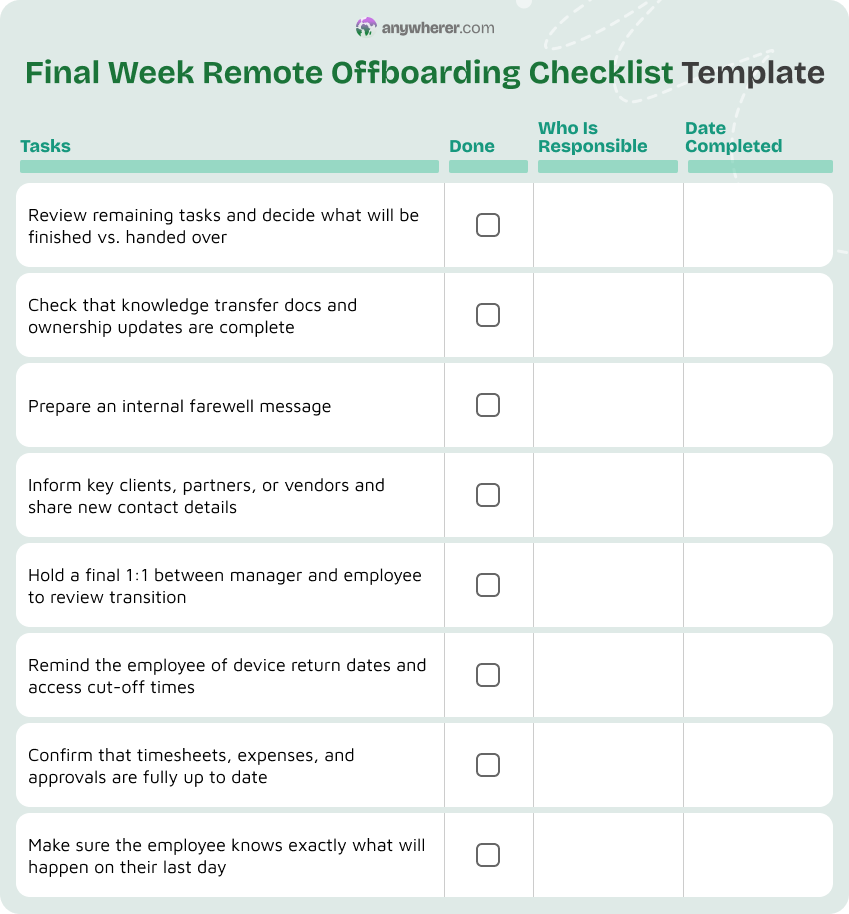
Final Week Remote Offboarding Checklist Template
The final week is about closing responsibilities and communication. A clear offboarding checklist for employees who are leaving helps you avoid loose ends and supports a professional exit.
Use this as a staff offboarding checklist for the last week:
- Review remaining tasks and agree on what will be finished vs. handed over.
- Confirm that knowledge transfer outputs are complete (docs, recordings, updated owners).
- Ask the employee to update their email signature and status to reflect their last week, if appropriate.
- Draft an internal farewell note (manager or HR) and agree when and where to share it.
- Inform key clients, partners, or vendors with a short, respectful message and new contact details.
- Schedule final 1:1 with the manager to review transition, say thanks, and answer questions.
- Remind the employee of equipment return and access cut-off dates.
- Confirm final timesheets, expense reports, and approvals.
- Check that the person knows what to expect on the last day (exit interview, final call, access changes).
This can be part of your complete employee offboarding checklist that managers follow.
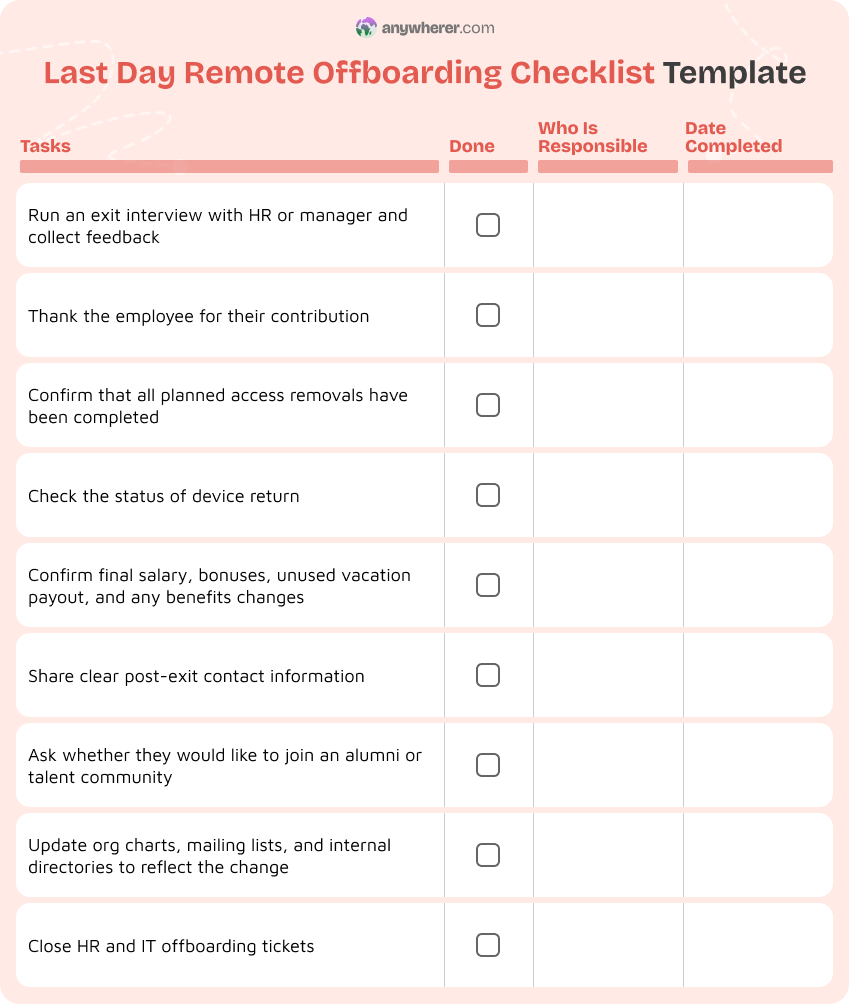
Last Day Remote Offboarding Checklist Template
The last day still matters, even when you do not meet in person. It gives closure and sends a clear signal about how you treat people, even at the end.
Use this as a last-day offboarding checklist for managers and HR:
- Hold an exit interview (HR, manager, or both) to gather feedback and insights.
- Thank the employee for their contribution; keep the tone respectful and future-oriented.
- Confirm that all access is removed according to plan (email, SSO, VPN, tools).
- Check that equipment return is on track (shipped, received, or scheduled).
- Confirm final pay, bonuses, unused vacation, and any benefits updates.
- Share any post-exit contact information (e.g., alumni email, HR contact for questions).
- Ask the employee if they want to join an alumni or talent community, where applicable.
- Update org charts, distribution lists, and internal directories.
- Close out the offboarding checklist for HR and IT records.
This forms the core of an offboarding checklist for employees on their last day.
Additional Remote Offboarding Templates
Some offboarding needs cut across every stage: feedback, access confirmation, documentation, payroll, and relationships. These HR offboarding checklist templates help you standardize those parts.
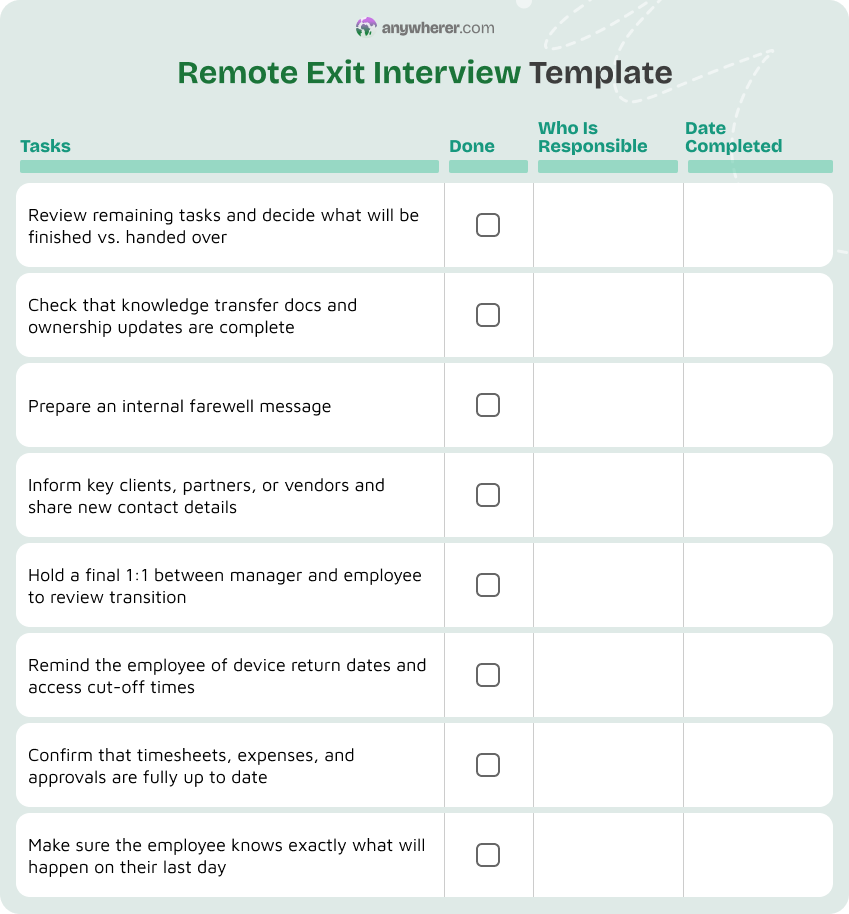
Remote Exit Interview Template
Exit interviews matter for remote staff too. They give you honest feedback on your processes, tools, and culture, and they highlight where turnover risks or improvement opportunities might be hiding. They also create a chance to end the working relationship on a respectful note, which supports your reputation as an employer and can lead to future referrals or even boomerang hires.
Core sections:
- Basic details (name, role, manager, tenure, last working day)
- Main reasons for leaving (with optional multiple choice + free text)
- Experience with remote tools and communication
- Relationship with manager and team
- Workload, goals, and growth opportunities
- What made their work easier; what made it harder
- Suggestions to improve this employee offboarding checklist
- Would they recommend the company to others? Why or why not?
- Optional: ask if they are open to future contact (alumni, boomerang hire)
Who conducts it:
- HR, manager, or both together (decide based on role and culture)
Remote Access Removal Confirmation Template
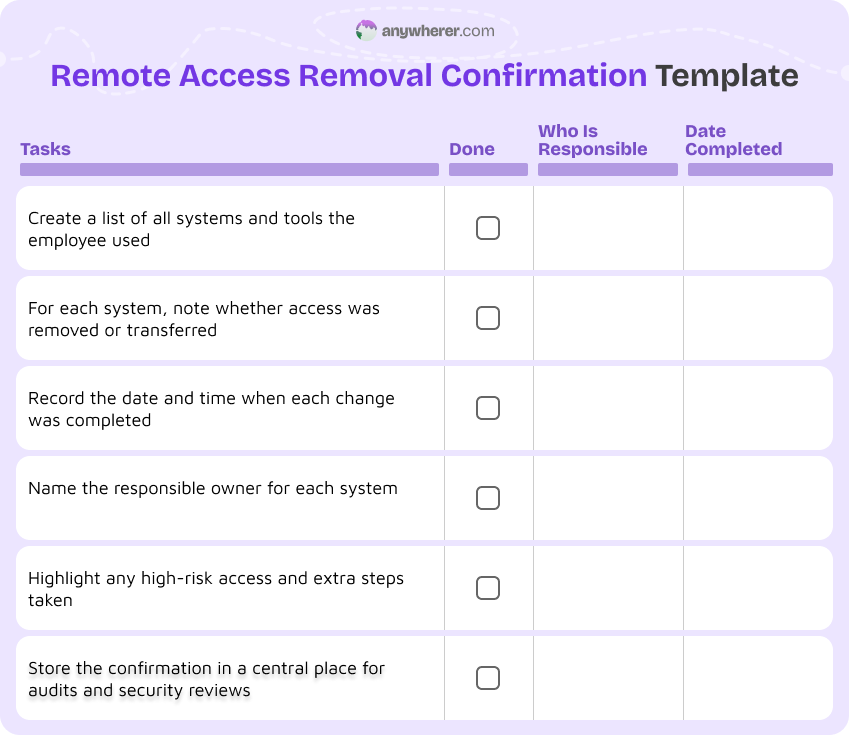
When a remote employee leaves, you need more than a quick “IT removed access” message. You need a clear audit trail that shows which accounts were closed, when it happened, and who was responsible. This confirmation protects you in audits, reduces security and compliance risks, and makes your offboarding process easier to review later.
Systems covered:
- All major systems the employee used, such as email, SSO, VPN, CRM, ERP, HRIS, code repositories, shared drives, and any role-specific tools.
- Both core company platforms and smaller niche apps, so nothing is missed during the offboarding checklist.
Responsible owners:
- The person or team responsible for removing or transferring access for each system (for example, central IT, a specific app owner, or the security team).
- A simple status and date next to each system, so it is clear who acted on which tool, and when the change was completed.
Knowledge Transfer Documentation Template
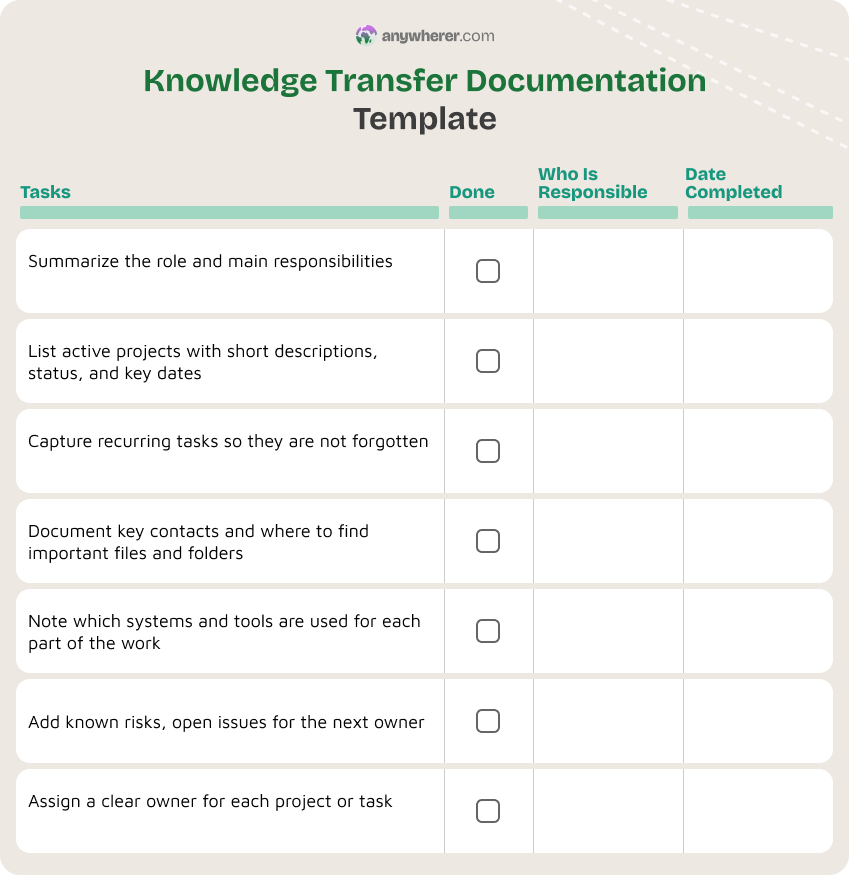
Capturing institutional knowledge is one of the hardest parts of remote offboarding. This template helps you document what the employee knows and does, and makes it clear who owns that work after they leave.
Documentation sections:
- Role summary and main responsibilities.
- Active projects with short descriptions, current status, and key deadlines.
- Recurring tasks (weekly, monthly, quarterly) that someone else must pick up.
- Key contacts, both internal and external, with notes on how they work together.
- Important documents and where to find them (shared folders, wikis, tools).
- Systems used and how, with short how-to notes or links.
- Known risks, issues, and “things to watch” for each project or process.
Ownership assignment:
- New owner for each project, task, or recurring responsibility, clearly named.
- One person responsible for keeping this knowledge document updated after the offboarding.
Final Payroll & Benefits Checklist Template
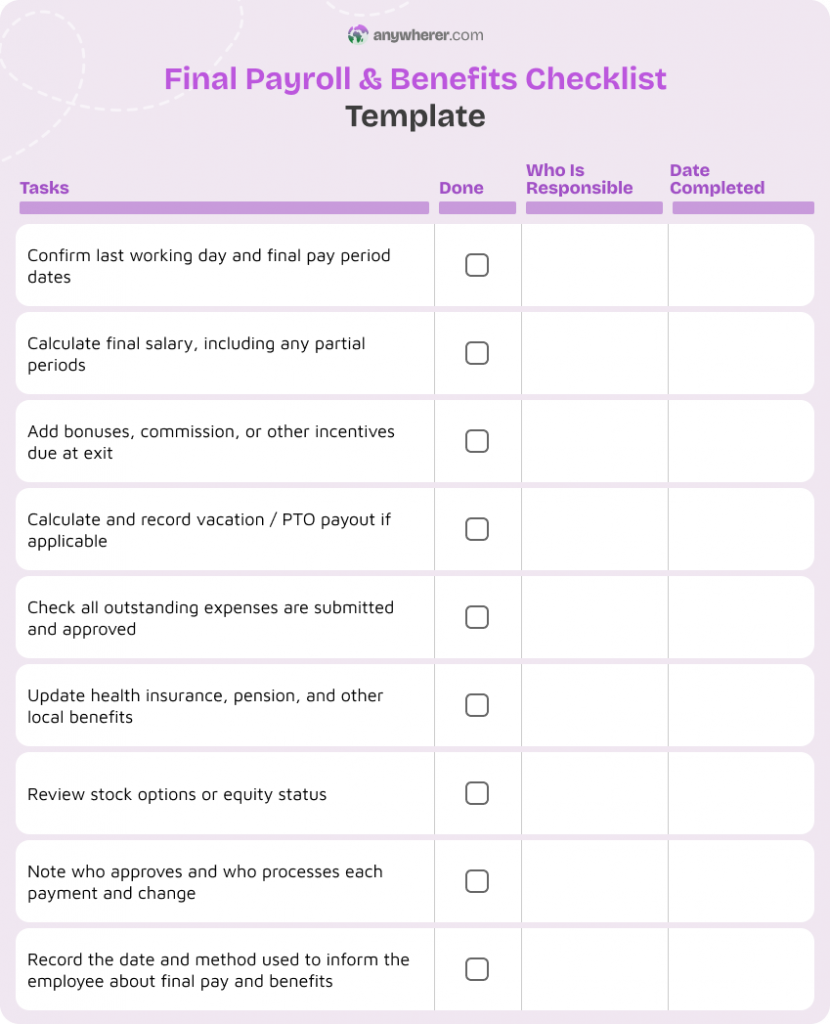
Payroll or benefits mistakes at exit damage trust fast. This template helps you prevent errors in final payments and benefit status updates for remote employees.
Final payments:
- Last working day and pay period dates.
- Final salary calculation for the last period.
- Any bonuses, commission, or incentives owed.
- Unused vacation or PTO payout, if applicable.
- Outstanding expense reports and reimbursements.
- Any clawbacks or repayments allowed by local law, if relevant.
Benefits status updates:
- Health insurance, pension, and any country-specific benefits that must be ended or updated.
- Stock options or equity status, including vesting and any deadlines.
- Who approves and who processes all final payments and changes.
- Date the employee was informed about final pay and benefits, and how (email, letter).
Remote Farewell Message Template
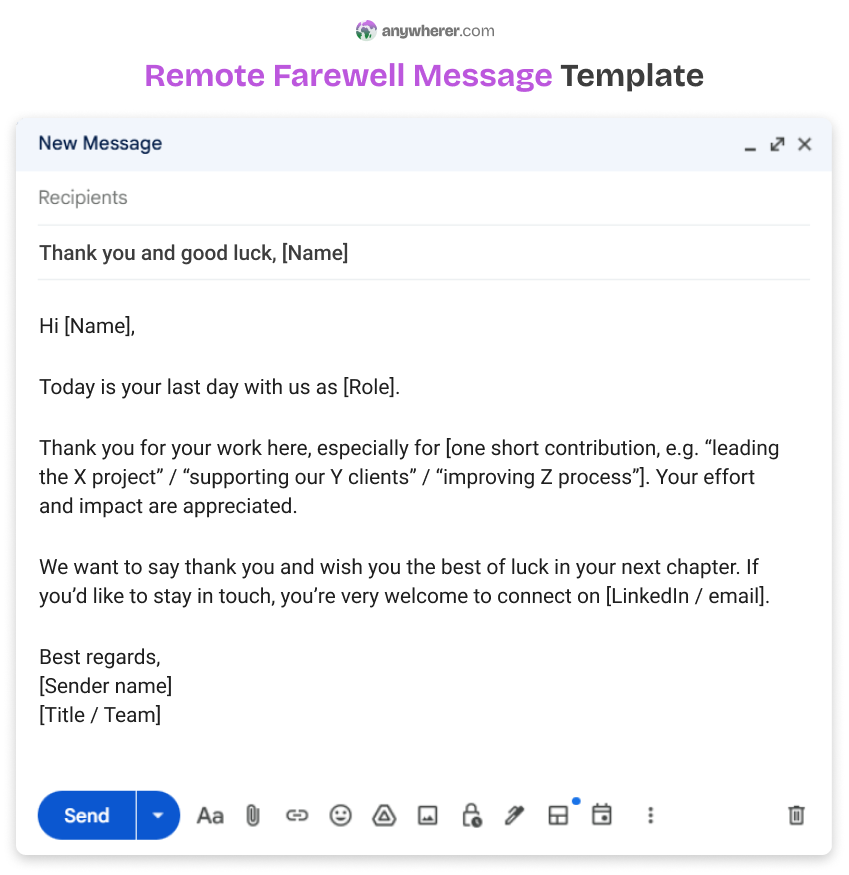
Even in remote teams, how you say goodbye matters. A clear farewell message helps maintain positive relationships and closes the loop for the team.
Tone and structure:
- Friendly, respectful, and short.
- Focus on thanks, contributions, and what happens next.
- No private reasons for leaving or sensitive details.
- Optional note on how to stay in touch, if appropriate (LinkedIn, alumni group).
Where it’s shared:
- Team channel or team email for smaller changes.
- Company-wide channel or newsletter for senior or highly visible roles.
- External message only if needed for clients or partners, aligned with your brand tone.
Remote Alumni & Transition Contact Template
Offboarding does not end on the last working day. For remote teams, staying in light contact with former employees can support your brand, bring referrals, and make rehiring easier. Clear post-exit contact details are often missed, which leads to confusion and lost goodwill.
Contact details and consent:
- Personal contact details the person is happy to use after exit (personal email, LinkedIn).
- Simple yes / no to staying in touch through alumni updates, role alerts, or newsletters.
- Explicit consent statement for storing and using these contact details after they leave.
Boundaries around post-exit communication:
- Clear list of what you may contact them about (alumni events, referrals, relevant roles).
- Clear statement of what you will not expect (no ongoing unpaid support on old work).
- Internal owner for the alumni or transition contact list (HR or talent team).
Conclusion
A good offboarding checklist is not just paperwork. It protects your company, respects the person leaving, and keeps knowledge and security under control. For remote teams, where access and information live in many different tools, a structured offboarding checklist is even more important.
By using stage-based templates, from notice period planning to last day steps, you turn a risky, emotional process into something clear and repeatable. The templates in this guide can act as your starting point for remote offboarding. Adapt them to your tools and culture, and turn the condensed lists into one-page visuals or simple checklists your team can follow every time someone leaves.
FAQs on Offboarding Process Checklist
What is a remote employee offboarding checklist?
A remote employee offboarding checklist is a structured list of steps to follow when a remote worker leaves your company. It covers access removal, equipment returns, knowledge transfer, payroll, and communication, all adapted for distributed teams.
Why is remote offboarding important for distributed teams?
Remote offboarding is important because access and data are spread across many online tools. A clear offboarding employee checklist helps prevent security risks, protects compliance, and reduces knowledge loss, while also giving the employee a respectful exit.
How is remote offboarding different from in-office offboarding?
For remote roles, you cannot rely on physical handovers. Your offboarding checklist for managers and HR must include shipping equipment, handling digital-only access, and planning handovers through calls, docs, and recordings. Documentation and coordination matter more.
When should the remote offboarding process begin?
The remote offboarding process should start as soon as resignation or termination is confirmed. Use the notice period to follow your offboarding preparation checklist, plan knowledge transfer, and schedule access changes.
How can companies prevent knowledge loss during remote offboarding?
Companies can prevent knowledge loss by using a dedicated knowledge transfer & handover template, scheduling handover sessions, and making sure key files are in shared spaces. Adding these to your offboarding an employee checklist helps capture critical information before the person leaves.
Who is responsible for remote employee offboarding?
Responsibility is shared. HR owns the HR offboarding checklist, contracts, and communication. Managers own handover, projects, and feedback. IT owns access and devices. Finance owns payroll and benefits. A good staff offboarding checklist names an owner for each step.
Can the same offboarding checklist be used for all roles?
You can start from one core offboarding checklist for new employees and long-tenured staff, but you may need small variations for different roles (for example, admin access for engineers, client lists for sales). Keep a core offboarding checklist for employees that applies to everyone, then add role-specific items on top.

Yaryna is our lead writer with over 8 years of experience in crafting clear, compelling, and insightful content. Specializing in global employment and EOR solutions, she simplifies complex concepts to help businesses expand their remote teams with confidence. With a strong background working alongside diverse product and software teams, Yaryna brings a tech-savvy perspective to her writing, delivering both in-depth analysis and valuable insights.