Introduction
Remote onboarding needs a different approach than in-office onboarding. When there is no shared workspace, new hires miss casual “over the shoulder” help, quick questions at someone’s desk, and the chance to watch how things are done. Studies on remote and digital onboarding show that new employees often struggle with lack of tools, delayed access to systems, and weaker social connections compared to on-site peers. If logins are delayed, equipment arrives late, or nobody explains how communication works across time zones and channels, remote employees can feel lost before they even start real work. Async communication makes this harder: important messages may sit unread, and people can be unsure when and how to speak up.
That is why a structured onboarding checklist matters so much for remote teams. Research has found that companies with a strong, formal onboarding process can improve new-hire retention by around 80% and significantly boost productivity. Instead of guessing what to do each time, you follow the same simple steps for every new hire. This reduces confusion, delays, and early attrition, and it helps you give people the same quality of start no matter where they live or which team they join.
In this article, you’ll get a step-by-step remote onboarding checklist broken into stages, plus practical templates you can plug into your own process. The content is written for HR teams, managers, founders, and anyone running distributed teams. You can also connect these steps with your existing tools and workflows or combine them with your best employee onboarding software to automate reminders and tasks.
Remote Employee Onboarding Checklist (Full Process)
Onboarding should not be treated as a one-day event. For remote employees, it works best as a staged onboarding process checklist that runs from pre-onboarding through the first 60–90 days.
Below you’ll find a full onboarding checklist for new hires divided into clear stages. Each stage comes with a detailed onboarding employee checklist that shows what to do, plus a condensed version you can turn into a one-pager or free onboarding checklist template for your team. You can use all stages together as a complete remote employee onboarding checklist, or pick the ones that fit your process and apply them on their own.
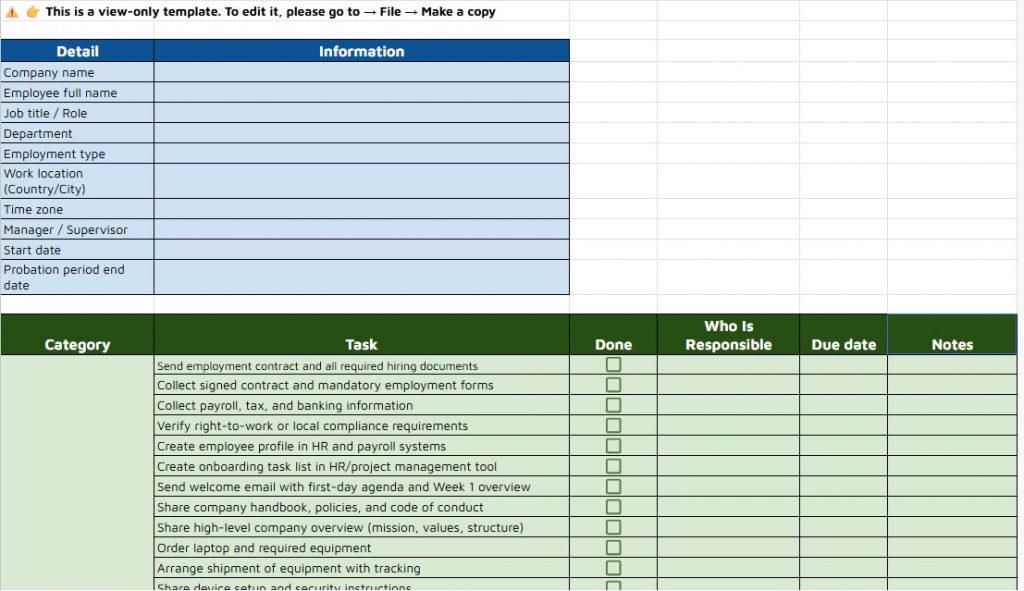
Set every new hire up for success. Check out the spreadsheet version of onboarding checklist to manage tasks, assign owners, and customize the process for your team.
Pre-Onboarding Checklist Template (Before Day 1)
Pre-onboarding is crucial for remote employees. If you skip it, new hires show up to their first day without logins, no clear plan, and a lot of doubt. Good pre-work makes Day 1 feel prepared, not chaotic.
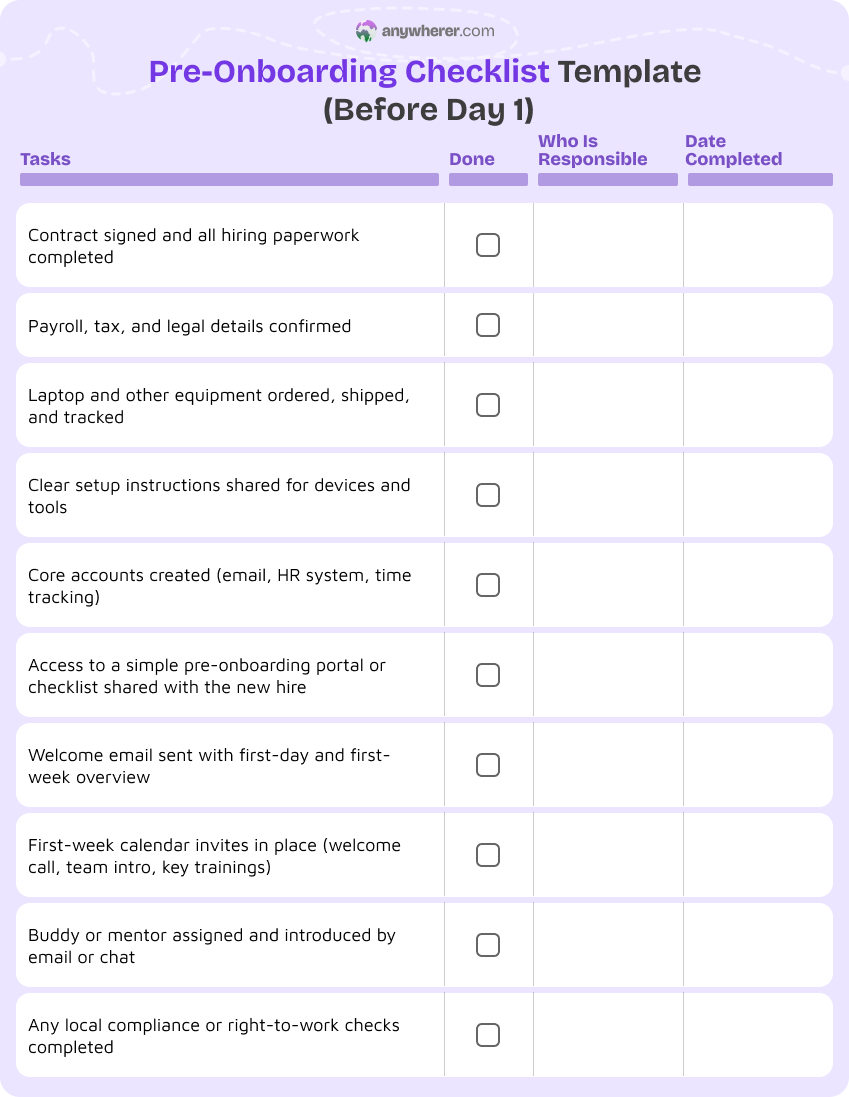
Use this as a new employee onboarding checklist for the period between offer acceptance and the first day:
- Signed contract and required employment documentation completed (ID, tax, banking, compliance forms).
- Welcome email sent with a friendly note, first-day agenda, and what to expect in Week 1.
- Onboarding checklist template for new hires created in your HR or task tool with due dates and owners.
- Equipment ordered (laptop, accessories, tokens, headset) and shipped with clear setup instructions.
- Accounts prepared for core tools: email, calendar, chat, project management, HR system, time tracking.
- Access to a basic remote employee onboarding checklist template or portal where they can see upcoming steps.
- Intro docs or videos shared: company overview, mission, values, basic policies.
- First-week calendar invites sent: Day 1 welcome call, manager 1:1, team intro, key training sessions.
- Assigned buddy or mentor confirmed and introduced by email.
- Any local or legal requirements checked (right-to-work, local equipment or privacy rules).
Day 1 Remote Onboarding Checklist Template
Day 1 sets the tone. In remote work, you must replace the office tour and casual introductions with a clear, calm plan. The goal is clarity, not information overload.
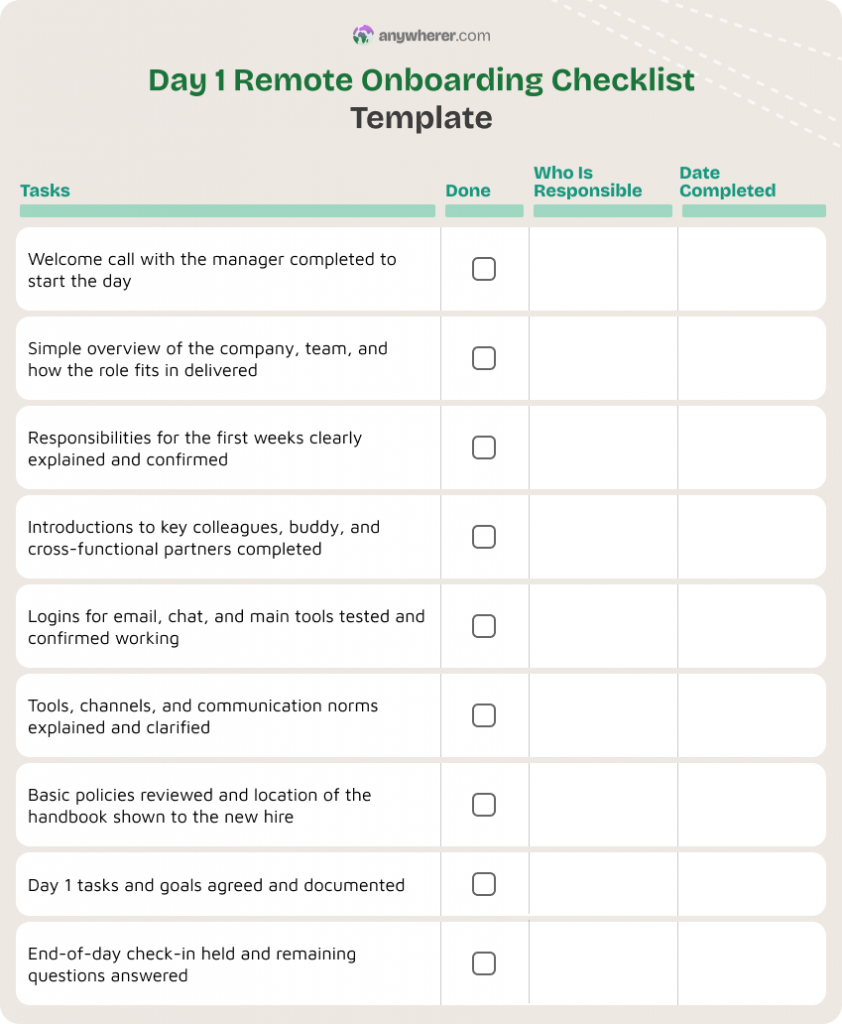
Use this new hire onboarding checklist template for the first day:
- Welcome call or short virtual introduction with manager or HR.
- Simple overview of the company, team, and how the role fits in.
- Clear explanation of role and responsibilities for the first weeks, not just the job description.
- Intro call or quick meet-and-greet with key team members, buddy, and cross-functional partners.
- Walkthrough of tools and communication norms: chat channels, email rules, meeting etiquette, core docs.
- Guided login to main systems (email, chat, project tool) and confirmation they work.
- Short review of basic policies (security, data, working hours, expenses) and where to find them.
- Clear Day 1 expectations: what “done” looks like today, and what is okay to leave for later.
- Time for questions and a short check-in at the end of the day.
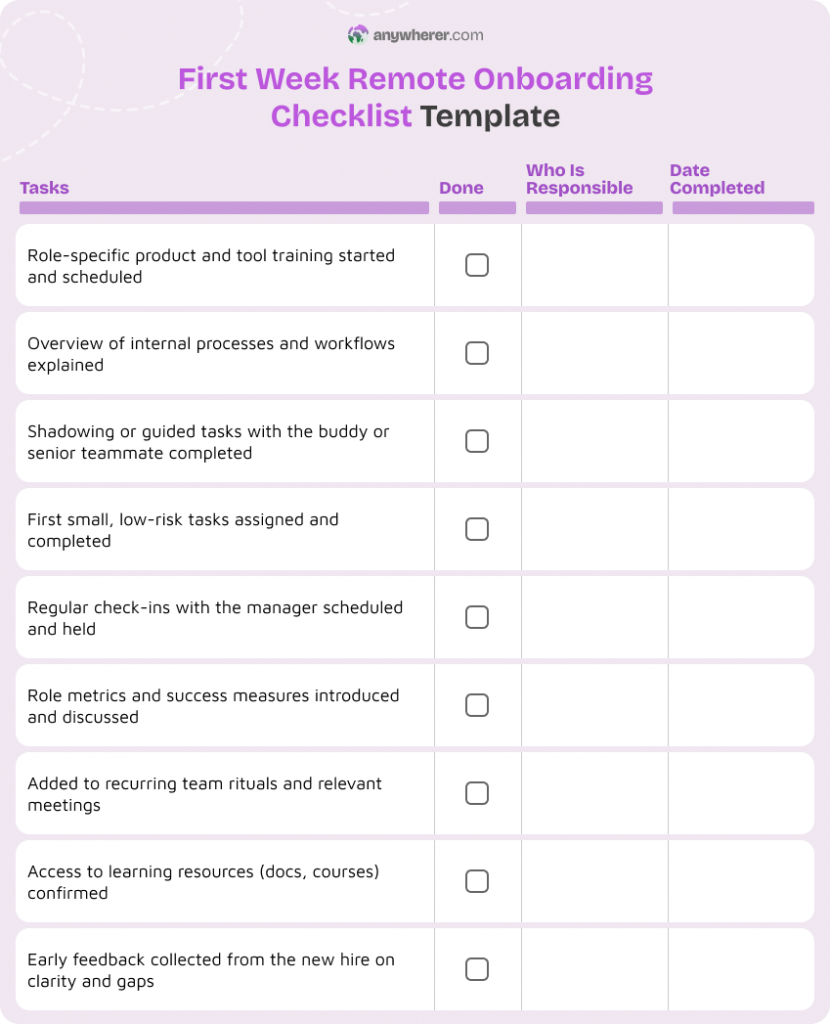
First Week Remote Onboarding Checklist Template
The first week builds confidence and routine. Without structure, remote employees can feel unsure and underused. A clear remote onboarding checklist helps them ramp up.
Use this as a new employee onboarding checklist template for Week 1:
- Role-specific training sessions scheduled and delivered (products, services, customers, tools).
- Intro to internal processes and workflows: how work is planned, tracked, and reviewed.
- Shadowing sessions or guided tasks with the buddy or a senior teammate.
- First small tasks assigned so the new hire can contribute early without pressure.
- Regular check-ins with the manager (for example, mid-week and end-of-week).
- Overview of key metrics or success measures for the role.
- Invite to recurring team rituals: stand-ups, demos, retros, social calls.
- Access to learning resources: documentation, courses, past recordings.
- Early feedback from the new hire on what is clear vs. confusing so far.
30-Day Remote Onboarding Checklist Template
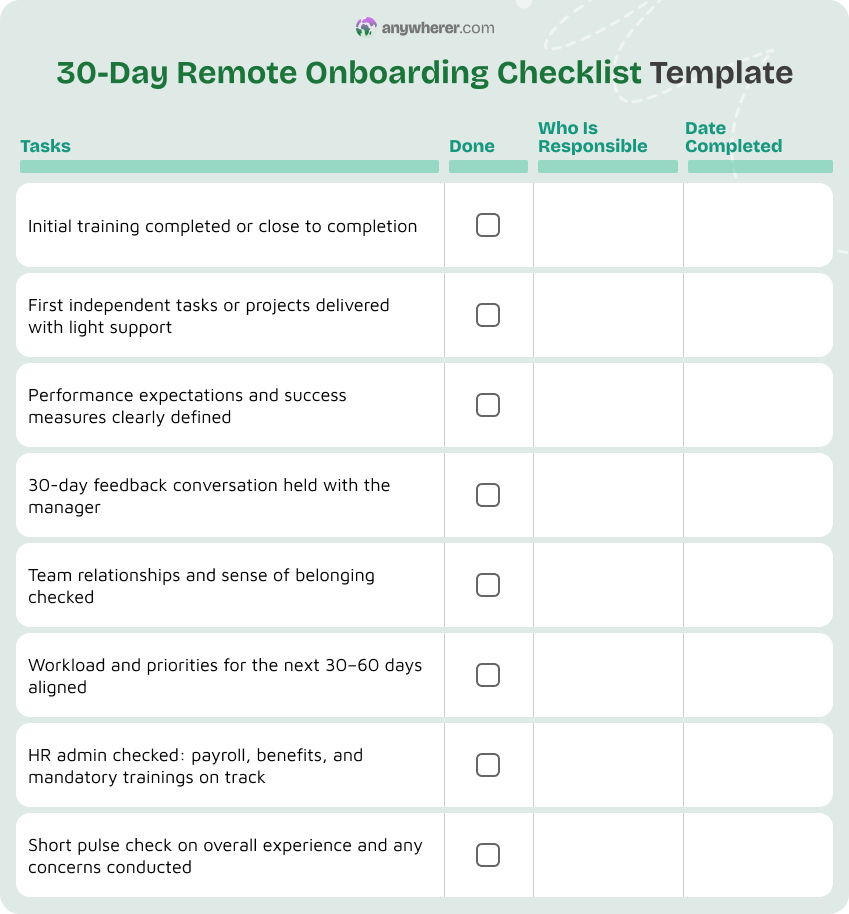
Around 30 days, the focus shifts from learning to contributing. A simple onboarding new employee checklist for this stage helps prevent early disengagement.
Use this part of your onboarding new employees checklist at the one-month mark:
- Initial training completed or close to completion (product, tools, compliance).
- First independent tasks or projects delivered with light support.
- Clear performance expectations and success criteria discussed and written down.
- 30-day feedback conversation with the manager: what is going well, what is hard, and what to adjust.
- Check on social integration: relationships with team, buddy, and key partners.
- Review of workload and priorities for the next 30–60 days.
- Confirm that basic HR admin is complete (payroll details, benefits enrollment, required training).
- Pulse check from the new hire on their experience so far, to catch problems early.
60–90 Day Remote Onboarding Checklist Template
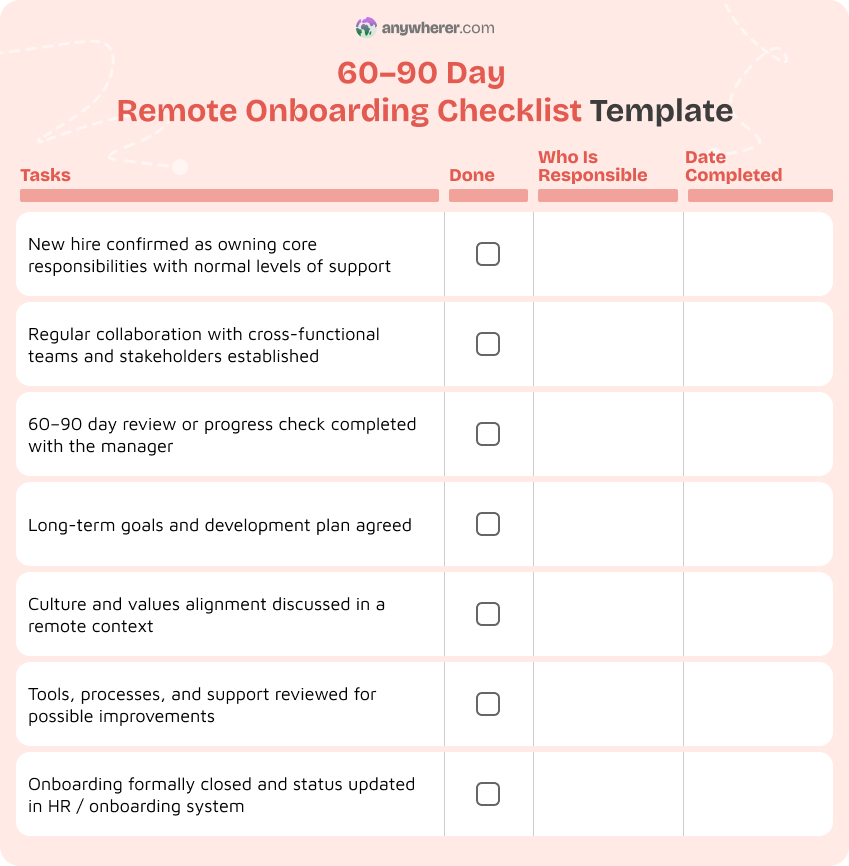
By 60–90 days, the goal is full integration, ownership, and a clear view of the future. This stage of your onboarding checklist for new hires confirms long-term fit.
Use this in your onboarding remote employees checklist:
- New hire owns ongoing responsibilities with normal levels of support.
- Deeper collaboration with cross-functional teams (projects, meetings, shared goals).
- Formal performance review or progress assessment around 60–90 days, depending on your policy.
- Long-term goals and development plan agreed between manager and employee.
- Review of alignment with company values and team culture, especially in a remote setting.
- Discussion of tools, processes, and support: what works, what needs improving.
- Final “onboarding completion” check: confirm that the onboarding a new employee checklist is done and that the person feels confident in their role.
Additional Remote Onboarding Templates
Not all onboarding tasks fit neatly into time-based stages. Some are ongoing patterns, like welcome messages, training plans, and check-ins. These extra remote employee onboarding checklist templates help you standardize communication and support across teams.
You can use them alongside the main stages above, or embed them into your employee onboarding checklist template and tools. Many companies also track these in their HR checklist for remote hiring and onboarding.
Remote Employee Welcome Email Template
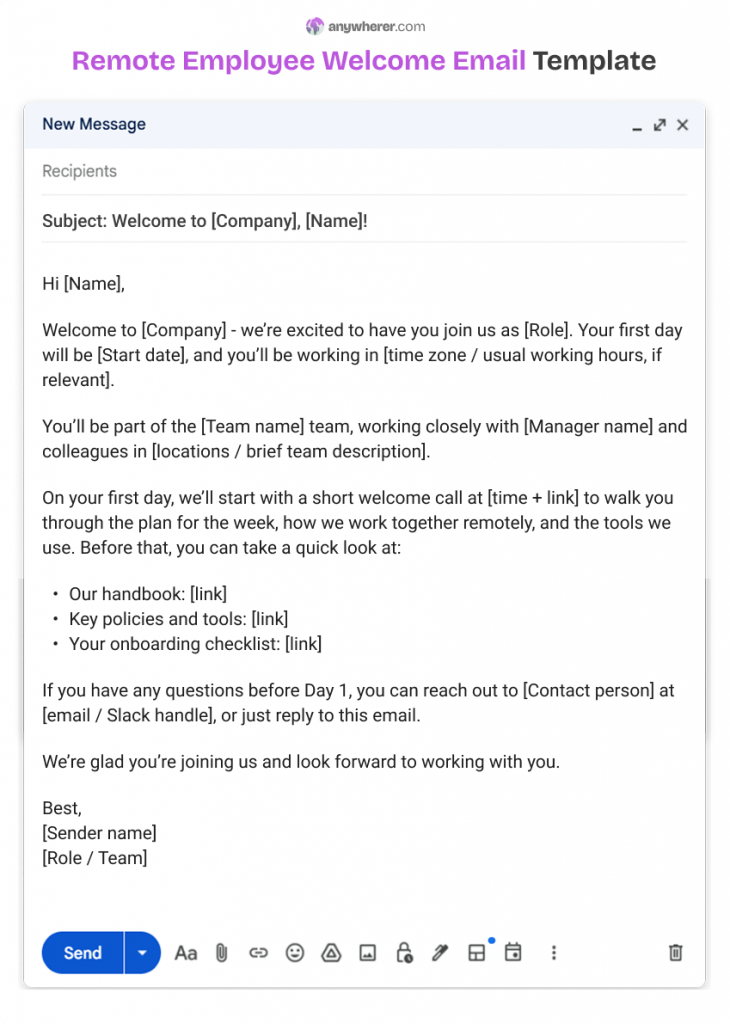
A structured welcome email matters for remote employees because they do not walk into an office and meet everyone on Day 1. A clear, friendly message reduces first-day anxiety and sets expectations before they even log in.
What the email should include:
- Warm welcome from HR or the hiring manager.
- Start date, working hours (or time zone expectations), and key first-day details.
- Brief overview of the role and team they will join.
- Links to important resources: new hire onboarding checklist, handbook, policies, tools.
- Who to contact if they have questions before Day 1.
Who typically sends it:
- HR sends the formal email with contract and basic details.
- The manager sends a more personal note with team context and first-week highlights.
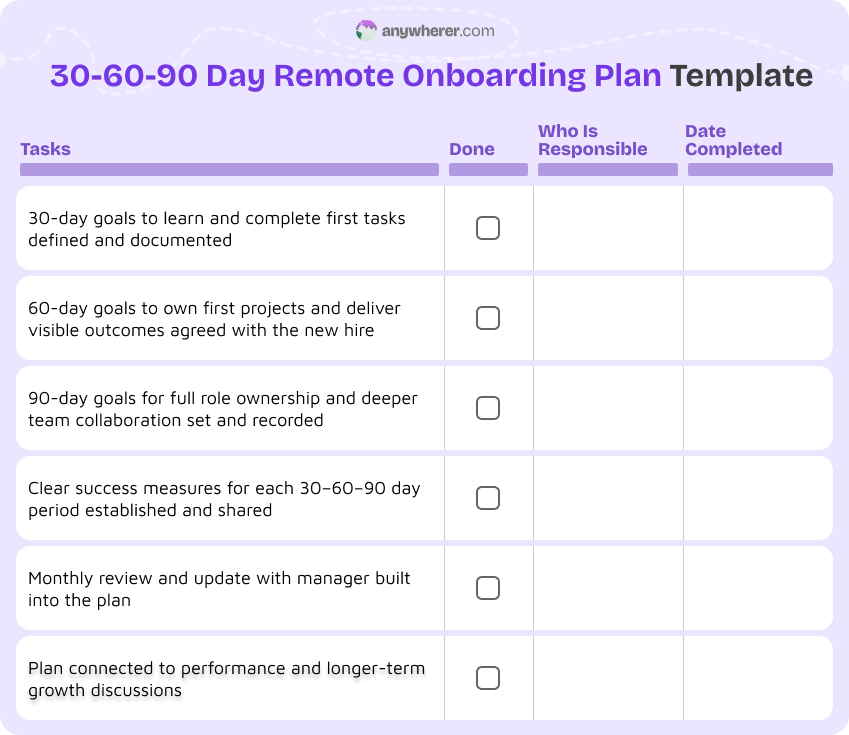
30-60-90 Day Remote Onboarding Plan Template
Breaking onboarding into 30-60-90 day milestones gives both sides clarity. This template turns your onboarding process checklist into a simple plan the manager and employee work on together.
What goals are defined for each period:
- First 30 days: learning goals, introductions, and early small tasks.
- Days 30–60: larger responsibilities, first projects, and clearer performance goals.
- Days 60–90: full ownership, deeper collaboration, and development focus.
How managers and employees use it together:
- Manager and new hire fill it out together, usually at the start and then revisit each month.
- It stays as a living document that links to tasks in your onboarding checklist template for new hires.
- It can later feed into performance reviews and development plans.
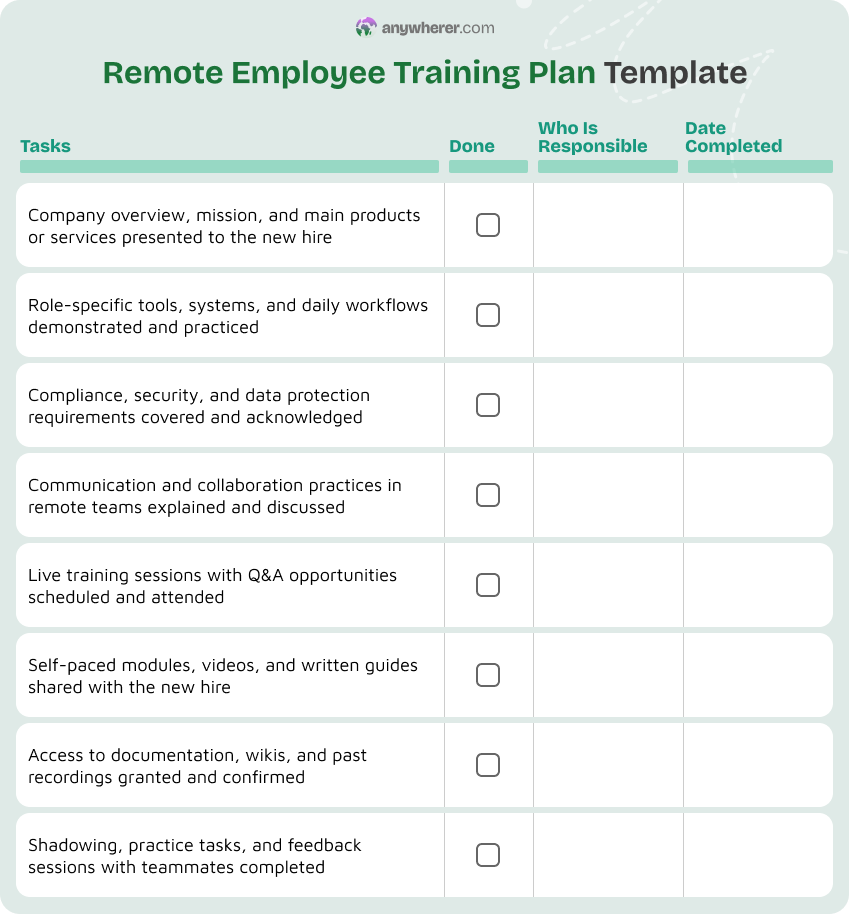
Remote Employee Training Plan Template
In remote environments, it is easy to let training become ad-hoc. A simple training plan template keeps learning structured instead of leaving new hires to “figure it out” in Slack.
Training topics:
- Company overview, products, and customers.
- Role-specific skills and tools.
- Compliance and security training needed for the role.
- Communication and collaboration practices in remote teams.
Formats:
- Self-paced modules or videos.
- Live sessions with Q&A.
- Documentation, wikis, and internal guides.
- Shadowing and practicing tasks with feedback.
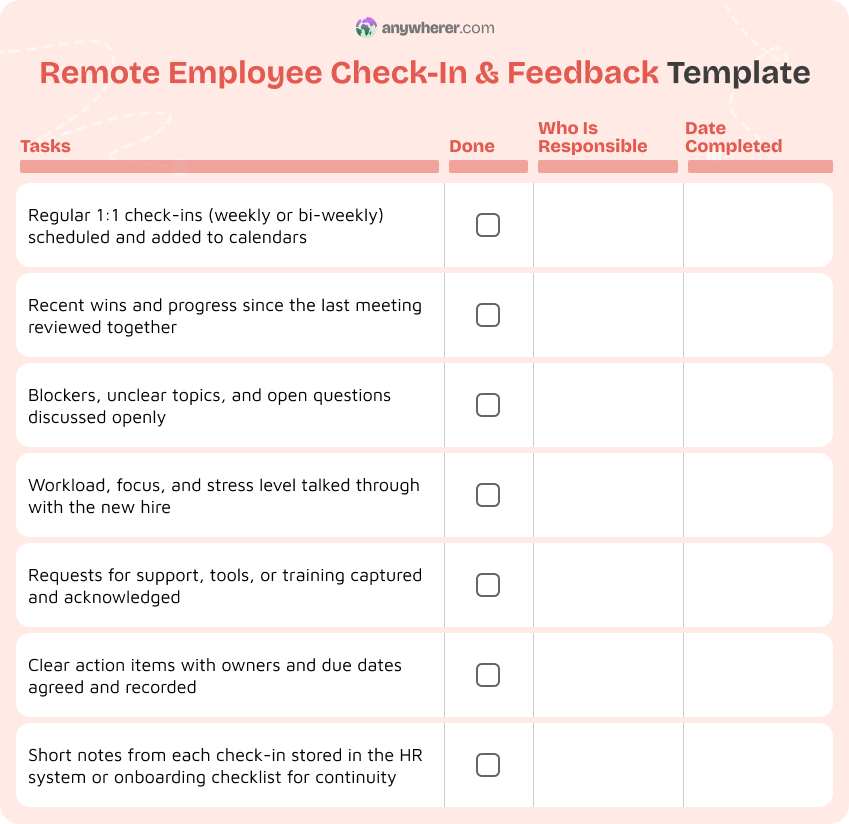
Remote Employee Check-In & Feedback Template
Frequent check-ins are critical for remote employees. Without them, misunderstandings grow quietly, and new hires may feel isolated or unsure. A simple check-in template makes feedback part of your onboarding checklist for remote employees, not an afterthought.
Regular check-in questions:
- What is going well this week?
- What feels unclear or blocking?
- How are you feeling about workload and priorities?
- What support or training would help you right now?
Space for notes and action items:
- Short notes from both manager and employee.
- Agreed next steps and deadlines (for example, extra training, introductions, or scope changes).
- Can be tracked in your onboarding new hires checklist or HR system.
Remote Team Introduction Template
Remote employees do not meet colleagues by chance in the hallway. They need intentional introductions to feel part of the team. This template helps you present new hires in a simple, human way.
Personal and role-related information:
- Name, pronouns if they wish, location and time zone.
- Role title, team, and what they will focus on.
- Short personal note (optional): interests, fun facts, or what they are excited about.
How it’s shared with the wider team:
- Shared in team channels, mailing lists, or your intranet.
- Sometimes reshared in a monthly newsletter or all-hands for visibility.
Conclusion
Remote onboarding needs more structure than in-office onboarding because you cannot rely on casual help or physical presence. A clear onboarding checklist for remote employees turns a risky, uncertain first few months into a guided path.
Checklists and templates work best together. The staged sample onboarding checklist (pre-onboarding, Day 1, Week 1, 30 days, 60–90 days) gives you a simple onboarding new employees checklist to follow every time. The extra templates (welcome email, 30-60-90 plan, training, check-ins, introductions) make sure your communication and support stay consistent.
Treat onboarding as a process, not a single event. Use these ideas as a starting point for your new hire onboarding checklist and adjust them to match your tools, roles, and locations. Over time, you can build them into your HR system or onboarding software so that welcoming remote employees becomes a normal part of how you work, not just a one-off document someone remembers to use from time to time.
FAQs on Onboarding Process Checklist
What is a remote employee onboarding checklist?
A remote employee onboarding checklist is a structured list of steps for bringing a new remote hire into your company. It covers contracts, access, equipment, training, introductions, and feedback across the first 60–90 days. It is basically an onboarding checklist for remote employees that fits distributed teams.
Why is a structured onboarding process important for remote employees?
Remote employees cannot rely on in-person help, so a structured onboarding process checklist reduces confusion and early turnover. Research shows that companies with a strong onboarding framework see much higher retention and productivity than those with weak or informal onboarding.
How is remote onboarding different from in-office onboarding?
Remote onboarding must account for shipping equipment, virtual access, and asynchronous communication. It also needs more planned introductions, written documentation, and regular check-ins. A solid virtual onboarding checklist makes sure nothing is missed when people never come into a physical office.
What should be included in a remote pre-onboarding checklist?
A good remote pre-onboarding list covers signed contracts, legal and HR documents, equipment ordering and shipping, access to core tools, and a clear first-day plan. It often lives inside an onboarding new hires checklist so HR and managers can see status in one place.
How long should the remote onboarding process last?
Most companies find that onboarding works best as a 60–90 day process, with clear stages at pre-onboarding, Day 1, Week 1, 30 days, and 60–90 days. Some roles may need a longer or more detailed checklist, but very few are truly “onboarded” after one week.
What are the most common mistakes in remote employee onboarding?
Common mistakes include treating onboarding as a single call, delaying access to tools, skipping structured training, and not scheduling regular check-ins. Another mistake is not using any onboarding employee checklist, which makes the experience depend too much on each manager’s habits instead of a shared, repeatable process.

Yaryna is our lead writer with over 8 years of experience in crafting clear, compelling, and insightful content. Specializing in global employment and EOR solutions, she simplifies complex concepts to help businesses expand their remote teams with confidence. With a strong background working alongside diverse product and software teams, Yaryna brings a tech-savvy perspective to her writing, delivering both in-depth analysis and valuable insights.