Pinpoint applicant tracking system gives businesses the flexibility to manage different types of hiring in one place, from high-volume recruitment to specialist roles and hiring across multiple brands or locations. Individual teams can tailor workflows, permissions, branding, and reporting to their needs, while HR leaders maintain visibility and oversight across the business.
Pinpoint handles 8.5 million candidate experiences each month and serves customers recruiting in over 160 countries. It also holds ISO 42001 certification, an international standard for responsible AI management. For enterprise organizations, the certification provides assurance that Pinpoint follows established standards for managing transparent, ethical AI in recruitment.

Top Facts: Pinpoint
Founded in:
2017
Headquarters:
Jersey, Channel Islands
Leadership:
Tom Hacquoil & Bill Rogers
Scale:
8.5M experiences/mo
Serves in:
160+ countries
Customers:
Lush, citizenM, Davies + more
Integrations:
100+, API & webhooks
Certifications:
SOC 2 II, ISO 27001/42001,
GDPR+

Mobile web


24/7 support

Free trial


Consulting/ integration services
Pinpoint Key Facts and Insights
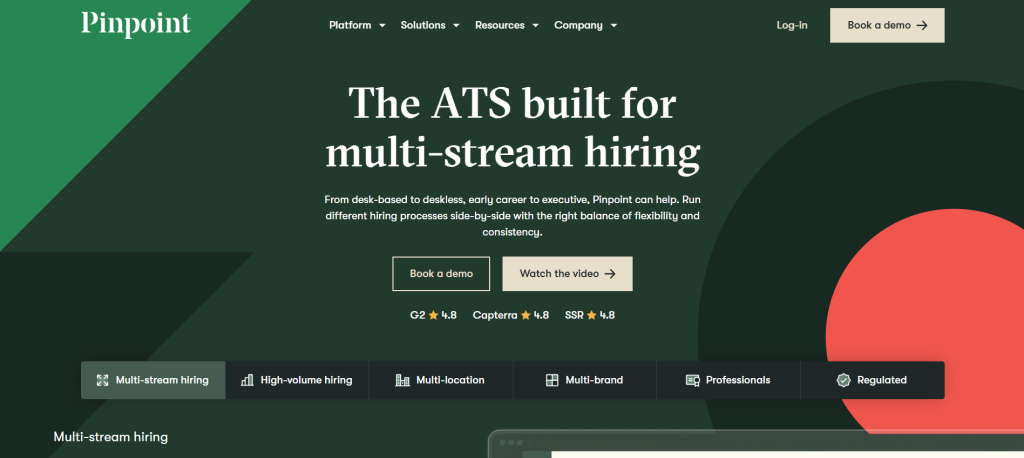
Pinpoint ATS serves enterprise and mid-market talent acquisition teams managing different types of recruitment. Unlike many talent acquisition systems, it handles high-volume, multi-location, multi-brand, professional, and regulated hiring within one platform.
The Pinpoint applicant tracking system lets teams manage separate hiring pipelines, branding, permissions, and reports. Each department can follow its own recruitment process, while HR leaders oversee hiring across the company.
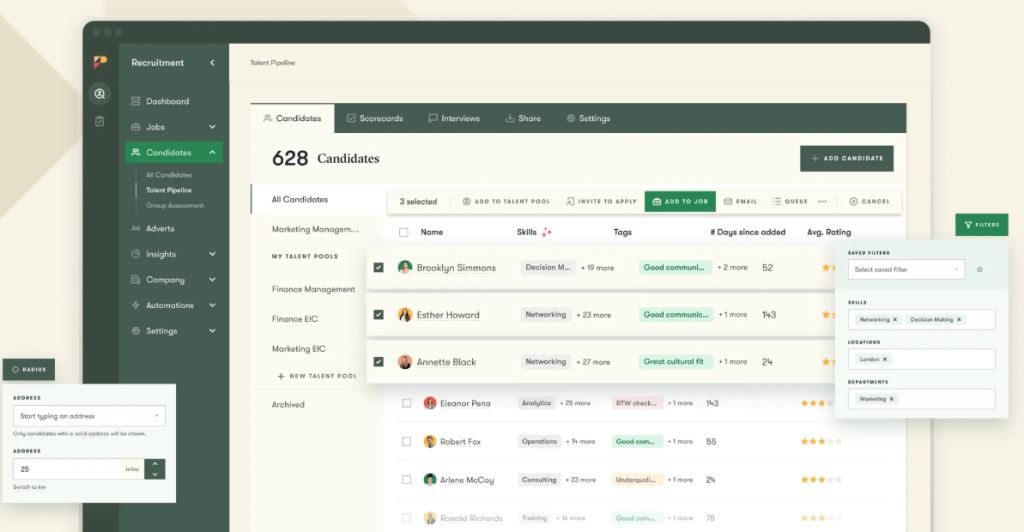
The Pinpoint platform also includes talent relationship management software features, including Talent Pools, talent sourcing, and automated communication, to help recruiters stay connected with current and past applicants. Its intuitive, easy-to-use interface makes it easy for recruiters and hiring managers to get things done, with less time spent navigating software, fewer training requirements, and better adoption across the business.
Pinpoint reports 8.5 million candidate experiences each month and customers in over 160 countries, alongside 60% year-over-year growth. Its case studies highlight a 65% reduction in time to hire at citizenM, a £1 million saving in agency fees at NetworkPlus, and over 400+ candidates managed in its onboarding portal at N Family Club.
The platform also offers over 100 native integrations and ISO 42001 certification for responsible AI management. Explore its features through the official demo video and product tour.
Core Features of Pinpoint

Configurable recruitment workflows

Pin, the AI Assistant

Talent pools and nurture campaigns

Branded and multi-brand careers sites

Interview self-scheduling

Onboarding and offer management

Multi-step approval workflows

AI resumé redaction

100+ native integrations

Reporting and analytics

Recruitment automations

Background and reference checks
Core Features Explained
Pinpoint’s applicant tracking software handles everything from initial applications to employee onboarding. For larger companies, its main strength is managing different hiring processes in one system.
We reviewed seven key features enterprise recruitment teams should consider.
1. Careers Sites and Application Management
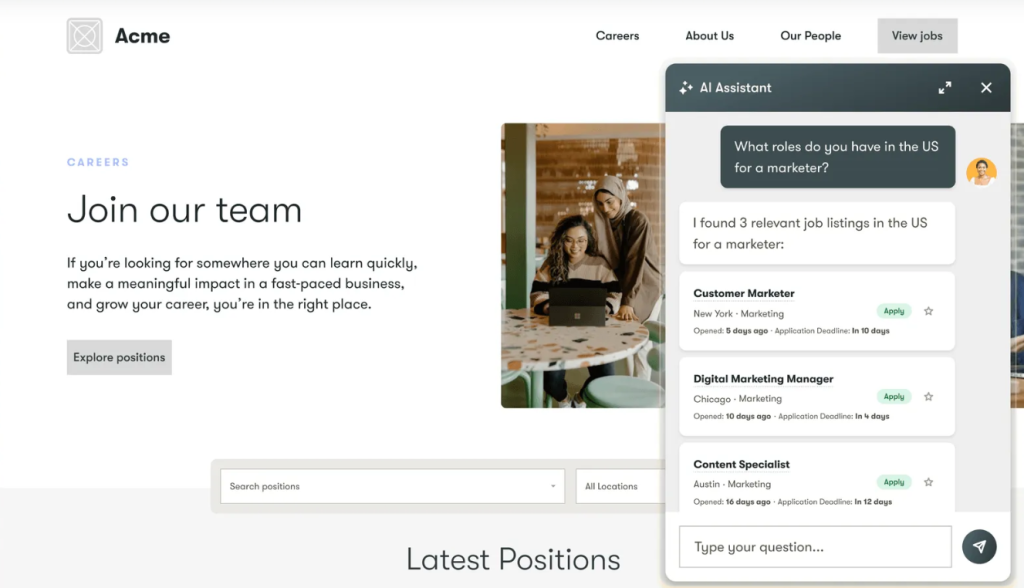
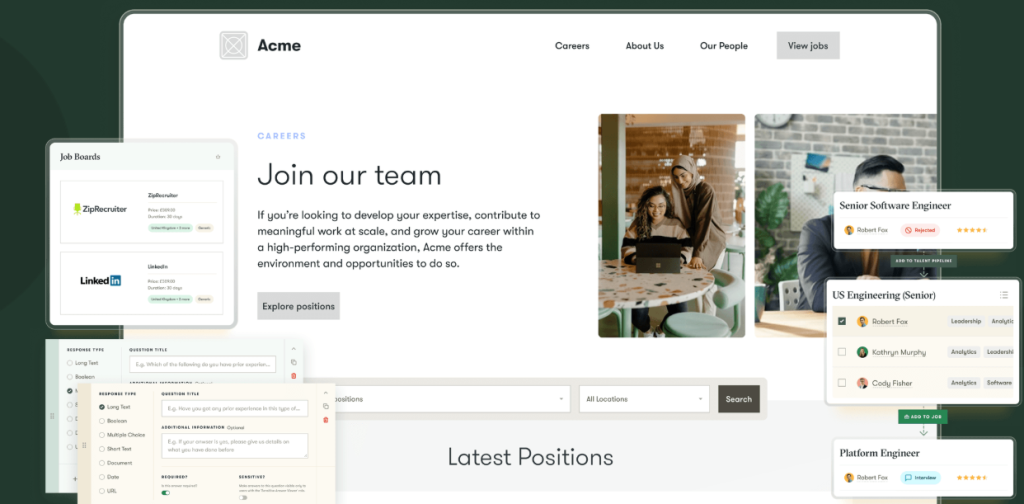
Pinpoint lets companies build separate careers sites for different brands, departments, and locations. Each site can have its own branding, application forms, and multilingual content. This helps candidates find relevant information and apply for the right positions.
Its AI Candidate Companion answers questions about job openings and suggests suitable roles through a chat interface. This helps candidates find opportunities at companies with hundreds of vacancies across different teams or locations.
2. Recruitment Pipelines and Workflows
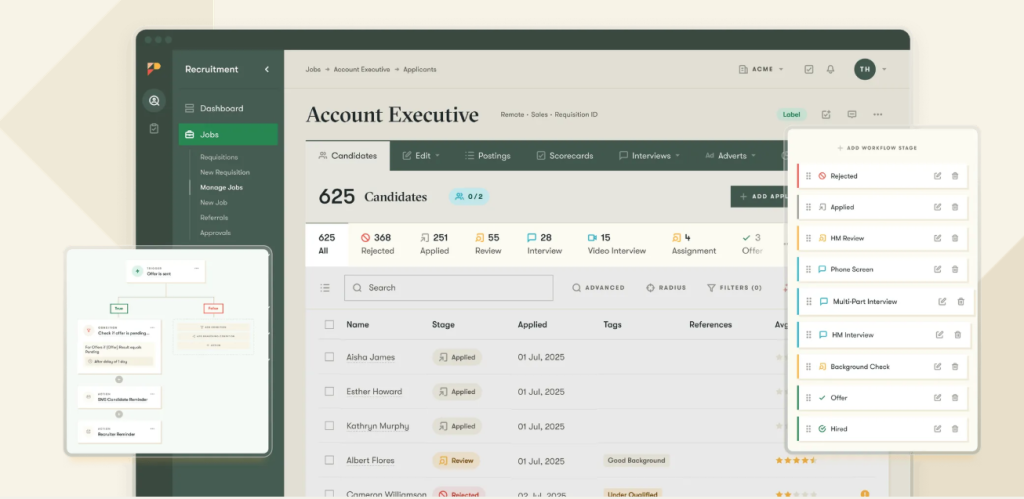
Pinpoint lets companies create separate hiring pipelines for different roles, departments, and recruitment teams. Recruiters can customize interview stages, assign tasks, and reuse workflows with different steps based on candidate responses.
The platform can also trigger automatic actions when candidates reach certain stages. Companies can set up multiple approvals for job openings and offers, either sequentially or all at once. This gives individual teams flexibility while keeping important hiring decisions under control.
3. Recruitment Automations
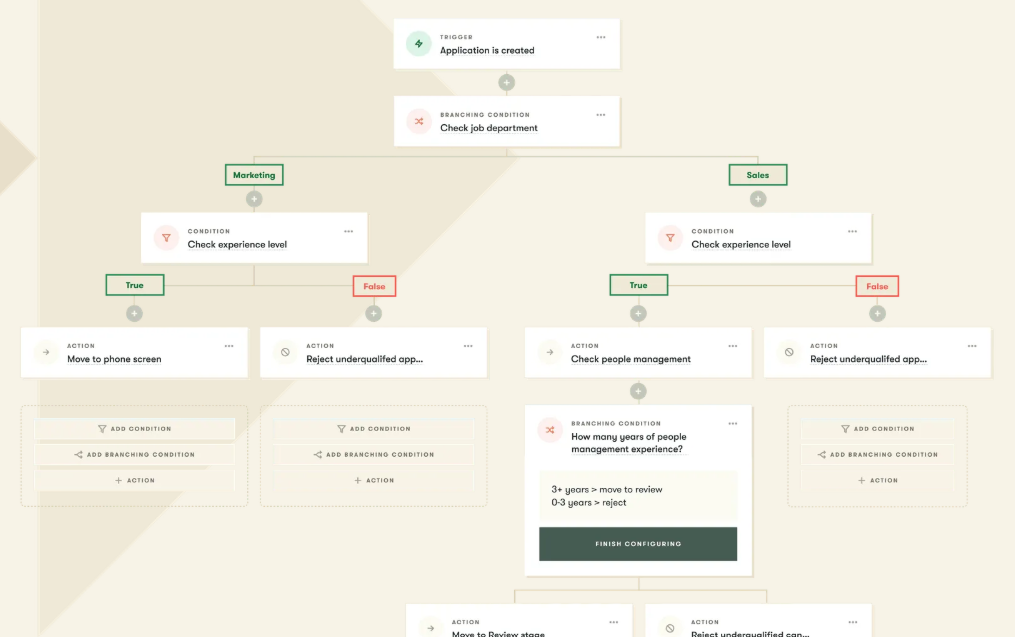
Pinpoint lets recruiters set up automation rules and use them across different hiring processes. Teams can automate interview invitations, candidate updates, screening decisions, and reminders for hiring managers.
Recruiters can also adjust these rules based on department needs or candidate responses. Automated campaigns help them stay in touch with previous applicants in Talent Pools. This saves time on routine tasks, especially for companies that recruit across multiple brands, regions, or departments.
4. Interview Scheduling and Evaluation
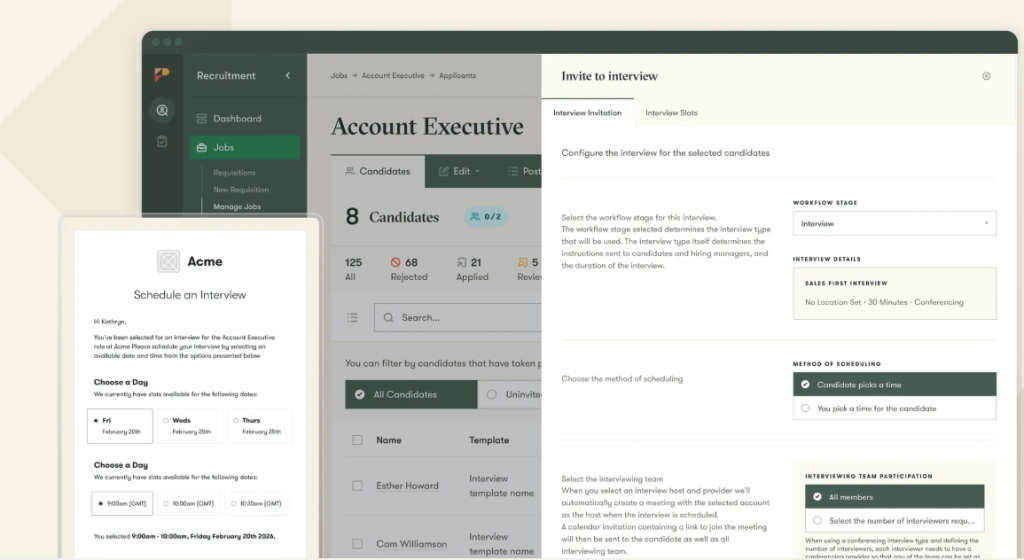
Pinpoint lets candidates book their own interview times and complete one-way video interviews. Hiring managers can then use structured scorecards to evaluate applicants against the same criteria.
Its AI Notetaker records interview discussions and prepares summaries, so recruiters spend less time writing notes. These tools also help companies evaluate candidates consistently, even when several specialists are involved in hiring.
5. Recruitment Reporting and Analytics
Pinpoint offers customizable dashboards for time to hire, source performance, stage conversion, and recruiter workload. They can filter each one by location, division, hiring manager, or date. HR leaders can filter each one by location, division, hiring manager, or date. Shared dashboards update automatically and show each person only what their permissions allow, so one dashboard can serve every department head. Access permissions control which reports and data each user can see. Companies can export reports or use Pinpoint’s API to connect with business intelligence tools and data warehouses. Pin, Pinpoint’s AI agent, can also build a dashboard on request. This gives HR leaders a company-wide view of recruitment while individual teams manage their own hiring processes.
6. Offer Management and Employee Onboarding
Pinpoint runs the whole offer stage inside the platform. Recruiters route offers through approval steps, track each one, and send it for e-signature once it’s approved. Background checks, reference checks, and UK right-to-work checks all run natively, so there’s no separate vendor to manage.
Once an offer is signed, Pinpoint Onboarding collects new-hire details such as tax information, direct deposit, and emergency contacts, and gives tasks to everyone involved. HRIS integrations like BambooHR, HiBob, and Dayforce then create the employee record and carry over the signed documents, so nobody has to re-enter data.
7. Administration and Access Controls
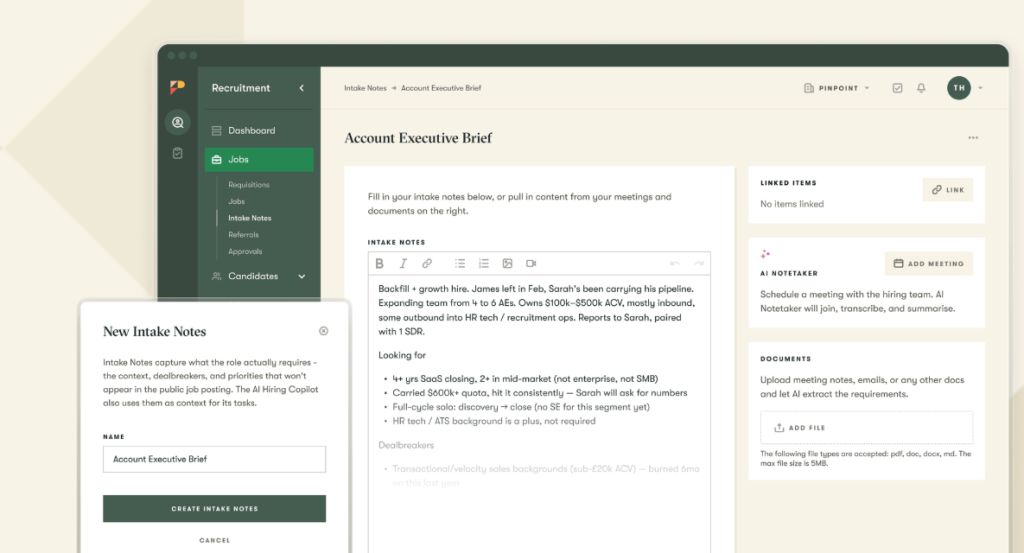
Pinpoint lets companies control who can access candidate details, hiring activities, and system settings. Recruiters, hiring managers, and HR administrators can have different permissions, with additional restrictions for sensitive candidate information.
The platform also supports single sign-on (SSO) and SCIM (System for Cross-domain Identity Management), which automates user account creation, updates, and deactivation. Audit trails track system activity and recruitment decisions. Together, these features help large HR teams manage access and maintain records across departments and locations.
Pinpoint as an Enterprise ATS
Pinpoint’s enterprise ATS helps large companies manage different hiring processes in one system. Its multi-stream model gives individual teams the flexibility to recruit their way, while HR leaders maintain control over reporting, security, and company-wide hiring standards.
Multi-Brand and Multi-Region Recruitment
Pinpoint lets companies build separate careers sites for each brand, with their own content, application forms, and candidate experience. Teams in different countries can also follow local hiring processes while working in the same system.
Meanwhile, central HR leaders can monitor recruitment across the entire company. This approach works well for businesses with multiple brands or hiring teams spread across different countries.
Governance and Access Control
Pinpoint lets IT and HR administrators decide who can view or change recruitment data. They can set permissions by role, brand, region, or team, and even restrict access to individual fields.
The platform supports SAML (Security Assertion Markup Language) for single sign-on (SSO) through Okta, Azure AD, and Google Workspace. It also uses SCIM (System for Cross-domain Identity Management) to automate user account management. Audit trails show who accessed the system, what they did, when, and from where.
Workflow Automation at Scale
Large companies often need several people to approve new hires, especially for senior or regulated positions. Pinpoint lets administrators set up approval steps, escalation rules, and workflows that change based on specific conditions.
Companies can apply these rules across different hiring teams to keep procedures consistent. At the same time, each team can manage its own candidates and recruitment process.
Scoped Reporting and Business Intelligence
Pinpoint lets HR leaders track recruitment across brands, regions, and departments while controlling access to sensitive data.
Teams can customize dashboards, filter hiring data, and limit report access based on user permissions. Pinpoint also connects with Looker, Tableau, and Power BI, so companies can analyze recruitment results alongside other business data in their existing reporting tools.
Security, Compliance, and Data Controls
Pinpoint holds SOC 2 Type II and ISO 27001 certifications for information security, along with ISO 42001 for AI management.
The platform provides tools to help companies meet GDPR, UK GDPR, CCPA, and Asia-Pacific privacy requirements. Administrators can choose regional data hosting, set retention periods, manage candidate consent, and restrict access to sensitive information. These options are particularly useful for companies that recruit across countries with different data protection laws.
Enterprise Integrations
Pinpoint integrates with major HR platforms, including Workday, SAP SuccessFactors, Oracle, UKG, ADP, BambooHR, and Rippling. Companies can connect their recruitment processes to the HR systems they already use.
For background checks, Pinpoint supports providers such as HireRight, Checkr, Sterling, and First Advantage. Companies with specific integration needs can also use its open API and webhooks to connect other systems.
Enterprise Implementation and Support
Pinpoint estimates that enterprise implementation takes 8-14 weeks. The timeline depends on the number of brands, regions, hiring workflows, and integrations a company needs.
Each customer works with a dedicated implementation team and a named Customer Success Manager. The process follows a clear rollout plan. Companies switching from another ATS have time to set up workflows, configure access permissions, connect existing systems, and train recruiters before launch.
Enterprise Customers and Results
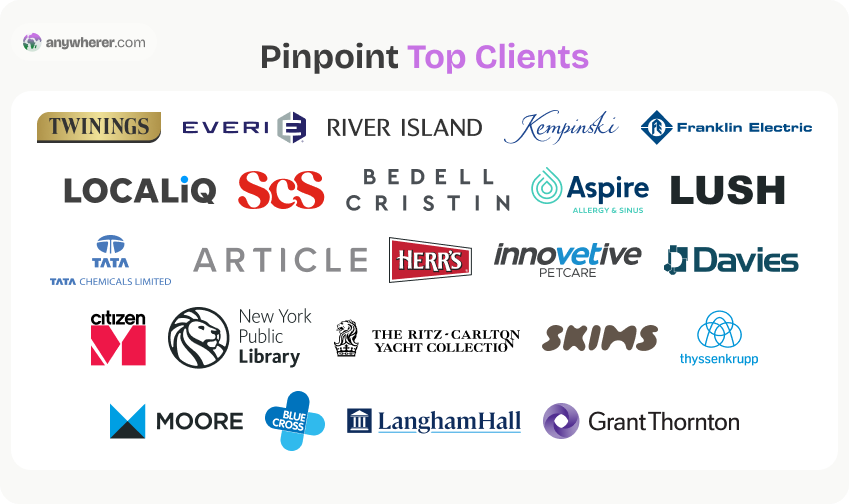
Pinpoint works with companies across several industries, including Twinings, citizenM, Skims, Davies Group, Lush, Blue Cross, thyssenkrupp, Grant Thornton, Ritz-Carlton, and Tata.
Its case studies show how these companies use the platform. Hotel group citizenM reduced its time to hire by 65%, while Davies Group manages recruitment for 3,500 US employees. Lush uses Pinpoint to coordinate hiring across more than 100 locations. These examples show how the platform supports different recruitment needs, from large workforces to multi-location operations.
Suitability for Mid-Market Organizations
Pinpoint focuses on enterprise recruitment, but its multi-stream approach also works well for growing mid-market companies.
Businesses that have outgrown basic applicant tracking systems can set up different workflows, access permissions, and reports for each department. They can manage everything in one platform instead of introducing separate systems. This makes Pinpoint worth considering for companies comparing the best ATS for enterprise solutions or the best ATS for enterprise recruiting teams.
How Pinpoint Supports High Volume Hiring
Pinpoint’s high-volume recruiting software helps companies handle large numbers of applications across different locations. AI features highlight promising candidates, while automated workflows move applicants through hiring stages and keep them updated.
Candidates can schedule their own interviews or complete one-way video interviews, which saves recruiters time during screening. Talent pools let recruiters revisit previous applicants, while multi-location job posting supports high-volume hiring across different sites.
Customer results show how Pinpoint recruiting tools work in practice. Hotel group citizenM reduced its time to hire by 65% and simplified the coordination of casting days. Lush managed recruitment across more than 100 locations and gave hiring managers a greater role in the process. Network Plus hired 196 people in six months, with an average time to hire of 3.5 weeks.
Pinpoint AI Recruitment Software: Features and Governance
Pin is Pinpoint’s AI recruitment agent. It works across the whole platform, so it already knows your jobs, candidates, and interview feedback. Recruiters can ask Pin to compare applicants, prepare interview briefs, or build reports. For tasks that need a set process, like shortlisting, Pin brings in a specialist agent. Teams save what works as Plays and schedule them as Routines.
Pinpoint AI is driven by input, not history. It assesses candidates only against criteria your team sets and shows how each one met every requirement. Pin works within each user’s permissions, logs every action, and checks with you before sending anything. Recruiters make every hiring decision.
Pinpoint’s other AI tools include Scoring Agents, Sourcing Agents, Candidate Companion, Candidate Filters, Criteria Checklist, Resumé Redaction, and Notetaker. Pinpoint’s MCP server connects Claude, ChatGPT, or Microsoft Copilot to Pinpoint with the same permissions as Pin.
Companies can choose which AI features to enable and who can access them. Pinpoint doesn’t use customer data to train or improve AI models. However, the quality of its recommendations depends on how complete and accurate the recruitment data is.
Pinpoint holds ISO 42001 certification, an international standard for managing AI risks, transparency, and responsible use. Its AI features also support compliance with New York City’s Local Law 144, which requires bias audits and candidate notifications for certain automated hiring tools.
The European Union’s AI Act sets strict requirements for high-risk AI systems used in recruitment, including human oversight and risk management. However, employers must determine which rules apply to their hiring processes and ensure they comply.
Pinpoint Integrations and API
Pinpoint offers 100+ native integrations for HR, payroll, job boards, background checks, e-signatures, calendars, communication, and reporting.
It connects with major HR systems, including Workday, SAP SuccessFactors, Oracle, UKG, ADP, Paycom, Paylocity, BambooHR, and Rippling. Other integrations include LinkedIn, Indeed, DocuSign, Checkr, Slack, and Twilio.
Companies that need custom connections can use Pinpoint’s open API and webhooks. Its MCP server also lets external AI assistants work with recruitment data stored in Pinpoint.
However, integration setup may take extra work. Some Capterra reviewers mention difficulties with DocuSign and custom API connections. One reviewer notes that full DocuSign integration requires Pinpoint’s onboarding module.
Pinpoint Pricing: What to Expect From a Pinpoint Demo
Pinpoint doesn’t list subscription plans or prices on its website. Instead, it provides custom quotes based on company size, hiring volume, and the features you need. Smaller companies with complex hiring processes can also request a tailored offer.
To get a quote, you can book a Pinpoint demo. You’ll first have a short call to discuss your hiring needs, followed by a product walkthrough. There’s no obligation to buy.
According to G2 user data, customers take around two months to implement Pinpoint and see a return on investment in about seven months.
Pinpoint 4Ps Evaluation
Category
Evaluation Label
Performance

Enterprise-Grade
Presence

Global
Pricing

Custom
Platform Experience

Intuitive
Final Verdict
The Multi-Stream ATS for Mid-Market and Enterprise Hiring
Pinpoint Performance
Evaluation label: Enterprise-Grade
Pinpoint lets companies manage different hiring processes with separate workflows, detailed access permissions, and audit trails that track system activity. It also holds SOC 2 Type II and ISO 27001 certifications for information security. Its customer results are promising: hotel group citizenM cut its time to hire by 65% after switching to Pinpoint.
Pinpoint Presence
Evaluation label: Global
Pinpoint has customers in more than 160 countries and handles 8.5 million candidate experiences each month. Its clients come from retail, hospitality, professional services, nonprofits, and manufacturing. Companies such as Lush, citizenM, and Franklin Electric use Pinpoint to manage recruitment across different locations and meet their specific hiring needs.
Pinpoint Pricing
Evaluation label: Custom
Pinpoint sets prices based on company size, hiring volume, and each customer’s feature needs. It doesn’t publish subscription plans or starting prices, so you’ll need to request a quote. This gives companies a tailored offer, but makes it harder to compare Pinpoint’s costs with other platforms.
Pinpoint Platform Experience
Evaluation label: Intuitive
Pinpoint scores 4.8 out of 5 for ease of use on Capterra. Reviewers praise its simple interface and how easily recruiters and hiring managers can work with it. The platform also offers 100+ native integrations, so teams can share data between Pinpoint and their existing HR tools with less manual work.
Our 4Ps verdict: Pinpoint is a good fit for mid-market and enterprise companies that hire across multiple brands, locations, or departments. Its multi-stream model lets each team manage its own hiring process while HR leaders oversee recruitment company-wide. Flexible workflows and detailed access controls are useful for larger organizations, but buyers need to contact Pinpoint for pricing and implementation details.
Pinpoint Reviews and Ratings

4.6
out of 5
(167 reviews)

4.7
out of 5
(92 reviews)
ease of use 4.8 out of 5
customer service 4.7 out of 5
Notable Strengths
- Easy to use and customize
- Responsive and helpful customer support
Points to Consider
- Some advanced features take time to learn
- Limited customization of certain features
What users like about Pinpoint:
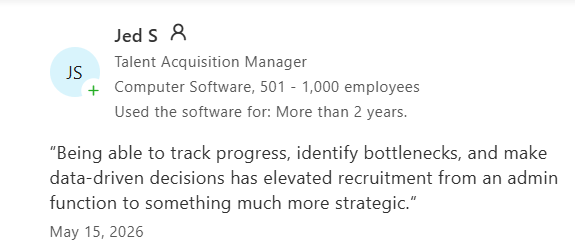
“Being able to track progress, identify bottlenecks, and make data-driven decisions has elevated recruitment from an admin function to something much more strategic.”
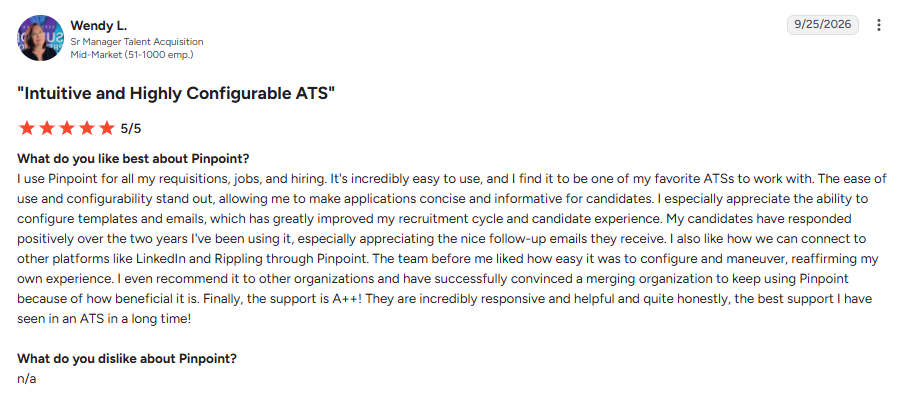
“I use Pinpoint for all my requisitions, jobs, and hiring. It’s incredibly easy to use, and I find it to be one of my favorite ATSs to work with. The ease of use and configurability stand out, allowing me to make applications concise and informative for candidates. I especially appreciate the ability to configure templates and emails, which has greatly improved my recruitment cycle and candidate experience.”
What users would improve about Pinpoint:
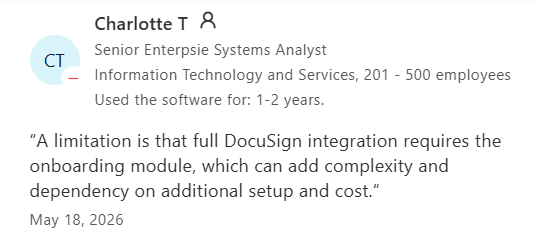
“A limitation is that full DocuSign integration requires the onboarding module, which can add complexity and dependency on additional setup and cost.”
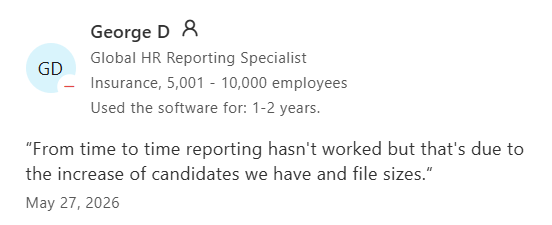
“From time to time reporting hasn’t worked but that’s due to the increase of candidates we have and file sizes.”
Alternatives to Pinpoint
Several Pinpoint alternatives cater to mid-market and enterprise recruitment teams. They differ mainly in how they manage hiring processes, connect with HR systems, use AI, and control access to recruitment data.
Ashby
Ashby brings applicant tracking, candidate relationship management (CRM), interview scheduling, and recruitment analytics into one system. It’s particularly popular with growing tech companies that need detailed hiring reports. Pinpoint focuses more on recruitment across multiple brands and regions. Its field-level permissions let companies control access to specific information, while HR leaders oversee all hiring teams.
Pinpoint vs Ashby: Core Differences
Parameter
Best for
Pricing
Free trial
Multi-brand careers sites
Enterprise access control
AI approach
Integrations
Security certifications
Implementation
Mid-market and enterprise TA teams running multi-stream hiring (high-volume, multi-brand, multi-region, regulated)
Custom quote based on team size, hiring volume, and features
No; demo-led
Yes; fully branded site per brand with central visibility
Role-based, field-level permissions; SAML SSO; SCIM; audit trails
Human-in-the-loop; explainable match scores; no customer data for training; ISO 42001
100+ native, open API, webhooks, MCP server
SOC 2 Type II, ISO 27001, ISO 42001
8-14 weeks (enterprise), dedicated team and named CSM
Parameter
Best for
Pricing
Free trial
Multi-brand careers sites
Enterprise access control
AI approach
Integrations
Security certifications
Implementation
Growing companies seeking integrated recruiting, scheduling, and analytics
Published plan pricing and custom enterprise pricing; confirm current rates
Verify with vendor
Customizable careers pages; multi-brand capabilities require confirmation
Role-based permissions and enterprise security controls; verify SCIM and field-level access
Human-in-the-loop, assistive AI; no customer data for training; third-party bias audits
Native integrations and API capabilities
SOC 2 Type II, SOC 1 Type II, GDPR compliant
Custom / not published
Greenhouse
Greenhouse helps companies maintain consistent hiring standards through structured interviews, scorecards, and a large integration marketplace. Pinpoint offers more flexibility for organizations that need different hiring processes across brands or departments. Teams can manage each process separately within one platform. Pinpoint is also ISO 42001 certified, an international standard for responsible AI management.
Pinpoint vs Greenhouse: Core Differences
Parameter
Best for
Pricing
Free trial
Multi-brand careers sites
Enterprise access control
AI approach
Integrations
Security certifications
Implementation
Mid-market and enterprise TA teams running multi-stream hiring (high-volume, multi-brand, multi-region, regulated)
Custom quote based on team size, hiring volume, and features
No; demo-led
Yes; fully branded site per brand with central visibility
Role-based, field-level permissions; SAML SSO; SCIM; audit trails
Human-in-the-loop; explainable match scores; no customer data for training; ISO 42001
100+ native, open API, webhooks, MCP server
SOC 2 Type II, ISO 27001, ISO 42001
8-14 weeks (enterprise), dedicated team and named CSM
Parameter
Best for
Pricing
Free trial
Multi-brand careers sites
Enterprise access control
AI approach
Integrations
Security certifications
Implementation

Companies prioritizing structured hiring and standardized interviews
Custom / not published
Verify with vendor
Customizable careers pages; confirm separate brand administration
Role-based permissions and enterprise access controls; verify field-level access
Human-in-the-loop AI; no customer data for model training; ISO 42001 certified
Large integration marketplace and developer APIs
SOC 1 Type II, SOC 2 Type II, ISO 27001, ISO 27701, ISO 42001, GDPR compliant
Custom / not published
iCIMS
iCIMS offers recruitment marketing, applicant tracking, and automation tools for large companies with complex hiring needs. Pinpoint focuses more on flexibility and ease of use. Recruiters can adjust hiring workflows without extensive technical support, while hiring managers get a straightforward interface. Enterprise implementation typically takes 8-14 weeks.
Pinpoint vs iCIMS: Core Differences
Parameter
Best for
Pricing
Free trial
Multi-brand careers sites
Enterprise access control
AI approach
Integrations
Security certifications
Implementation
Mid-market and enterprise TA teams running multi-stream hiring (high-volume, multi-brand, multi-region, regulated)
Custom quote based on team size, hiring volume, and features
No; demo-led
Yes; fully branded site per brand with central visibility
Role-based, field-level permissions; SAML SSO; SCIM; audit trails
Human-in-the-loop; explainable match scores; no customer data for training; ISO 42001
100+ native, open API, webhooks, MCP server
SOC 2 Type II, ISO 27001, ISO 42001
8-14 weeks (enterprise), dedicated team and named CSM
Parameter
Best for
Pricing
Free trial
Multi-brand careers sites
Enterprise access control
AI approach
Integrations
Security certifications
Implementation

Large enterprises seeking an extensive talent acquisition suite
Custom / not published
Verify with vendor
Configurable career sites; verify brand-level administration
Role-based permissions, SAML SSO, SCIM automated user provisioning, and audit trails
Responsible AI framework, human-in-the-loop matching, and independent bias audits
Enterprise integrations and marketplace
OC 2 Type II, ISO/IEC 27001, ISO/IEC 27701 (Privacy), CSA STAR Level 1, GDPR compliant
Custom / not published
SmartRecruiters
SmartRecruiters helps large companies manage recruitment with AI tools, automation, and shared hiring workflows. It’s a good fit for teams that want consistent hiring processes across the organization. Pinpoint takes a different approach to AI, with optional features, clear candidate scores, and human control over decisions. It also supports separate reports and access permissions for each brand or region.
Pinpoint vs SmartRecruiters: Core Differences
Parameter
Best for
Pricing
Free trial
Multi-brand careers sites
Enterprise access control
AI approach
Integrations
Security certifications
Implementation
Mid-market and enterprise TA teams running multi-stream hiring (high-volume, multi-brand, multi-region, regulated)
Custom quote based on team size, hiring volume, and features
No; demo-led
Yes; fully branded site per brand with central visibility
Role-based, field-level permissions; SAML SSO; SCIM; audit trails
Human-in-the-loop; explainable match scores; no customer data for training; ISO 42001
100+ native, open API, webhooks, MCP server
SOC 2 Type II, ISO 27001, ISO 42001
8-14 weeks (enterprise), dedicated team and named CSM
Parameter
Best for
Pricing
Free trial
Multi-brand careers sites
Enterprise access control
AI approach
Integrations
Security certifications
Implementation

Enterprises seeking recruitment automation and collaborative hiring
Custom / not published
Verify with vendor
Configurable career sites; verify multi-brand controls
Role-based permissions (system & custom roles), SAML 2.0 SSO, SCIM automated user provisioning, field/department-level scoping
Human-in-the-loop AI (SmartAssistant); PII anonymization; no customer data used to train third-party LLMs
SmartRecruiters Marketplace (570+ pre-built integrations), open REST APIs, webhooks
SOC 2 Type II, ISO/IEC 27001, TISAX, UK Cyber Essentials, GDPR compliant
Custom / not published
Workday Recruiting
Workday Recruiting is part of Workday’s HR management suite. It’s a good fit for companies that want to manage recruitment and employee records in one system. Pinpoint gives Workday customers another option: a dedicated ATS that connects to their existing HR software. This lets recruitment teams change how they hire without replacing Workday.
Pinpoint vs Workday Recruiting: Core Differences
Parameter
Best for
Pricing
Free trial
Multi-brand careers sites
Enterprise access control
AI approach
Integrations
Security certifications
Implementation
Mid-market and enterprise TA teams running multi-stream hiring (high-volume, multi-brand, multi-region, regulated)
Custom quote based on team size, hiring volume, and features
No; demo-led
Yes; fully branded site per brand with central visibility
Role-based, field-level permissions; SAML SSO; SCIM; audit trails
Human-in-the-loop; explainable match scores; no customer data for training; ISO 42001
100+ native, open API, webhooks, MCP server
SOC 2 Type II, ISO 27001, ISO 42001
8-14 weeks (enterprise), dedicated team and named CSM
Parameter
Best for
Pricing
Free trial
Multi-brand careers sites
Enterprise access control
AI approach
Integrations
Security certifications
Implementation
Organizations managing recruitment within Workday HCM
Custom / not published
Verify with vendor
Configurable career sites; verify independent brand management
Role- and domain-based access; field-level security; SAML 2.0 SSO, SCIM; audit logs
Human-in-the-loop AI; tenant isolation; no customer data for global AI training; ISO 42001 certified
Native Workday HCM; Integration Cloud (EIB, REST/SOAP APIs, Studio)
SOC 1/2 Type II, SOC 3; ISO 27001/27017/27018/27701/42001; FedRAMP Authorized
Custom / not published
Final Insights From Pinpoint Evaluation
Pinpoint ranks among the best ATS software options for mid-market and enterprise companies that manage multiple hiring processes. It’s particularly useful for retail, hospitality, and professional services businesses that recruit across multiple locations or brands. Centralized controls, brand-specific reports, and HR system integrations make it one of the best ATS for enterprise recruiting teams.
Pinpoint also suits regulated industries, with SOC 2 Type II, ISO 27001, and ISO 42001 certifications. Companies that use Workday, SAP, or Oracle can adopt Pinpoint as a dedicated recruitment platform without replacing their existing HR systems.
FAQ
What makes Pinpoint different from other applicant tracking systems?
Pinpoint lets companies run different types of recruitment, from high-volume and regional hiring to professional and executive searches, in one system. Each hiring stream has its own workflows, access permissions, branding, and reports. Meanwhile, talent acquisition leaders can oversee recruitment across the entire organization.
Is Pinpoint suitable for enterprise and multi-brand hiring?
Yes, Pinpoint lets large companies manage recruitment across different brands, locations, and departments. Each brand can have its own careers site, hiring process, and access permissions. HR leaders can monitor recruitment through centralized reports and audit trails. SAML (Security Assertion Markup Language) enables SSO (single sign-on) for secure company logins. SCIM (System for Cross-domain Identity Management) automates user account management.
How does Pinpoint use AI in recruiting, and is it compliant?
Pinpoint uses AI to summarize applications, assess candidates against specific job requirements, and handle routine recruitment tasks. Recruiters still make all hiring decisions. The platform holds ISO 42001 certification for AI management, while clear candidate scores and audit trails help companies meet compliance requirements. Employers should also check their local AI regulations.
Does Pinpoint offer a free trial or a demo?
Pinpoint doesn’t offer a free trial or list subscription prices on its website. Instead, you can book a demo to see how the platform works. After a short call to discuss your hiring needs, the team walks you through relevant features and provides a custom quote. There’s no obligation to buy.
How long does it take to implement Pinpoint?
Pinpoint estimates 8–14 weeks to set up the platform for enterprise clients. The timeline depends on the company’s size, required integrations, and hiring processes. A dedicated implementation team guides clients through each stage, with support from a named Customer Success Manager. According to G2, customers take around two months to implement Pinpoint on average.
What size or type of company is Pinpoint best suited for?
Pinpoint works best for mid-market and enterprise companies that manage different types of recruitment at once. It’s a good fit for retail, hospitality, and professional services businesses that hire across multiple locations or brands. The platform also suits companies that need high-volume hiring tools, integrations with enterprise HR systems, and central control over recruitment.
Ready to Simplify Enterprise Hiring with Pinpoint?
Book a Pinpoint demo to see how its multi-stream workflows, automation, and enterprise features can support your recruitment needs.

Helen is Anywherer’s Market Analyst & Content Researcher, with extensive experience in analyzing global employment markets and HR technology trends. She is skilled at turning complex market data into clear, well-researched insights that inform every piece of content. With a strong grasp of the EOR, PEO, and international hiring space, Helen plays a key role in keeping Anywherer’s research accurate, up to date, and genuinely useful for readers.