


KnowledgeOwl Overview
KnowledgeOwl grew from HelpGizmo, an internal documentation tool built at SurveyGizmo, now Alchemer. In 2015, Marybeth Alexander and Pete Grigg launched it as a standalone product, online knowledge base software, through Silly Moose, LLC, based in Boulder, Colorado. The company remains independently owned and has never taken venture capital. I appreciate that approach because it lets the team focus on the product and their customers, rather than on investor expectations. After testing KnowledgeOwl, I found it works best for organizations ready to replace documents scattered across SharePoint, Confluence, or Google Drive with one dedicated knowledge base. Its pricing also stands out: You pay only for authors, while every plan includes unlimited public and private readers.

Top Facts: KnowledgeOwl
Founded in:
2015
Headquarters:
Boulder, Colorado, US
Company:
Silly Moose, LLC
# of employees:
2-10
Industries:
Healthcare, utilities, and more
Serves in:
10+ countries worldwide
Customers:
3,200+ authors worldwide
Pricing:
from $100/month (+$25/author)

Mobile app


24/7 support


Free trial

Consulting/ integration services
What Is KnowledgeOwl Software?
KnowledgeOwl is an online knowledge base tool that helps teams create, organize, and share documentation from one platform. More than 3,200 knowledge base authors use KnowledgeOwl across education, healthcare, IT services, manufacturing, EdTech, credit unions, call centers, insurance, utilities companies, and government industries.
I like that it stays focused on knowledge management instead of expanding into a broader software suite. Every plan includes personal onboarding and support. The company also stands behind its product with an unlimited customer happiness guarantee, unusual in SaaS, and that long-term focus seems to pay off. KnowledgeOwl’s support team has maintained a 100% customer satisfaction rating for three consecutive years, alongside a customer NPS above 90 for five years. One customer even reduced SLA response times by 92% after adopting the platform: from two hours to just ten minutes.






What I love most about our work is how personal it still feels. Every feature we release traces back to a real person with a real challenge. That connection keeps us grounded, and it reminds us that great software is really just great service in another form.

Marybeth Alexander,
CEO of KnowledgeOwl
The Knowledge Owl software also holds a 4.6-star rating on G2 and has picked up G2 awards every year for the past 5 years. Beyond the product itself, the company became a Certified B Corporation in 2023 and is a member of 1% for the Planet.
The platform offers a 30-day free trial with no credit card required, which gave me enough time to explore the platform without any pressure. I also liked that KnowledgeOwl offers an official product demo, so you can explore the platform before committing. It does not have a dedicated mobile app, although the responsive web interface worked well on my phone and tablet. Every subscription includes one-on-one onboarding, white-glove migration assistance, and custom theme development. Another advantage is that the human support is available throughout the customer journey, with a 24/7 emergency phone line (+1 303-566-7131) for urgent technical issues.
Core Features of KnowledgeOwl

Semantic Search

AI Writing Tools

Version Control

Closed AI Chatbot

Reusable content

Role-Based Access

Robust Analytics

Interactive Glossary

Integrations and Migration
KnowledgeOwl Core Features Explained
I tested the core parts of KnowledgeOwl to see how they perform in everyday use and evaluate the key features of help center software. Below, I’ll walk through the features that had the biggest impact on my experience with screenshots.
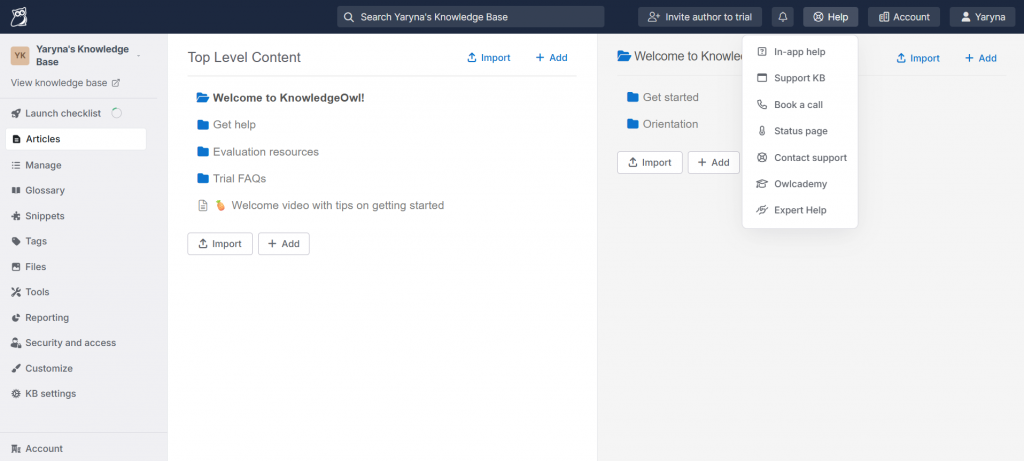
- Organizing content: KnowledgeOwl makes it easy to build a clear documentation structure with unlimited nested categories. I could also reorganize sections by dragging and dropping them into place.
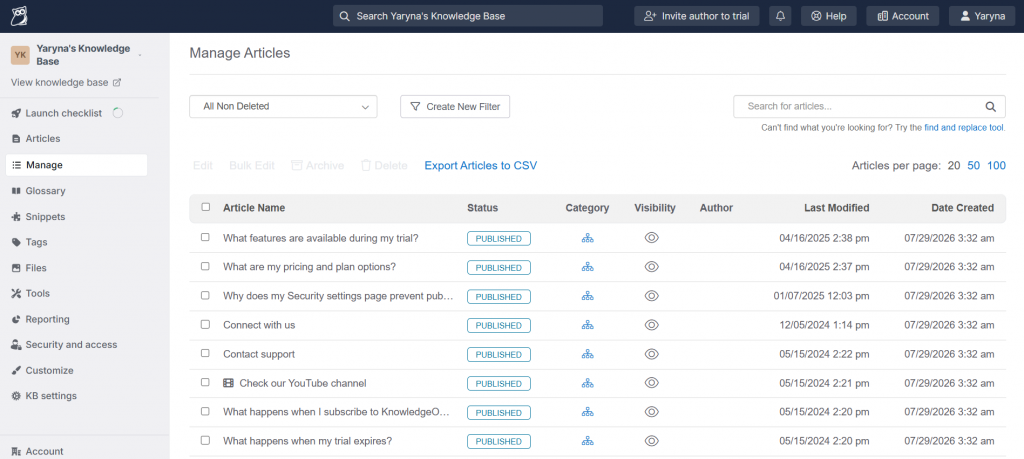
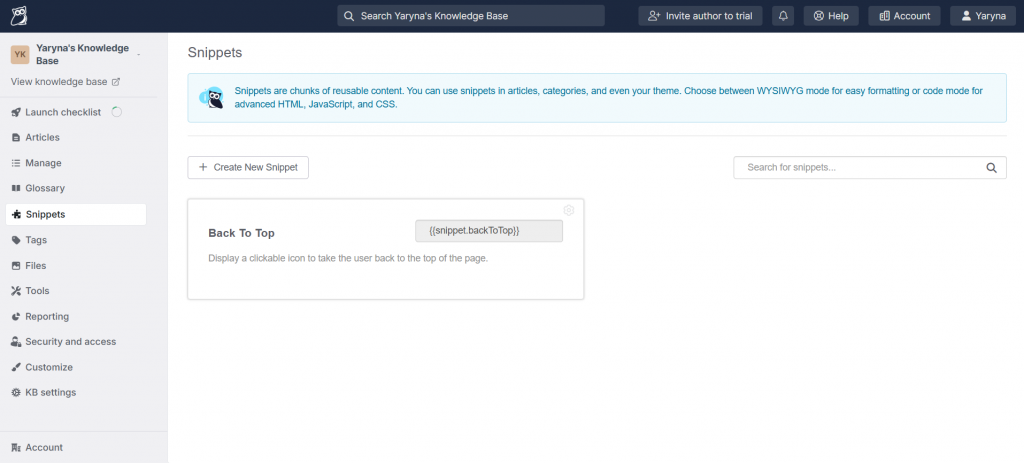
- Editor and versioning: The editor includes everything I needed for everyday documentation work. Version history, article statuses, reusable snippets, and global find-and-replace made content updates much easier.
- Search: Search worked well without any setup. It understood natural language, indexed PDF content, and let me add synonyms to improve search results.
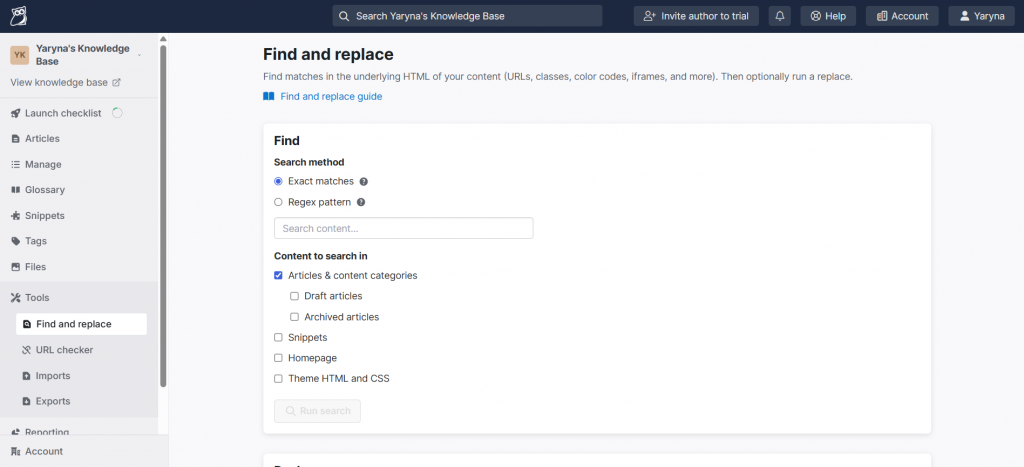
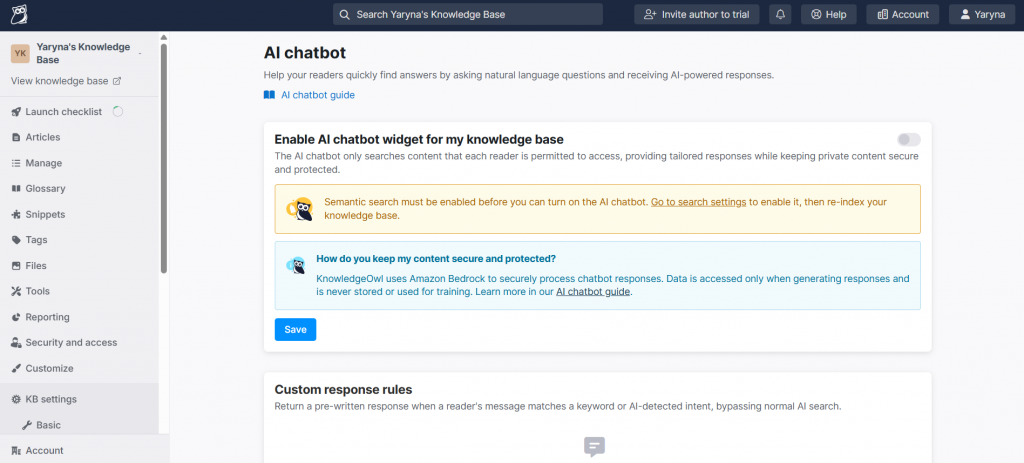
- AI Chatbot: I liked that the AI chatbot answers only from your KnowledgeOwl content. Every response includes sources and clearly states when the answer is unavailable.
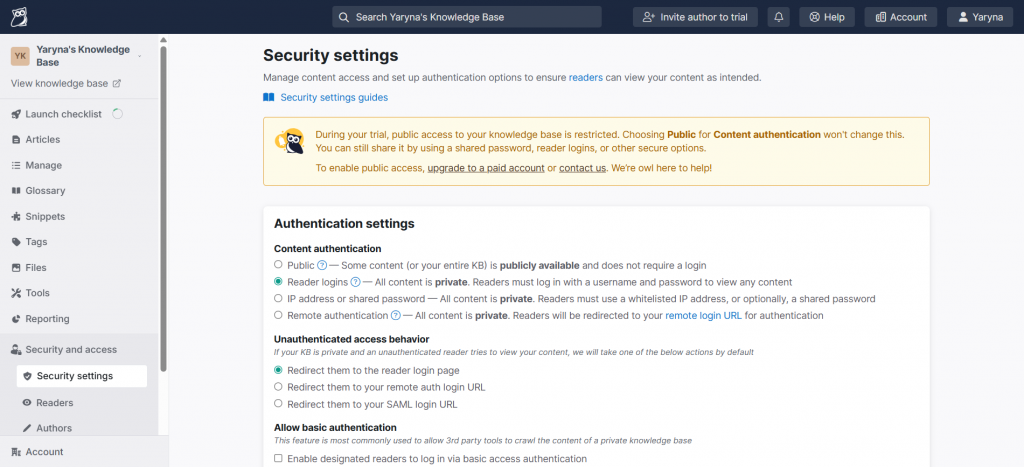
- Access controls: Access permissions are easy to manage. I could create unlimited reader groups, restrict content by audience, and keep private articles behind sign-in.
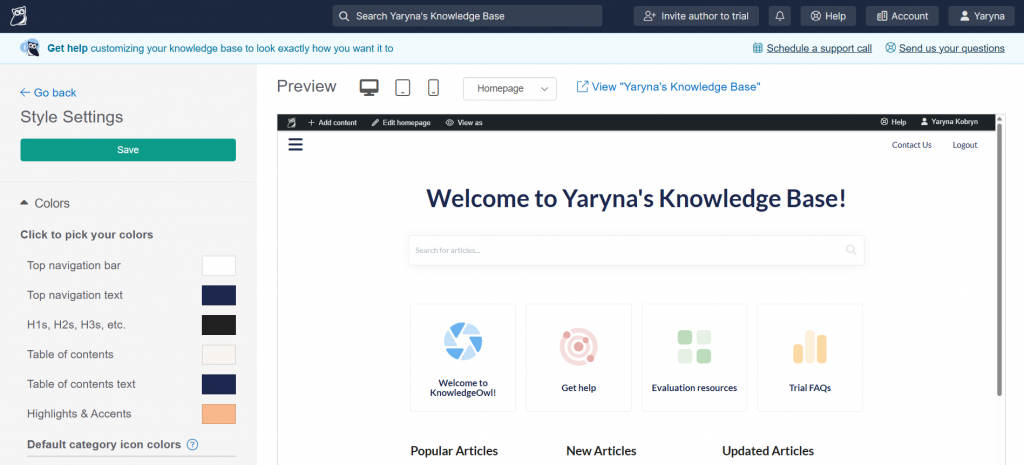
- Onboarding and migration: Every plan includes white-glove migration, one-on-one training, and a custom theme. The team also handles migrations from Confluence, Zendesk, SharePoint, and other platforms.
- Knowledge Owl Support: Real people handle customer requests, backed by a 100% support satisfaction rating and a 24/7 emergency line.
KnowledgeOwl Analytics Features
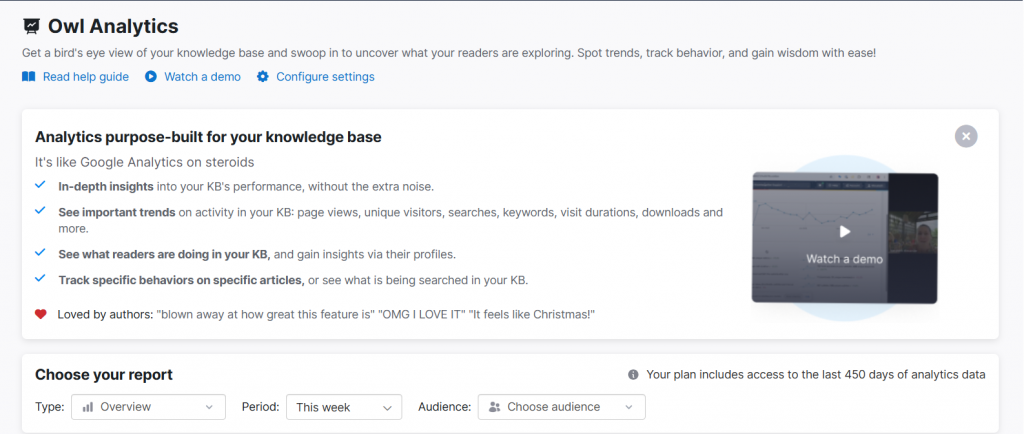
One of the KnowledgeOwl analytics features I wanted to test was Owl Analytics. It gives you detailed insights into knowledge base performance without the extra noise of general web analytics. During my trial, I tracked page views, unique visitors, searches, keywords, visit duration, downloads, and reader activity from a single dashboard. Reader profiles also helped me understand how different groups interacted with the content.
If you’re wondering where to find help center software with analytics, this is one of KnowledgeOwl’s strongest features. Owl Analytics tracks article-level activity, reveals searches with no results, and highlights content gaps before they become support requests. That makes it a practical example of how help center software reduces support costs. Data retention ranges from 45 days on the Basic plan to unlimited history on the Enterprise plan, with reader reports available on higher-tier plans.
KnowledgeOwl: How Much Does Help Center Software Cost?
KnowledgeOwl pricing 2026 starts at $100 per month for Basic, followed by Pro at $250, Business at $500, and custom Enterprise pricing. Every plan includes one knowledge base and one author; additional authors cost $25 per month, and extra knowledge bases cost $50. Unlike many help center platforms, which charge per agent, reader, or usage tier, KnowledgeOwl charges only for authors while allowing unlimited public and private readers.
Many similar tools charge per support agent, per active user, per reader, or per monthly support volume. KnowledgeOwl pricing follows a different model with flat per-author rates. Its published plans make pricing predictable. AI credits range from 100 to 10,000, and Owl Analytics retention from 45 days to unlimited. Business and Enterprise include uptime SLAs of 99.5% and 99.9%. Every plan includes SAML and Salesforce SSO, API access, HIPAA and GDPR agreements, white-glove migration, custom themes, one-on-one onboarding, plus a 30-day free trial without a credit card. Eligible nonprofits, B Corps, and purpose-driven organizations also receive a 25% KnowledgeOwl For Good.

Basic
Pro
Business
Make it easy for your team to find answers
Build a professional, branded help center with API access
Secure access with SSO and granular permissions
$100/month
$250/month
$500/month
Includes 1 knowledge base and 1 author. Add more as you grow for $25/author, $50/KB.
Includes 1 knowledge base and 1 author. Add more as you grow for $25/author, $50/KB.
Includes 1 knowledge base and 1 author. Add more as you grow for $25/author, $50/KB.
Free trial 30 days
Free trial 30 days
Free trial 30 days
– unlimited private and public readers
– unlimited file limits
– internal and external knowledge bases
– unlimited private and public readers
– unlimited file limits
– internal and external knowledge bases
– unlimited private and public readers
– unlimited file limits
– internal and external knowledge bases
KnowledgeOwl Use Cases
The KnowledgeOwl use cases extend well beyond a traditional help center. I found the platform flexible enough to support customer self-service, internal documentation, regulated environments, multilingual content, employee handbooks, and day-to-day support operations.
- External help center and customer self-service: As help center knowledge base software, KnowledgeOwl helps customers resolve questions before contacting support. Semantic search, a source-citing AI chatbot, and a contextual help widget surface answers instantly. One customer reported a 92% reduction in response times after implementing the platform.
- Internal knowledge base and process documentation: As internal documentation software, KnowledgeOwl keeps SOPs, IT documentation, and onboarding materials organized in one place. Reader groups protect internal content, while the same platform can also publish customer-facing documentation, eliminating the need to manage separate knowledge bases.
Employee handbook builder
If you’re looking for the best employee handbook software for HR teams, KnowledgeOwl offers a practical way to build a living handbook instead of maintaining a static document. It also works well as an employee handbook builder, especially for organizations with evolving policies.
- Create department-specific content with granular access controls.
- Use Required Reading to track policy acknowledgments.
- Review every update through built-in version history.
- Export individual articles, categories, or the entire handbook as a PDF.
- Start with employee handbook templates or your own structure, then expand it as policies evolve.
This approach makes KnowledgeOwl one of the best employee handbook software options for teams that update policies regularly rather than publishing a handbook once and forgetting it.
- Regulated industries (credit unions, healthcare, government, insurance): For organizations in regulated industries, internal software documentation stays protected through granular permissions, version history, and a closed AI chatbot that never trains LLMs on customer data. HIPAA and GDPR compliance agreements make KnowledgeOwl well suited for healthcare, government, insurance, and credit unions.
- Multilingual knowledge base: The KnowledgeOwl multilingual knowledge base lets teams deliver documentation in multiple languages by assigning a language to each knowledge base and creating separate language versions of articles. Authors create and maintain translations themselves, rather than relying on automatic machine translation.
- Call center and support agent enablement: As help center software, KnowledgeOwl helps support agents find accurate answers quickly through semantic search and glossary tooltips that explain internal terminology. Required Reading also keeps everyone up to date with new procedures and important process changes.
Across all these scenarios, KnowledgeOwl felt like a platform designed to grow with its users. Instead of forcing teams into separate tools, it gives them one place to manage both internal and customer-facing knowledge.
Integrations, Automation, and KnowledgeOwl API
A knowledge base rarely works in isolation, so I also explored how KnowledgeOwl fits into an existing software stack. It offers integrations for collaboration, customer support, AI assistants, and custom development, as well as tools to simplify ongoing documentation management.
Workflow & Notifications
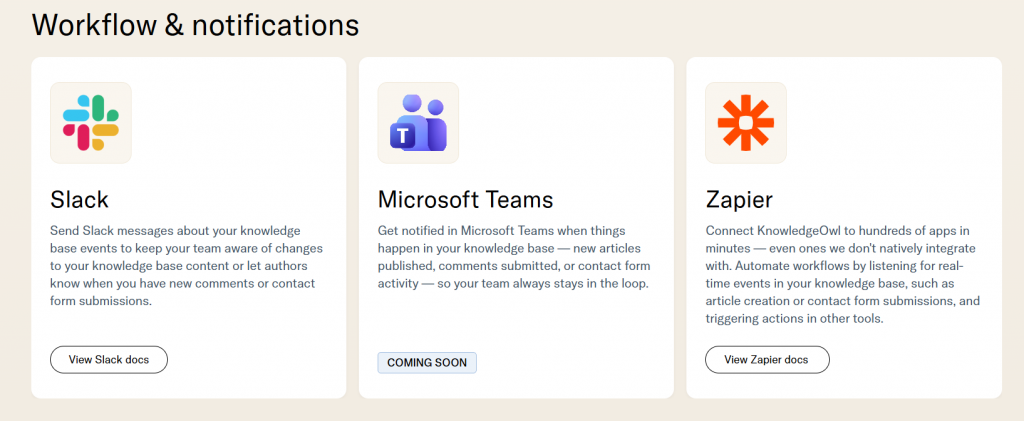
KnowledgeOwl integrates with Slack, Microsoft Teams, and Zapier. They help teams stay up to date with new articles, comments, and contact form submissions, while Zapier can trigger actions in hundreds of connected applications.
MCP Support
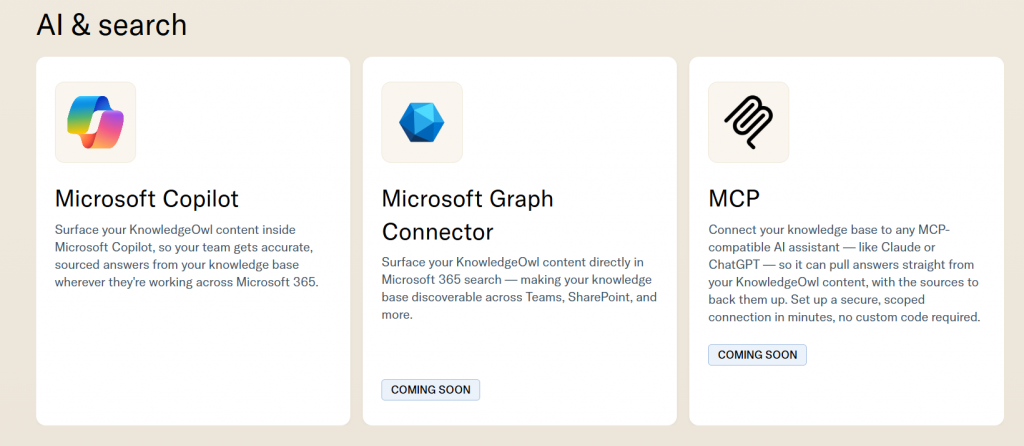
One of the newest KnowledgeOwl integration features is Model Context Protocol (MCP) support. It lets MCP-compatible AI assistants, such as ChatGPT and Claude, securely connect to your knowledge base and answer questions from your documentation. Responses include source citations, and you don’t need to upload documents manually or build a custom integration.
Developer API and Webhooks
The Knowledge Owl API is available on the Pro, Business, and Enterprise plans. Together with webhooks, it lets developers synchronize content, automate workflows, and connect KnowledgeOwl with internal applications or third-party systems.
Support and CRM
KnowledgeOwl integrates with Salesforce and Zendesk to bring knowledge base content into support workflows. Agents can surface relevant articles, insert links into tickets, and even create new knowledge base articles directly from Zendesk.
Automation
KnowledgeOwl automation goes beyond AI writing; it helps keep documentation organized over time. You can schedule automatic Needs Review reminders, reuse content through snippets and shared content categories and articles, update thousands of articles with Global Find and Replace, and maintain consistent documentation as your knowledge base grows.
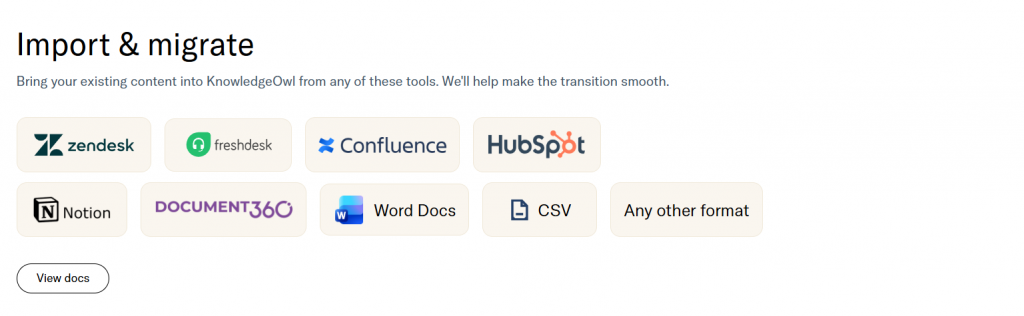
Import and Migration
You can import content from Freshdesk, Zendesk, Confluence, Microsoft Word, Notion, and more. If you’re moving from another platform, the white-glove migration service handles the remaining work as part of your subscription.
Contextual Help Widget
The built-in help widget surfaces relevant knowledge base articles directly within your application, giving users answers without forcing them to leave the page.
KnowledgeOwl Platform Review Based on 4Ps Evaluation
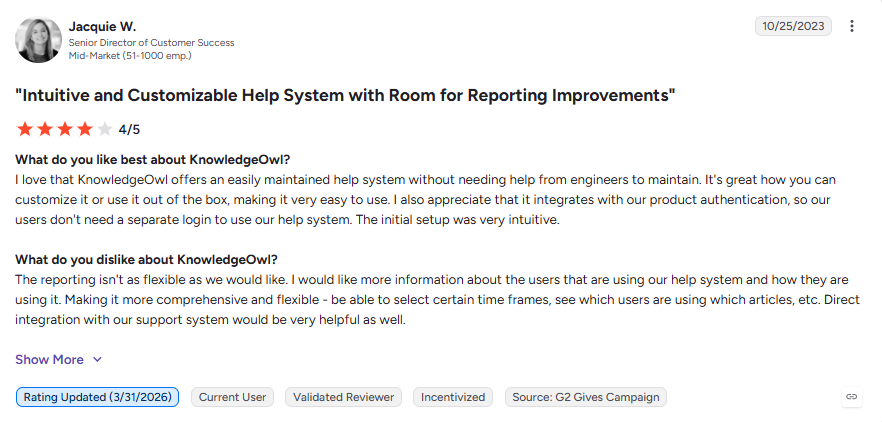
We evaluated KnowledgeOwl using our 4Ps methodology: Performance, Presence, Pricing, and Platform Experience. This KnowledgeOwl review combines hands-on testing with verified customer feedback from G2 and KnowledgeOwl’s published customer reviews, along with publicly available product documentation and pricing information, all verified as of July 2026.
KnowledgeOwl 4Ps Evaluation
Category
Evaluation Label
Performance

Reliable
Presence

Specialist
Pricing

Transparent
Platform Experience

Human-Centered
Final Verdict
The Human-Powered Knowledge Base Specialist
KnowledgeOwl Performance
Evaluation label: Reliable
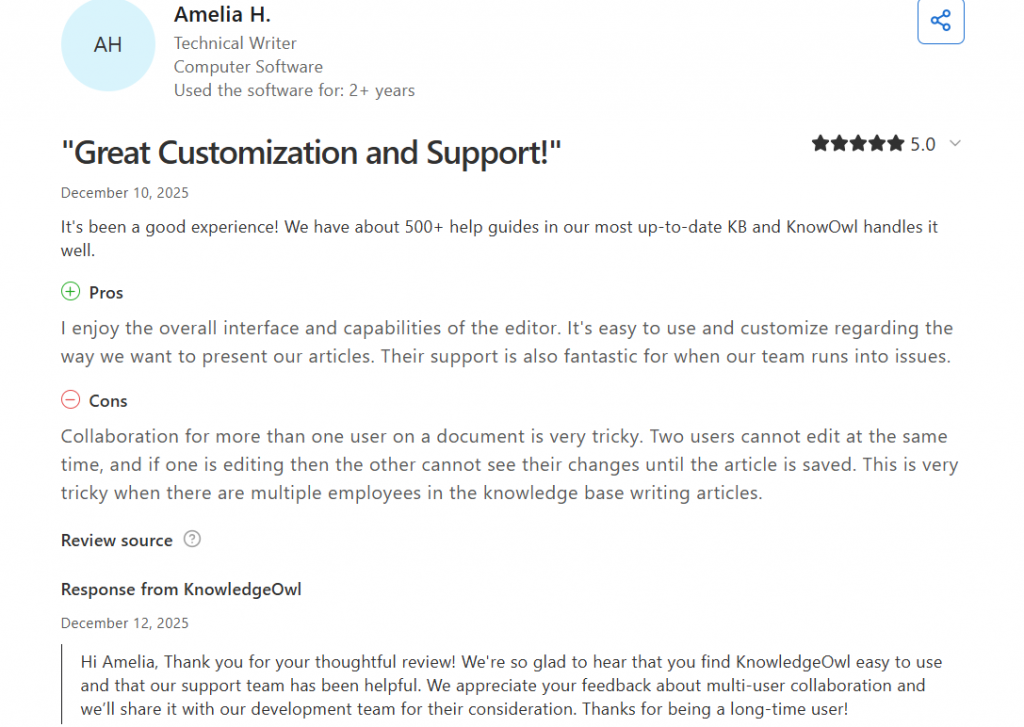
My overall impression was that KnowledgeOwl is a dependable platform built for long-term use. The editor takes a little time to get used to, but strong customer loyalty, responsive support, and measurable improvements for customers help balance that out.
KnowledgeOwl Performance
Main Features
- Customer NPS 90+ for 5 years straight
- 100% support satisfaction three years running
- Documented 92% response time reduction for a customer
Issues Reported by KnowledgeOwl Users
- Lack of Real-Time Concurrent Editing
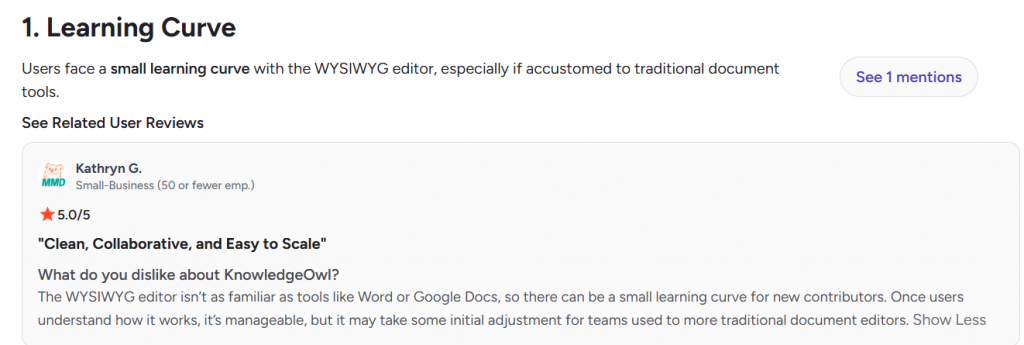
- Less Familiar Editor Than Word or Google Docs
KnowledgeOwl Presence
Evaluation label: Specialist
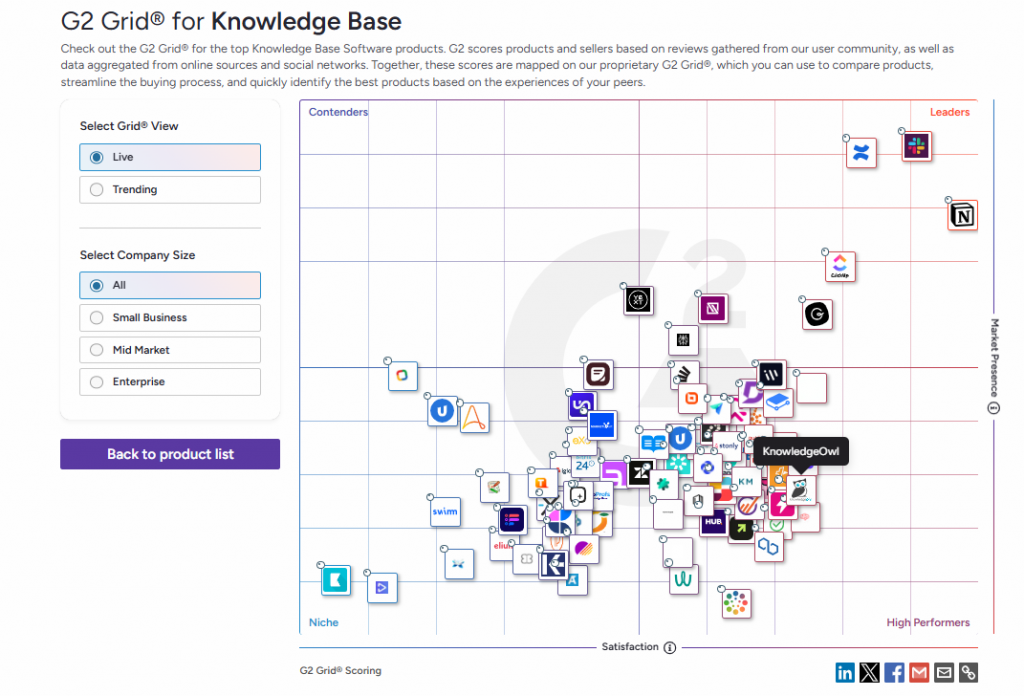
KnowledgeOwl isn’t the biggest name in the market, but that never felt like a drawback. Its long-standing focus on knowledge management and strong adoption in compliance-heavy industries suggest a platform trusted for reliability rather than broad market reach.
KnowledgeOwl Presence
Main Features
- A decade of pure knowledge base focus since 2015
- 3,200+ authors worldwide
- Strong adoption in regulated industries: credit unions, healthcare, government, education
Issues Reported by KnowledgeOwl Users
- Smaller market presence than enterprise giants
KnowledgeOwl Pricing
Evaluation label: Transparent
I liked that KnowledgeOwl keeps pricing straightforward. The pay-per-author model makes costs easy to predict, especially for teams with many readers. Larger deployments can be expensive, but transparent pricing and a generous trial reduce uncertainty before committing.
KnowledgeOwl Pricing
Main Features
- Published rates from $100/month
- Pay per author rather than per reader
- 30-day trial without a card
- 25% For Good discount
Issues Reported by KnowledgeOwl Users
- Can be pricey for advanced needs
KnowledgeOwl Platform Experience
Evaluation label: Human-Centered
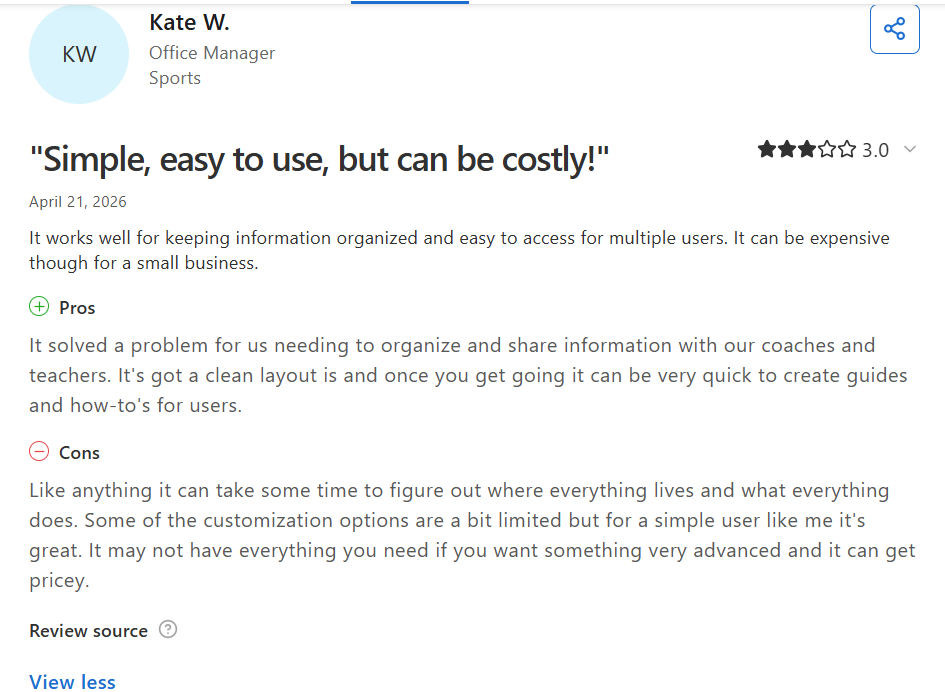
KnowledgeOwl puts a clear emphasis on customer experience rather than self-service alone. Between guided onboarding, migration support, and responsive human assistance, the platform feels welcoming. The most common request is real-time collaborative editing: changes are visible to teammates only after an article is saved, rather than in real time as they are typed.
KnowledgeOwl Platform Experience
Main Features
- White-glove migration
- Custom theme build
- 1:1 onboarding calls
- Human support on every plan
Issues Reported by KnowledgeOwl Users
- Real-time collaboration
Our 4Ps verdict: KnowledgeOwl, a help center software with analytics, delivers a focused, well-supported knowledge base platform with predictable pricing, excellent customer support, and strong compliance capabilities. It is especially well suited for organizations that value long-term reliability over an all-in-one workspace.
Advantages and Disadvantages of KnowledgeOwl
To understand the broader customer experience, I compared KnowledgeOwl reviews across several independent review platforms. Along with KnowledgeOwl G2 reviews search results, I also examined KnowledgeOwl Capterra reviews to identify recurring strengths, common complaints, and overall user sentiment.
KnowledgeOwl User Reviews and Ratings
Total reviews: ~400

4.6
out of 5

4.8
out of 5

4.8
out of 5

4.8
out of 5

6.2
out of 10

8.2
out of 10
Most Commonly Mentioned Pros:
- Ease of use
- Customer Support
Most Commonly Mentioned Cons:
- Learning curve
- Limited customization
All ratings data should be verified on each platform at the time of evaluation. Ratings may change as new reviews are added.
What users like about KnowledgeOwl:
“It strikes the perfect balance between functionality and simplicity — robust enough to support complex documentation needs, yet intuitive enough that our team can manage it without constant technical support.”
Source: G2
“I really like how easy KnowledgeOwl is to use and how intuitive the UI is. The constant release of new features like the AI chatbot keeps things exciting. The support is fantastic and truly second to none—they’re amazing anytime we reach out. The platform is solid, stable, and reliable, and it’s reassuring knowing the excellent documentation is available to help us make full use of its features. Setting up extra knowledge bases has been very easy and straightforward as well.”
Source: G2
What users dislike about KnowledgeOwl:
“The WYSIWYG editor isn’t as familiar as tools like Word or Google Docs, so there can be a small learning curve for new contributors. Once users understand how it works, it’s manageable, but it may take some initial adjustment for teams used to more traditional document editors.”
Source: G2
KnowledgeOwl Alternatives
The right platform depends on how your team creates, shares, and maintains documentation. These comparisons show how KnowledgeOwl differs from several well-known knowledge base and documentation tools without assuming there’s a single best choice.
Confluence (Atlassian)
Among the most common KnowledgeOwl alternatives, Confluence works well for engineering teams already invested in the Atlassian ecosystem. KnowledgeOwl takes a different approach to search, with out-of-the-box functionality, dedicated external help center features, and white-glove migration for organizations moving from Confluence.
KnowledgeOwl vs Confluence (Atlassian): Core Differences
Parameter
Best for
Starting price
Free trial
Readers included
Onboarding and migration

Internal + external knowledge bases and help centers in one platform
$100/month (1 author, 1 knowledge base included)
30 days, no credit card
Unlimited on all plans
White-glove migration, custom theme build, 1:1 calls included on all plans
Parameter
Best for
Starting price
Free trial
Readers included
Customer support availability and channels
Onboarding and migration
Internal team collaboration and documentation for organizations using the Atlassian ecosystem
Free for up to 10 users; Standard starts at $5.42/user/month
30 days, no credit card
User-based licensing; readers count as users
Self-service migration tools and Atlassian documentation; partner services available
As pricing is dynamic, the figures listed reflect the most recent data available in August 2026.
Document360
If you’re exploring alternatives to KnowledgeOwl software, Document360 is one of the closest dedicated knowledge base competitors, particularly for structured product documentation. KnowledgeOwl stands out by including white-glove migration, a custom theme, one-on-one onboarding, unlimited readers, and its customer happiness guarantee on every plan.
KnowledgeOwl vs Document360: Core Differences
Parameter
Best for
Starting price
Free trial
Readers included
Onboarding and migration
Internal + external knowledge bases and help centers in one platform
$100/month (1 author, 1 knowledge base included)
30 days, no credit card
Unlimited on all plans
White-glove migration, custom theme build, 1:1 calls included on all plans
Parameter
Best for
Starting price
Free trial
Readers included
Customer support availability and channels
Onboarding and migration

Product documentation, software documentation, and customer self-service knowledge bases
Custom pricing
14 days
Public readers included; private reader accounts depend on project configuration and plan
Migration assistance, onboarding support, and one-to-one training available
As pricing is dynamic, the figures listed reflect the most recent data available in August 2026.
Helpjuice
Helpjuice is an established knowledge base platform that suits organizations looking for dedicated documentation software. In this KnowledgeOwl vs Helpjuice comparison, KnowledgeOwl stands out with its unlimited customer happiness guarantee, 100% support satisfaction record, and transparent per-author pricing that makes ongoing costs easier to predict.
KnowledgeOwl vs Helpjuice: Core Differences
Parameter
Best for
Starting price
Free trial
Readers included
Onboarding and migration
Internal + external knowledge bases and help centers in one platform
$100/month (1 author, 1 knowledge base included)
30 days, no credit card
Unlimited on all plans
White-glove migration, custom theme build, 1:1 calls included on all plans
Parameter
Best for
Starting price
Free trial
Readers included
Customer support availability and channels
Onboarding and migration

Dedicated internal and external knowledge bases for growing support teams
Starts at $249/month
14 days, no credit card
User limits vary by plan (30, 100, or unlimited)
Import tools, documentation, and customer success support available
As pricing is dynamic, the figures listed reflect the most recent data available in August 2026.
Notion
Notion is a flexible workspace that many teams use for internal notes, collaboration, and lightweight wikis. KnowledgeOwl takes a more specialized approach with semantic search, reader groups, a contextual help widget, and a closed AI chatbot that cites sources, making it better suited for dedicated help centers and knowledge bases.
KnowledgeOwl vs Notion: Core Differences
Parameter
Best for
Starting price
Free trial
Readers included
Onboarding and migration
Internal + external knowledge bases and help centers in one platform
$100/month (1 author, 1 knowledge base included)
30 days, no credit card
Unlimited on all plans
White-glove migration, custom theme build, 1:1 calls included on all plans
Parameter
Best for
Starting price
Free trial
Readers included
Customer support availability and channels
Onboarding and migration

Team collaboration, internal wikis, notes, and general workspace management
Free plan available; Plus starts at $12/user/month
Free plan available (rather than a time-limited trial)
Shared by workspace members and guests under workspace limits
Self-service onboarding with templates, guides, and documentation
As pricing is dynamic, the figures listed reflect the most recent data available in August 2026.
Zendesk Knowledge
Zendesk Knowledge is a natural choice for organizations already using the Zendesk suite for customer support. KnowledgeOwl offers a standalone alternative without ecosystem lock-in, supports direct imports from Zendesk, and backs every plan with human support instead of tiered ticket queues.
KnowledgeOwl vs Zendesk Knowledge: Core Differences
Parameter
Best for
Starting price
Free trial
Readers included
Onboarding and migration
Internal + external knowledge bases and help centers in one platform
$100/month (1 author, 1 knowledge base included)
30 days, no credit card
Unlimited on all plans
White-glove migration, custom theme build, 1:1 calls included on all plans
Parameter
Best for
Starting price
Free trial
Readers included
Customer support availability and channels
Onboarding and migration
Customer-facing help centers tightly integrated with the Zendesk support suite
Included with Zendesk Suite plans; Suite Team starts at $55/agent/month
14 days, no credit card
End users can access the Help Center; agent licensing is priced separately
Import tools and implementation resources available through the Zendesk ecosystem
As pricing is dynamic, the figures listed reflect the most recent data available in August 2026.
Final Insights from KnowledgeOwl Evaluation
After testing KnowledgeOwl, I think it is best suited to organizations that want a single platform for both internal and external knowledge. Its predictable per-author pricing, human onboarding, compliance-ready approach, and values as an independent B Corp make it particularly appealing for regulated industries, HR teams, and purpose-driven organizations.
FAQs
How much does help center knowledge base software cost?
Help center software prices range from free to enterprise-level plans costing hundreds per month.
How does help center software reduce support costs?
It reduces ticket volume by helping customers find answers before contacting your support team.
What size or type of company is KnowledgeOwl best suited for?
KnowledgeOwl works best for growing teams and mid-sized organizations managing complex internal or customer documentation.
Is KnowledgeOwl secure and reliable for handling sensitive data?
Yes, it supports HIPAA and GDPR agreements, SAML SSO, and a closed AI that keeps data private.
How long does it take to launch a knowledge base with KnowledgeOwl?
Most teams can launch within days, with onboarding, migration, and training included on every plan.

Helen is Anywherer’s Market Analyst & Content Researcher, with extensive experience in analyzing global employment markets and HR technology trends. She is skilled at turning complex market data into clear, well-researched insights that inform every piece of content. With a strong grasp of the EOR, PEO, and international hiring space, Helen plays a key role in keeping Anywherer’s research accurate, up to date, and genuinely useful for readers.